 Astrolinks


Short answer
Good agency client reporting tells a client four things: the results that matter to them, the work your team did, what happens next, and what you need from them. Send a short weekly report to most clients, a monthly review with numbers to all of them, and daily updates only to clients who pay for close, ongoing work.
Astrolinks gives each person a daily report written from their own private log. No screenshots. Get it free →
Every agency owner knows the Friday afternoon scramble. A client wants to know what happened this week. The numbers live in one tool, the work lives in five people's heads, and somebody has to turn it all into something the client will actually read. Agency client reporting doesn't have to be that hard, but it does need a plan.
This guide covers what a good client report includes, how often to send it for different kinds of clients, a weekly template you can copy, and how to collect the "work done" part from a remote team without chasing anyone. It ends with a fair look at the tools: which ones handle the numbers, and which handle the team's daily work.
What should agency client reporting include?
A client report answers the questions the client would ask if they called you. In practice, that comes down to four parts.
- Results. The numbers tied to what the client is paying for. For a paid ads client that might be leads and cost per lead. For an SEO client, organic traffic and rankings for the pages that matter. For a social client, reach and engagement on the posts you made. Pick the three to five that match the goals you agreed at the start, and leave out the rest.
- Work done. What your team actually did since the last report. Campaigns launched, posts published, pages written, tickets closed, meetings held. This is the part clients often value most, because it's the part they can't see in a dashboard.
- What's next. The plan for the coming period, in a few lines. It shows the client that someone is thinking ahead.
- What you need from them. Approvals, logins, feedback, budget decisions. Put this near the top if it's urgent. Many agency delays are really client delays, and a report is the polite place to say so.
Two smaller parts help too. A one-line summary at the very top, for the client who reads nothing else. And hours by task, for clients who pay by the hour or have a capped retainer.
What a report shouldn't include: every metric your tools can export, internal jargon, or a list of activity with no outcome. "Sent 14 emails" means little. "Booked 3 calls with the leads from the webinar" means a lot.
How often should an agency report to clients?
There's no single right answer. Match the rhythm to what the client buys and how closely they work with you.
| Client type | Report rhythm | What goes in it |
|---|---|---|
| Hands-on daily work (inbox, support, social posting) | A short daily update, plus a weekly summary | Done today, waiting on the client, next up |
| Monthly retainer (content, SEO, ads management) | Weekly written update, monthly results review | Work done and next steps weekly; numbers and trends monthly |
| Project work (a website, a launch, a rebrand) | Weekly, tied to milestones | Progress against the plan, open decisions, risks |
| Results-focused client who wants little contact | Monthly | Results, a short note on work done, the plan for next month |
A good default for most agencies: a short written update every week, and a review with numbers every month. Weekly keeps the client feeling looked after. Monthly gives the numbers time to mean something, because a single week of ad or SEO data is often noise.
Ask each client at kickoff how often they want to hear from you, and write the answer into the account notes. Some clients love a daily note. Others will feel buried by it. Asking takes one question and saves a lot of guessing. Our client onboarding questionnaire has a section for exactly this.
A weekly client report template you can copy
Here's a weekly agency client report template. Copy it into an email, a doc or a Slack message and fill in the brackets. Keep it to one screen.
Subject: [Client name] weekly update, [date range]
This week in one line: [The single most important thing that happened]
Results so far this month:
- [Metric 1]: [number], [up or down] from [last period]
Work done:
- [Area 1, such as Paid ads]: [what was done, with links]
- [Area 2, such as Content]: [what was done]
- [Area 3, such as Reporting or admin]: [what was done]
Next week:
- [Top priority]
- [Second priority]
- [Third priority]
What we need from you:
- [Approval, login, feedback or decision], by [day]
Hours this week (if billed hourly): [total], [split by task if useful]
A few tips that make this work:
- Lead with the one line. Busy clients read the subject and the first line. Make those count.
- Group work by area, not by person. The client hired your agency, not five separate people. Keep names for when a specific person needs to be contacted.
- Show results as a trend. "Leads: 42, up from 31 last month" says more than "Leads: 42".
- Say "nothing needed" when nothing is needed. It tells the client you checked.
For more versions of this, including a recap for hourly clients and one for agencies pulling from several people, see our weekly client recap templates.

How do you collect the "work done" part from a remote team?
This is where most agency client reporting breaks. The numbers come from tools. The work done has to come from people, and people forget, especially at the end of a long shift or in a different time zone.
If your account manager spends Friday messaging five people to ask what they did for a client this week, the problem isn't the report. It's the lack of a daily habit underneath it. Here's a setup that removes the chasing.
Ask for one short update a day, sorted by client
At the end of each shift, every person writes a short update with three parts for each client they worked on:
- Done: what got finished, with links
- Next: what they'll do tomorrow
- Blocked: what's stuck, and who could unblock it
Sorting by client is the important part. When the updates are already split by client, the weekly report is mostly copying and trimming. When they're one long list per person, someone has to untangle it every week.
Send every update to one place
Pick one place where updates land: a channel, a shared inbox, or a tool built for it. Not five Slack channels and a few emails. The person who writes the client report should be able to open one place and read everything for that client.
Answer blockers fast
Read the updates at the start of your day and answer every blocker before the person's next shift. If a blocker is really a client delay, such as a missing login, that goes straight into the "What we need from you" part of the client's next report. If blockers sit unanswered, people stop writing them, and the habit dies.
Don't use monitoring to fill the gap
Some agencies try to get "work done" data from screenshot trackers or activity scores. It doesn't help the report. A client doesn't want to know that someone's mouse moved for six hours. They want to know what got done. Monitoring also costs you goodwill with your best people. Our guide to remote team updates without micromanaging covers how to get good updates while still trusting your team, and if your team works overseas, see how to manage an offshore team.
Which tools help with agency client reporting?
Most agencies need two kinds of tools, because a client report has two kinds of content: numbers and work.
KPI dashboards for the numbers
These connect to the platforms you run for clients, such as ad accounts, analytics and social profiles, and pull the numbers into a client-ready dashboard. Facts below are from each tool's own website, as of November 2026.
| Tool | What it does | Price, as of November 2026 |
|---|---|---|
| AgencyAnalytics | Client dashboards and reports for marketing agencies, with 90+ marketing integrations and white labeling (your logo, colors and domain) | From $20 per client per month on the Core plan, billed yearly; free 14-day trial |
| Data Studio by Google (formerly Looker Studio) | Build your own reports and dashboards from Google Ads, Google Analytics, Sheets, BigQuery and many other sources | Free for creators and viewers; a Pro subscription is $9 per user per project per month |
| DashThis | Ready-made marketing dashboards, white labeled on every plan | From $54 a month for 3 dashboards (Individual plan, billed monthly); free 14-day trial |
Google's own tool is free but you build each report yourself. The paid tools save setup time and add things like scheduled sending and client logins. Check each pricing page before you choose, because plans change.
What these tools don't do is tell the client what your team worked on. A dashboard can show that traffic rose. It can't say that your writer rebuilt three landing pages on Tuesday and is waiting on the client's approval for a fourth.
A daily update tool for the work
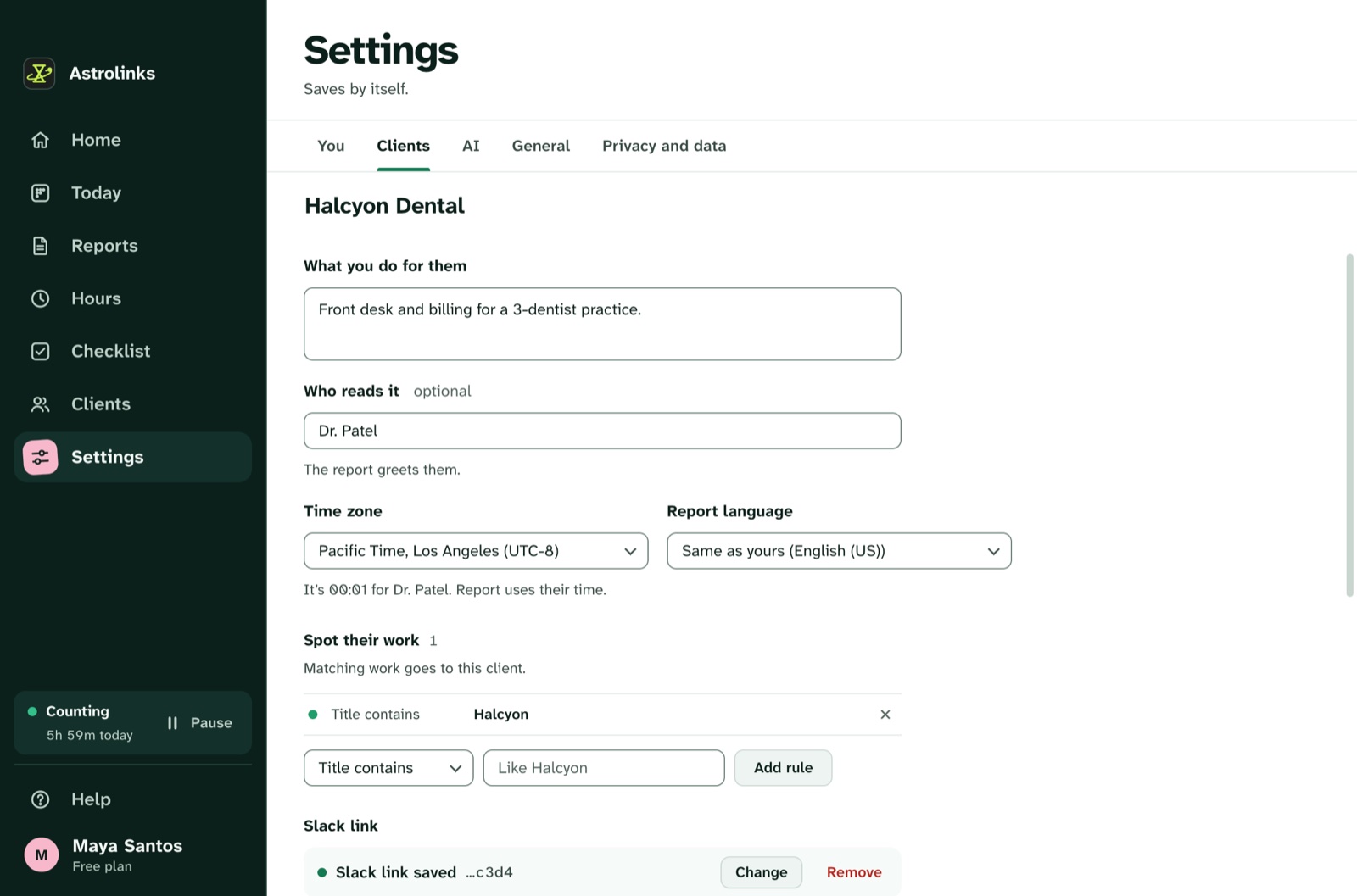
That's the gap Astrolinks fills. It's an end-of-day report app for Mac and Windows. Each person keeps a private log of their work on their own computer, with no screenshots and no keystroke logging. At clock-out, it writes their report with what's done, what's next and what's blocked, split by client. They check it, edit it and send it.
On the Team plan, every report lands in one Team inbox for the manager, with an Overview of who has sent today and what's blocked. Your account manager reads the reports for each client and forwards what the client needs to see, or pulls them together into the weekly update above. For clients billed by the hour, hours add up per client and turn into invoices. If you're choosing a timer or tracker for billing, see our comparison of agency time tracking software.
So a fair split looks like this: use a KPI dashboard for the results section, and use daily written updates for the work done, next and blocked sections. Together they make the whole report.
Common agency client reporting mistakes
- Reporting everything. Twenty metrics hide the three that matter. Agree on the few that match the client's goals.
- Numbers with no story. If a number dropped, say why and what you're doing about it. Clients forgive a bad month. They don't forgive surprises.
- Hiding client delays. If you've waited a week for an approval, say so, kindly and clearly, in every report until it arrives.
- Writing the report from memory. Friday memory is unreliable. Daily updates make the weekly report accurate.
- Changing the format every month. Clients learn where to look. Keep the same order every time.
- Sending late. Pick a day and stick to it. A report that arrives on time every Friday builds more trust than a beautiful one that arrives on Tuesday.
How can an agency start better client reporting this week?
You don't need a new system to start. Try this for one client:
- Monday: agree with the client on three results to report and the day you'll send.
- Every day: ask each person on that account for a short Done, Next, Blocked update, sorted by client.
- Friday: fill in the template above from the week's updates and your dashboard.
- After four weeks: ask the client what they read and what they skip, and trim.
If you want to test the daily update part with your team, Astrolinks runs a free 14-day team pilot for agencies, for up to 5 people, with no card needed. If you stay, the first 20 customers get the founding price: 30% off for as long as they subscribe, with the code FNDR2026, until 31 December 2026.