 Astrolinks
Short answer
Astrolinks is time tracking for consultants who work on a computer. It keeps a private log of your workday on your own computer, sorts the hours by client without a timer, writes each client's short update when you clock out, and turns the hours into an invoice.
Consulting work is split across clients and across tools: a strategy deck for one, a workshop for another, a dozen emails and calls in between. Two things suffer first when the week gets busy: the timesheet, and the client update.
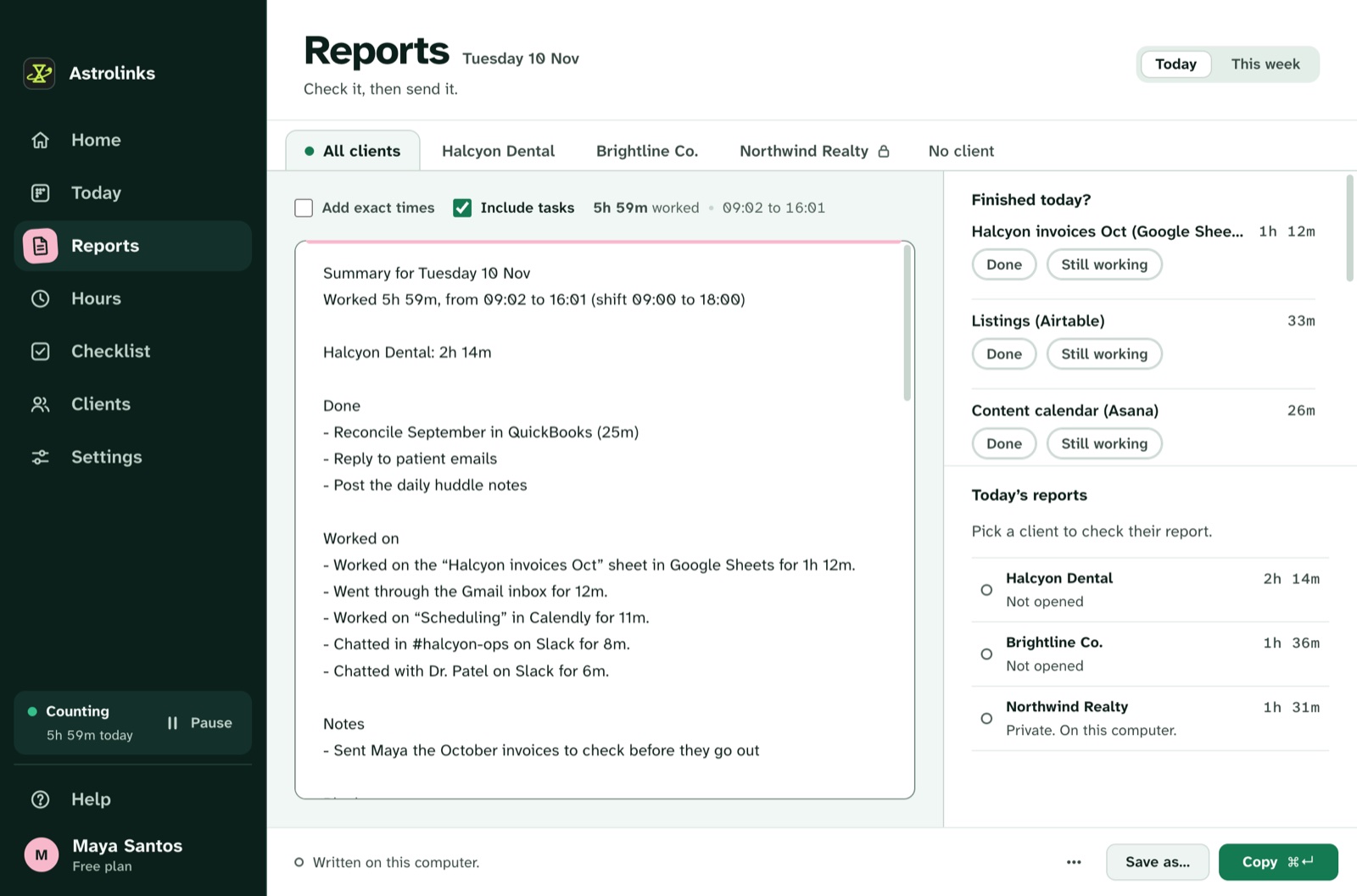
Astrolinks is a desktop app for Mac and Windows that does both from the same private record. While you work, it notes which app and window are in front and sorts the time by client. When you clock out, it writes each client's update from the day. The hours become invoices.
Hours by client, without a timer
Give each client a rule: their name in a document title, their Slack workspace, a project tool's website, or a meeting's name. Your day sorts itself. Time that lands in the wrong place takes one click to move, and Always teaches the rule. Hours shows each client's time in decimals with the amount to bill. On Pro, Save as CSV exports any range.
Retainer clients count too. Leave the rate empty and you still see the real hours behind each retainer, which is what you need when it's time to renew or raise it.
The client update, already written
Clients who hear what moved this week renew. Clients who don't, wonder. At the end of the day, Astrolinks writes each client's update from your log: what got done, what's in progress, and what you need from them. It uses each client's own sections, tone and time zone. You read it, change anything, and send it by Slack or email draft, or save it as a PDF. Weekly client recap templates show formats clients like.
Private by design
Your log stays on your computer. It never records keystrokes, screenshots or your clipboard, and skips private browser windows. Nothing from it is sent to us, to a client or to an AI company. A client sees only the update or invoice you choose to send. The privacy page lists exactly what is and isn't recorded.
Invoices from the hours
Make invoice turns a client's hours into an invoice you can fully edit: the work done on each line, your logo, tax or a discount, a Pay now link, and due on receipt or in 7, 14 or 30 days, as a PDF or CSV. It keeps track of which invoices are paid.
An example month
This is an illustrative example, not a real customer.
Priya is an operations consultant with four clients: two on monthly retainers and two hourly. Each evening she sends the hourly clients a three-line update on Slack. At month end, Hours shows one retainer client took 31 hours on a 20-hour retainer. She brings the numbers to the renewal call, and the retainer goes up.
Good to know before you start
- Astrolinks runs on macOS and on Windows 10 (version 2004 or later) and Windows 11.
- No AI is needed. Reports are written on your computer. On Pro, a built-in writing helper runs on your computer too.
- Your hours are your own notes of your day. Read them and fix anything before you send an update or an invoice.