 Astrolinks
Short answer
Harvest alternatives with a free plan include Toggl Track, Clockify and RescueTime (Lite), and Astrolinks, whose Free plan counts up to 4 hours a day for 2 clients. Rize has no free plan. If you forget timers, Astrolinks and Rize track automatically; Astrolinks keeps the log on your computer and writes a daily report per client.
Harvest has helped agencies and freelancers bill their time for years. It is simple, it never takes screenshots, and invoicing is on every plan. People look for a Harvest alternative when the timer is the problem: they forget it, or rebuild the day from memory every evening. Others want the daily client update as well as the invoice. Here is a fair look at both.
Harvest and Astrolinks at a glance
| Harvest | Astrolinks | |
|---|---|---|
| How time is captured | A timer or manual timesheet | Automatic: a private log of your workday |
| Screenshots | No | No, never |
| Keystroke logging | Not mentioned on its site | No |
| Where the data lives | Harvest’s cloud | On your own computer |
| End-of-day report written for you | No | Yes, one per client at clock-out |
| Invoicing | Yes, on every plan, with online payments | Yes, on every plan, fully editable, with "work done" lines |
| Online payments | Yes | No |
| Budgets and profitability | Yes | No |
| Team view | Team reports on Teams; approvals on Enterprise | A Team inbox for the reports people choose to send |
| Platforms | Mac, Windows, iPhone, Android, browser | Mac and Windows (Windows is a free beta) |
| Price model | Free plan (one seat, two projects); paid plans per seat per month; 30-day trial, no card (their pricing) | Free plan; Pro; Team per seat from 2 seats; Business; 7-day Pro trial, no card (our pricing) |
What Harvest is, in its own words
Harvest says it helps teams "turn hours into profit". From its own site and help center, checked on Nov 10, 2026:
- Time tracking by timer or timesheet, on desktop, phone and the browser, with a prompt when you have been idle
- No screenshot monitoring, as its own page says
- Invoicing on every plan, with online payments, reminders and retainers
- Budgets, profitability and utilization reports, team reports, and approvals on Enterprise
- A free plan for one seat and two projects, paid plans per seat, and a 30-day trial with no card
It is built for professional teams: agencies, consultancies, architects, lawyers, accountants and software firms.
What Astrolinks is
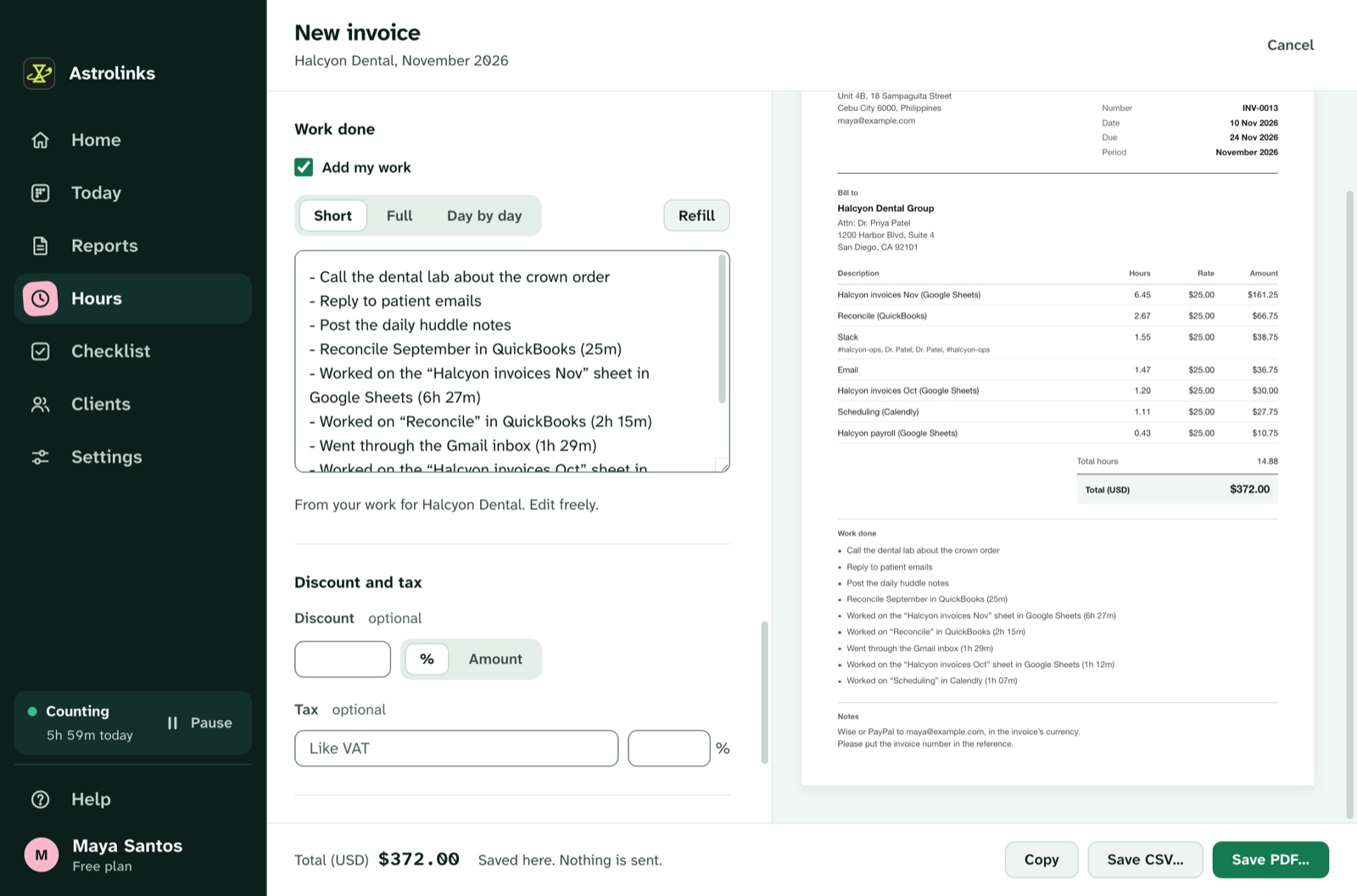
Astrolinks is a desktop app for Mac and Windows (Windows is a free beta). It keeps a private log of your workday on your own computer, sorts it by client, and writes each client’s end-of-day report when you clock out. You check it and send it by Copy, Slack or email, or save a PDF, Word or text file. Hours add up per client and become an invoice you can fully edit, with "work done" lines. A checklist with reminders and notes keeps the day in order.
Who should choose Harvest instead
Pick Harvest if:
- you want clients to pay invoices online, with reminders and retainers
- you track project budgets and profitability across a team
- you prefer a timer and want a web and phone app
- you need approvals for a larger team
Why people choose Astrolinks
- No timer to forget. No more rebuilding the afternoon from browser history.
- A daily report per client, which Harvest doesn’t write, from the same day that becomes the invoice.
- "Work done" lines on the invoice, so a client sees what the hours bought. Every line can be edited.
- Private by design. Your log stays on your computer.
Other Harvest alternatives compared
If Harvest isn’t the right fit, these are the tools people most often weigh against it: Toggl Track, Clockify, RescueTime, Rize, and Astrolinks. Each fact below comes from our comparison pages, written from each vendor’s own site on Nov 10, 2026. Follow a link for the details and sources, and check the vendor’s site before you decide.
| Tool | Best for | Screenshots | Keyboard and mouse | Where data lives | Free plan |
|---|---|---|---|---|---|
| Harvest | Agencies and consultancies that bill hourly and take payments online | No | Not mentioned on its site | Harvest’s cloud | Free plan (one seat, two projects) |
| Toggl Track | Teams that want timers, billable rates and planning | No | No | Toggl’s cloud (its Timeline is private to each user) | Free plan for small teams |
| Clockify | Small teams that want timesheets and approvals for free or cheap | Optional, on higher plans, switched on by an admin | Keyboard and mouse tell active from idle, with monitoring | Clockify’s cloud | Free plan for up to 5 users |
| RescueTime | Individuals who want focus insights and a productivity score | No | No; input is used only to tell active from idle | RescueTime’s cloud | Free Lite plan |
| Rize | Billable-hour firms that want AI-drafted timesheets | No by default; an optional feature captures the active window | No; input is used only for idle time | Rize’s cloud (AWS), with AI providers | No free plan |
| Astrolinks | People who send daily reports, and the teams that read them | No, never | No keystroke logging | On the person’s own computer | Free plan (4 hours a day, 2 clients) |
A quick way to choose: for another timer with a free plan, Toggl Track or Clockify. For automatic tracking, RescueTime (focus) or Rize (timesheets, no free plan). For an automatic log that stays on your computer and writes each client's daily report, Astrolinks.
A note on this comparison
Harvest is a trademark of its owner, used here only to name the product we compare. We wrote this from Harvest’s own public pages on Nov 10, 2026. Plans change, so check Harvest’s site before you decide.