 Astrolinks

Short answer
Astrolinks helps a digital nomad in Thailand work for clients abroad. It keeps a private log of your workday on your own laptop, sorts it by client, and writes each client's end-of-day report with times on that client's clock, 11 to 15 hours behind for the US. It works offline and takes no screenshots.
It's 8 PM in Bangkok. Your noodles are finished, the cafe below your condo is getting quiet, and your client in New York is just opening their laptop at 8 AM. A few hours later your client in London is asleep, and the one in California hasn't started yet. Everyone wants to know what you did today, and each of them reads your update on their own clock.
Astrolinks is a small desktop app for Mac and Windows that keeps that straight for you. It keeps a private log of your workday on your own laptop, sorts the time by client, and writes each client's end-of-day report at clock-out. You read it, fix anything, and send it. It works for any remote worker, and the Astrolinks page for digital nomads covers the basics. This page is about what's different when you live in Thailand and your clients don't.
What time is it for my clients right now?
Thailand runs on Indochina Time, UTC+7, all year. There is no daylight saving time. The US, the UK and most of Europe do change their clocks, so the gap to your clients moves twice a year even though your own clock never does.
| Your client's time zone | Gap from early November to March | Gap from March to early November |
|---|---|---|
| Eastern (New York, Miami) | Thailand is 12 hours ahead | Thailand is 11 hours ahead |
| Central (Chicago, Dallas) | 13 hours ahead | 12 hours ahead |
| Pacific (Los Angeles, Seattle) | 15 hours ahead | 14 hours ahead |
| UK (London) | 7 hours ahead | 6 hours ahead |
| Central Europe (Berlin, Paris) | 6 hours ahead | 5 hours ahead |
| Sydney | Sydney is 4 hours ahead of Thailand | Sydney is 3 hours ahead |
The US and Europe don't change on the same weekend, so for a few weeks each spring and autumn the gaps shift at different times. Most US states change in March and early November. Europe changes at the end of March and the end of October. Arizona and Hawaii don't change at all.
For a US client, that usually means one of two shapes of day. Either you work your evening and night, overlapping their morning, or you work your normal day and hand over before they wake. European clients are easier: your afternoon is their morning.
How does each client get a report on their own clock?
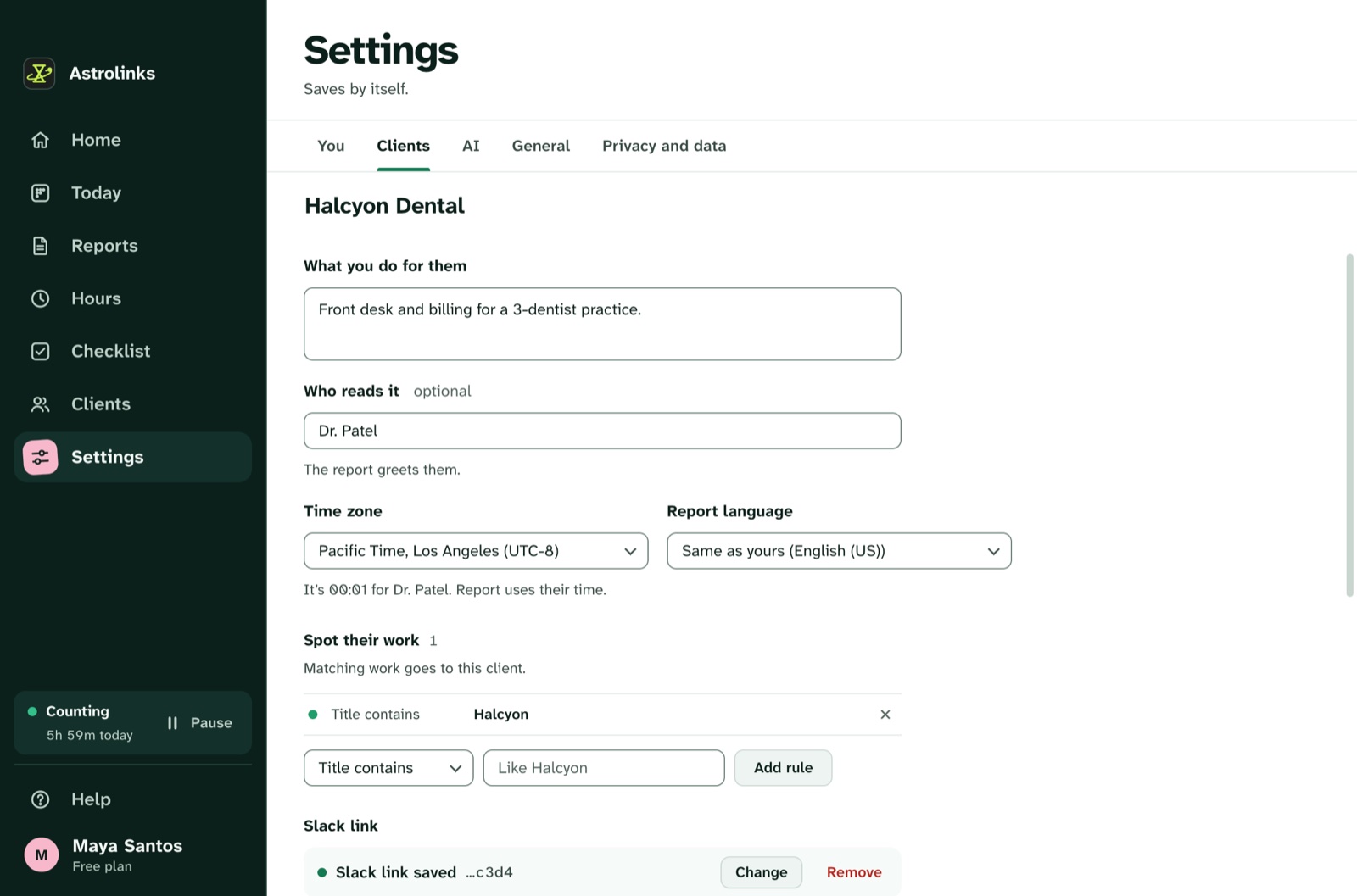
Give each client their time zone once, in Settings, Clients. After that, their report gives its times, shift and date on their clock, like "Worked 3h 10m, from 08:02 to 11:12 Eastern Time", while your own day stays on Thai time. Where their clock differs from yours, Astrolinks shows it beside your own, so you don't do the math at midnight.
Late sessions are normal when your clients are 12 hours away. A workday starts four hours before your shift, so a night shift stays one day, even across midnight. Start at 8 PM in Chiang Mai for a client in New York and finish at 2 AM, and it is still one workday and one report, dated the US day your client just worked.
When the US changes its clocks, you move your start time if you want to keep the same overlap. The report keeps saying Eastern Time without any change from you.
With Pro, each client's report can also be in its own language, such as English for New York and Spanish for a client in Madrid. The languages and time zones page has the details.
Does it work on an island or a night train?
Thailand makes it tempting to work from somewhere with a view: an island guesthouse, a mountain town, an overnight train between Bangkok and Chiang Mai. Wi-Fi in those places can come and go.
Astrolinks doesn't mind. The log lives on your laptop, and counting and writing the report happen there too, without the internet. On battery, the day keeps counting. Sending is the only step that needs a connection. If the signal drops as you press Send to Slack, the report waits on your laptop and goes by itself once you are back online. It keeps trying for up to a day, and Settings, You, Waiting to send shows what is waiting, with Try now and Don't send.
Time away from the keyboard is taken back too, so the hour on a ferry with the laptop open doesn't count as work. When the lock screen or the screen saver is in front, nobody is working, and that time doesn't count either.
Is it safe to use in Bangkok and Chiang Mai cafes?
Cafes and coworking spaces are where a lot of nomad work happens in Thailand. Chiang Mai's old city and Nimman, and the busy streets around Bangkok's BTS stations, have more laptop-friendly cafes than you can try in a year. They are also places where strangers can see your screen.
A tracker that takes screenshots adds one more viewer, and it sends those pictures, with whatever was on screen, to a server somewhere else. Astrolinks never takes screenshots, never records keystrokes and never reads your clipboard.
While it runs, it notes which app and window are in front every 5 seconds, plus the web address in supported browsers, without anything after "?" or "#". That is enough to say "two hours in the client's Figma file" without a picture of your screen. Private and incognito windows in Chrome, Edge, Brave, Vivaldi, Chromium and Arc are skipped. Safari private windows on a Mac are recorded like any other window, so pause Astrolinks first if you need to.
The log is a set of plain files on your laptop. We never receive it, and there is no account that holds your day. Days are kept 14 days by default, and you can delete everything at any time. The privacy-first page lists everything Astrolinks records and everything it never does.
How do I bill clients abroad from Thailand?
Give each client one rate in their own currency: 40 USD for the agency in New York, 30 GBP for the studio in London, 35 EUR for the shop in Berlin. Hours adds up each client's time for the dates you pick and shows what to bill. Different currencies are never added together.
On every plan, Make invoice builds one client's invoice for the dates on screen: the invoice number, the date, who it is for, every work item with its hours and amount, the total, when it is due and how they pay you. Letter or A4, saved as a PDF, a CSV, or both, on your computer. Astrolinks never sends an invoice for you. Hours come from your own log, so check the numbers before you send.
What about the DTV visa and Thai tax?
Two questions come up for everyone who stays a while.
- The visa. Many remote workers in Thailand hold the Destination Thailand Visa, or DTV. Our guide to the Thailand DTV visa covers who qualifies, the documents, the fee and how to apply, with links to official embassy pages.
- Tax. Spend 180 days or more in Thailand in a calendar year and you can become a Thai tax resident, whatever your visa. Since 2024, foreign income that residents bring into Thailand can be taxable. Read Thailand tax for digital nomads for the details.
Rules change, and neither guide is legal or tax advice. Check the official Thai government sites, and talk to a Thai tax adviser before you plan a long stay.
Where Astrolinks fits is the paperwork behind both. Save as CSV in Hours, on Pro, saves one row per date, client and work item. Invoices as PDF and CSV give you a numbered pair for every bill. Keep one folder per month with your bank statements, and you have the "who paid me, for what, and when" that a visa file or a tax adviser asks about. Be clear about what these are, though: they come from your own log and are not proof of work.
An example week from Chiang Mai
This is an illustrative example, not a real customer.
Mai is a freelance designer spending the cool season in Chiang Mai, with two clients: a startup in New York and an agency in London.
In December she works the London agency's brief from 3 PM to 7 PM her time, which is 8 AM to noon in London. Astrolinks files her Figma and Slack windows under the agency, because its name is in the titles. After dinner she starts on the New York startup at 8 PM, which is 8 AM Eastern. She presses ⌃⌥N (Ctrl+Alt+N on Windows) once: "waiting on copy for the pricing page".
At 1 AM she presses Write my report. Two tabs. The agency's report shows its hours in UK time and goes to Slack. The startup's report shows "from 08:03 to 12:58 Eastern Time", with the copy under Blockers, and is dated the US day her client just worked.
On Thursday she takes the train to Bangkok and works on board. The connection drops as she presses Send. The report waits on her laptop and goes when she's back on Wi-Fi at the station. On Friday she opens Hours, sees dollars and pounds totalled apart, and makes the London invoice as a PDF.