 Astrolinks
Short answer
Astrolinks is time tracking for lawyers and small firms. It keeps a private log of your workday on your own computer, sorts the time by client or matter without a timer, writes a short update for each, and turns the hours into an invoice. Nothing about your clients leaves your computer through it.
Most lawyers know the problem: the day is full, but the timesheet at 7 pm is missing a third of it. A ten-minute call here, an email there, a draft revised between meetings. Reconstructing it later means guessing, and guesses are almost always low.
Astrolinks is a desktop app for Mac and Windows that keeps the record while you work. It notes which app and window are in front, sorts the time by client or matter, and turns it into a short client update and an invoice. It runs on your computer and keeps its log there.
Billable time without a timer
There's nothing to start or stop. Give each client or matter a rule: a word in a document's title, a folder, a case management website, or an email subject. Every stretch of work then shows whose it was. Time that lands in the wrong place takes one click to move, and Always teaches the rule.
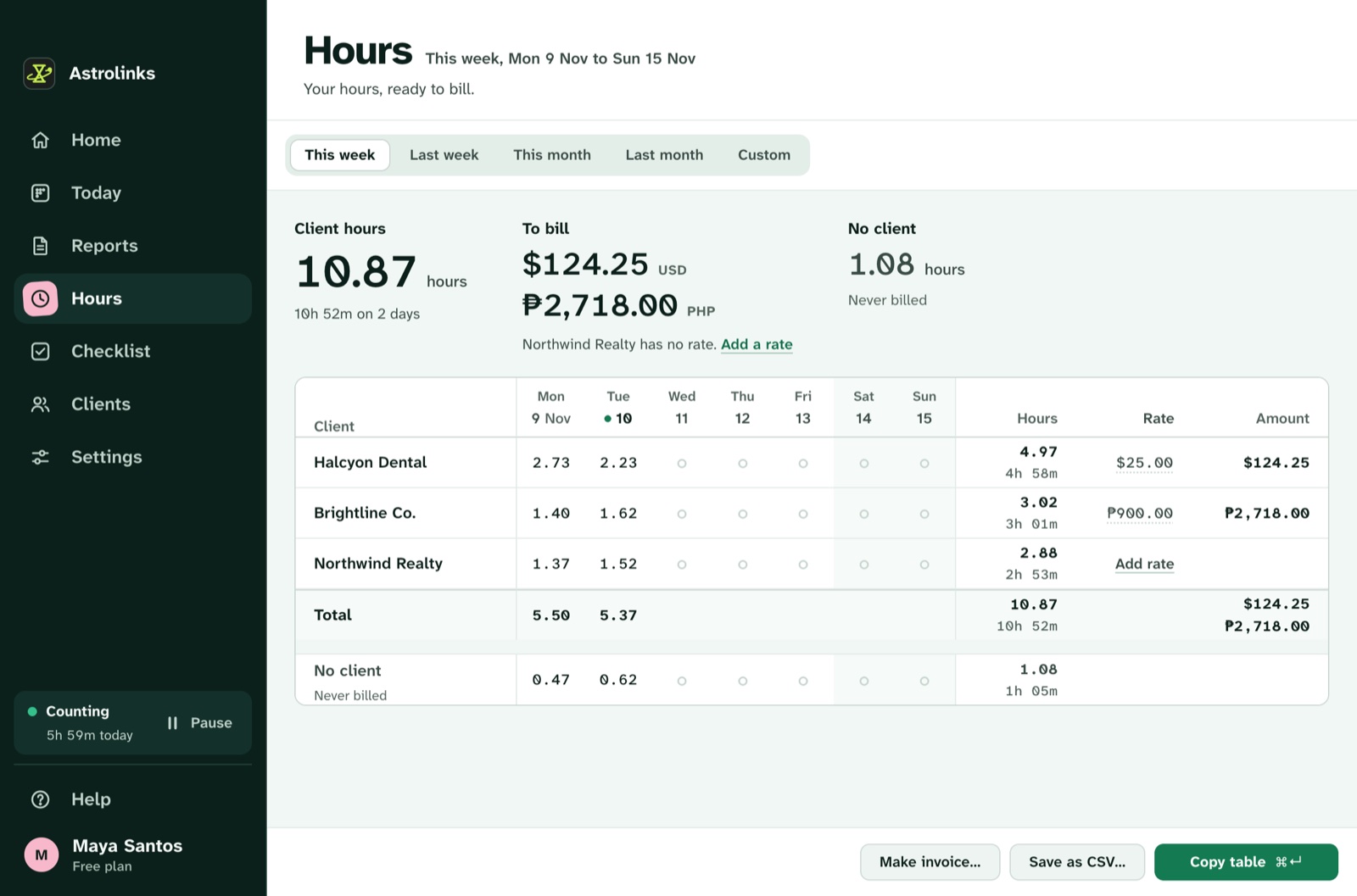
Hours shows each client's or matter's time in decimals, the amount to bill at its rate, and a table by day. On Pro, Save as CSV exports every date, client and hour for any range. The guide to tracking billable hours covers the method.
Confidential by design
Client confidentiality shouldn't depend on a time tracker's cloud. Astrolinks never reads the documents or messages you open, never records keystrokes, screenshots or your clipboard, and skips private browser windows. Its log is a list of app and window names with times, kept on your own computer. Nothing from it is sent to us or to an AI company. The privacy page lists exactly what is and isn't recorded.
Window titles can include a document's name. That's why the log never leaves your computer, and why every report and invoice is shown to you to read and change before anything is sent.
Updates and invoices
At the end of the day, Astrolinks writes a short update for each client from what you worked on. Send it if your client likes to hear from you, or keep it as your own record. Make invoice turns a client's hours into an invoice you can fully edit, with the work done on each line, your firm's details, tax and a Pay now link, saved as a PDF or CSV. It keeps track of which invoices are paid.
An example week
This is an illustrative example, not a real customer.
Marco runs a two-lawyer immigration practice. He sets up each active case as its own client in Astrolinks, with a rule for the case's folder name. On Friday he opens Hours and finds 3.4 hours on one case that he would have written down as two. He rounds each line to his billing increment, makes the month's invoices, and saves them as PDFs for his billing system.
Good to know before you start
- Astrolinks runs on macOS and on Windows 10 (version 2004 or later) and Windows 11.
- No AI is needed. Reports are written on your computer.
- It is not legal practice management software, and this page is not legal advice. Check your jurisdiction's rules on billing and client data.
- Your hours are your own notes of your day. Read them and fix anything before you send an update or an invoice.