 Astrolinks

Short answer
Nearshore developers in Latin America can track time for US clients with a private log on their own computer. Astrolinks sorts the day by client and writes each client's end-of-day update at clock-out, with times in the client's time zone. The app speaks Spanish and Portuguese (Brazil), and with Pro each client's report can use its own language.
US companies hire developers in Mexico, Colombia, Brazil, Argentina and across Latin America for one big reason: the working days overlap. You can join the standup, answer a question at 2 PM their time, and ship a fix before they log off. That's what "nearshore" means in practice.
The overlap also means you are in the same Slack threads, the same reviews and the same "quick update?" messages all day. Time tracking for nearshore developers in Latin America should make that easier, not add a screenshot tracker on top. Astrolinks is a small desktop app for Mac and Windows that keeps a private log of your workday on your own computer, sorts it by client, and writes each client's update at clock-out. It never takes screenshots and never records keystrokes.
How many working hours overlap between Latin America and US clients?
It depends on the city, and on the time of year, because several Latin American countries no longer change their clocks while the US still does.
| City | UTC offset, all year | Against US Eastern, US winter | Against US Eastern, US summer |
|---|---|---|---|
| Mexico City | UTC-6 | 1 hour behind | 2 hours behind |
| Bogotá | UTC-5 | Same time | 1 hour behind |
| São Paulo | UTC-3 | 2 hours ahead | 1 hour ahead |
| Buenos Aires | UTC-3 | 2 hours ahead | 1 hour ahead |
Mexico ended daylight saving time for most of the country in October 2022, so Mexico City stays on UTC-6 all year (some towns along the US border still follow the US schedule). Brazil ended daylight saving time in 2019 and hasn't brought it back. Colombia and Argentina don't use it either. So twice a year, when the US moves its clocks, your overlap with every US client shifts by an hour.
Even so, the overlap is large. A developer in Bogotá shares a whole working day with New York. A developer in São Paulo starting at 9 AM is working by 7 or 8 AM Eastern, and 4 or 5 AM Pacific, which leaves the late afternoon free for West Coast questions.
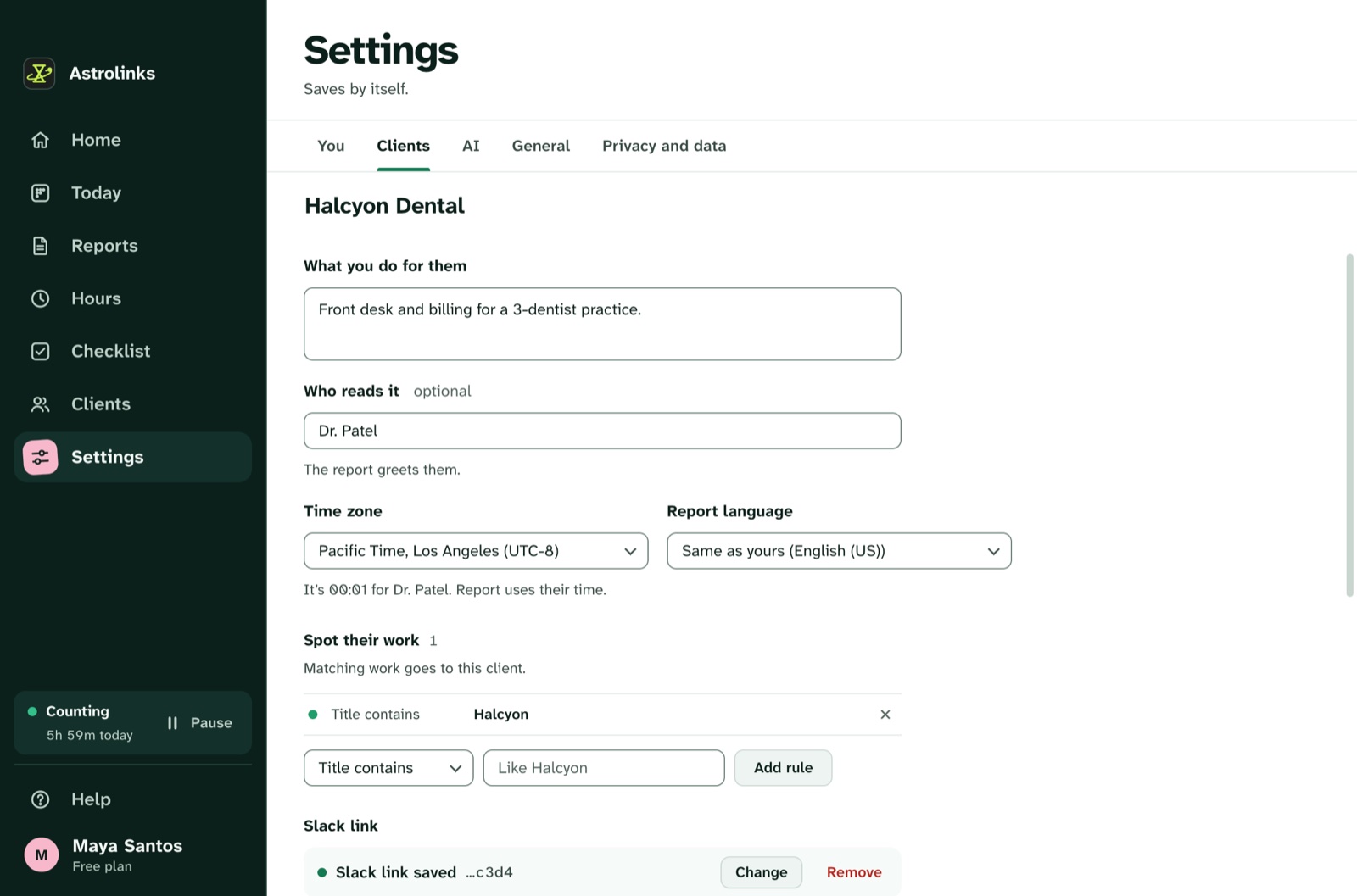
Astrolinks keeps each client's report on their clock. Give a client their time zone and the report says "worked from 09:05 to 17:40 Central Time", not your local time. If you work into the night for a Pacific client, the day doesn't split at midnight: a workday starts four hours before your shift.
Can I use a time tracker in Spanish or Portuguese and still report to US clients in English?
Yes. The Astrolinks app itself speaks English, Spanish, Portuguese (Brazil), Chinese (Simplified) and Filipino. By default it follows your computer's language, and you can change it in Settings, General, Language.
Reports are set per client. With Pro, each client's report can be in its own language: English for the startup in Austin, Spanish for the agency in Monterrey, Portuguese (Brazil) for the company in Curitiba. Those languages are written right on your computer, with no AI. Each client also has their own sections, tone and time zone, and Write like this one (Pro) keeps a report a client liked so the next ones follow its shape. The languages and time zones page has the details.
Do nearshore staffing platforms require a time tracker?
Many nearshore developers work through a staffing platform or agency that places them with US companies. Some of those set their own rules on how hours are recorded, and some ask for a specific tool. If your contract requires one, keep using it. Astrolinks doesn't replace another company's tracker and doesn't connect to it.
What Astrolinks adds is the part most trackers don't do: a clear written update for the client you work with every day. Your editor's window title usually holds the project folder and your browser shows the GitHub repo or the Jira ticket. Give each client a rule based on that, and today's log files each stretch under the right client. Press Write my report at clock-out and each client gets a tab: Done, Worked on, Meetings and calls, Blockers, Tomorrow and hours. Press ⌃⌥N (Ctrl+Alt+N on Windows) in any app during the day to add a line, like "blocked: esperando acceso a staging" or "tomorrow: deploy the auth fix". Then Send to Slack, open an Email draft, or Copy it.
That kind of written check-in is what lets a distributed team skip some meetings. Read async check-ins for remote teams for how US teams use them, and Astrolinks for developers for the full developer workflow.
What does Brazil's LGPD mean for a developer's time log?
Brazil's general data protection law, the LGPD (Law 13.709 of 2018), has been in effect since September 2020, and the national data protection authority, the ANPD, has been able to apply sanctions since August 2021. In plain terms, it sets rules for anyone handling the personal data of people in Brazil: have a legal basis, use the data for a clear purpose, keep it safe, and respect people's rights over it. Other countries in the region have their own data protection laws. This is a summary, not legal advice.
For a developer, the practical point is where your activity data goes. With Astrolinks, the log is a set of plain files on your own computer. We never receive it. There's no analytics in the app and no account that holds your day. Days are kept 14 days by default, and you can delete everything any time. Add words or apps to Never record for anything you'd rather not keep at all.
The built-in AI writing helper on Pro runs on your computer, so nothing about your day goes to an AI company. If you add your own Anthropic key instead, Claude gets only a masked summary of one client's day, with emails and phone numbers hidden first, and nothing about a client you mark Private.

An example day in Bogotá
This is an illustrative example, not a real customer.
Camila is a backend developer in Bogotá. It's November, so New York is on the same clock as she is. Through a staffing platform she works full time for a logistics startup in Austin, one hour behind her. She also has a small direct client, a retailer in Monterrey, for a few hours a week. Her app is in Spanish.
At 8:30 AM she opens the Austin repo, 7:30 AM there. Astrolinks files it under the startup, because "fleetwise" is in her editor's title. At 10 AM she joins their standup. After lunch she spends an hour on the Monterrey retailer's Shopify app, and presses ⌃⌥N (Ctrl+Alt+N on Windows): "blocked: falta la llave de la API de pagos".
At 5:45 PM she presses Write my report. The Austin report is in English, with times in Central Time, and goes to their Slack. The Monterrey report is in Spanish, with her blocker under Blockers, and goes as an email draft. Her staffing platform's own timesheet she fills in as usual, with her hours from Astrolinks' Hours page beside it.
Hours and invoices for direct clients
Give each client an hourly rate in their currency, like 40 USD or 600 MXN. Hours adds up each client's time and what to bill, and different currencies are never added together. On every plan, Make invoice turns one client's hours into an invoice you can fully edit, saved as a PDF or CSV on your computer. Read how to invoice hourly clients for a step-by-step guide.
Keep reading
- Astrolinks for developers, wherever you work from
- Daily standup vs. EOD report
- Part of a distributed team? See Astrolinks for remote teams