 Astrolinks
Short answer
Qbserve is a Mac-only automatic tracker that keeps all data on your Mac, scores your productivity in the menu bar and makes invoices, for a one-time price. Alternatives include Timing (a detailed timeline with sync), RescueTime (focus scores) and Astrolinks, which keeps a private log on your computer, writes each client’s end-of-day report at clock-out and also runs on Windows.
Qbserve has quietly done its job on Macs for years. It tracks your time without a timer, keeps everything on your Mac, shows a productivity score in the menu bar and makes invoices, and you pay once. That is a lot to like. People look for a Qbserve alternative for a few reasons: they need Windows as well as a Mac, they want the daily client update written for them, or they don’t want their work graded as productive or not. If none of that is you, Qbserve may be the right tool.
Quick picks (details and prices in the comparison table):
- The most detailed automatic timeline on a Mac: Timing
- Personal focus insights: RescueTime
- AI-drafted timesheets: Rize
- Simple timers with no screenshots: Toggl Track
- Free plan for small teams: Clockify
- No monitoring, just a daily report from each person, split by client: Astrolinks
Qbserve and Astrolinks at a glance
| Qbserve | Astrolinks | |
|---|---|---|
| Main job | Tracking productivity and work hours on your Mac | Writing each client’s end-of-day report |
| How time is captured | Automatic: apps, sites, documents and window titles | Automatic: the app and window in front, every 5 seconds |
| Sorting time | Project rules on document paths or web addresses; undetected time assigned in the timesheet | Client rules sort each stretch; fix one with a click |
| Productivity score | Yes, in the menu bar, from more than 8,100 rated sites, apps and games | No |
| Screenshots | Not mentioned on its site | No, never |
| Keystroke logging | Not mentioned on its site | No |
| Where the data lives | On your Mac; its site says it is never sent anywhere | On your own computer; nothing leaves without a click |
| End-of-day report written for you | No; timesheets with a summary, timeline and notes per hour | Yes, one per client at clock-out |
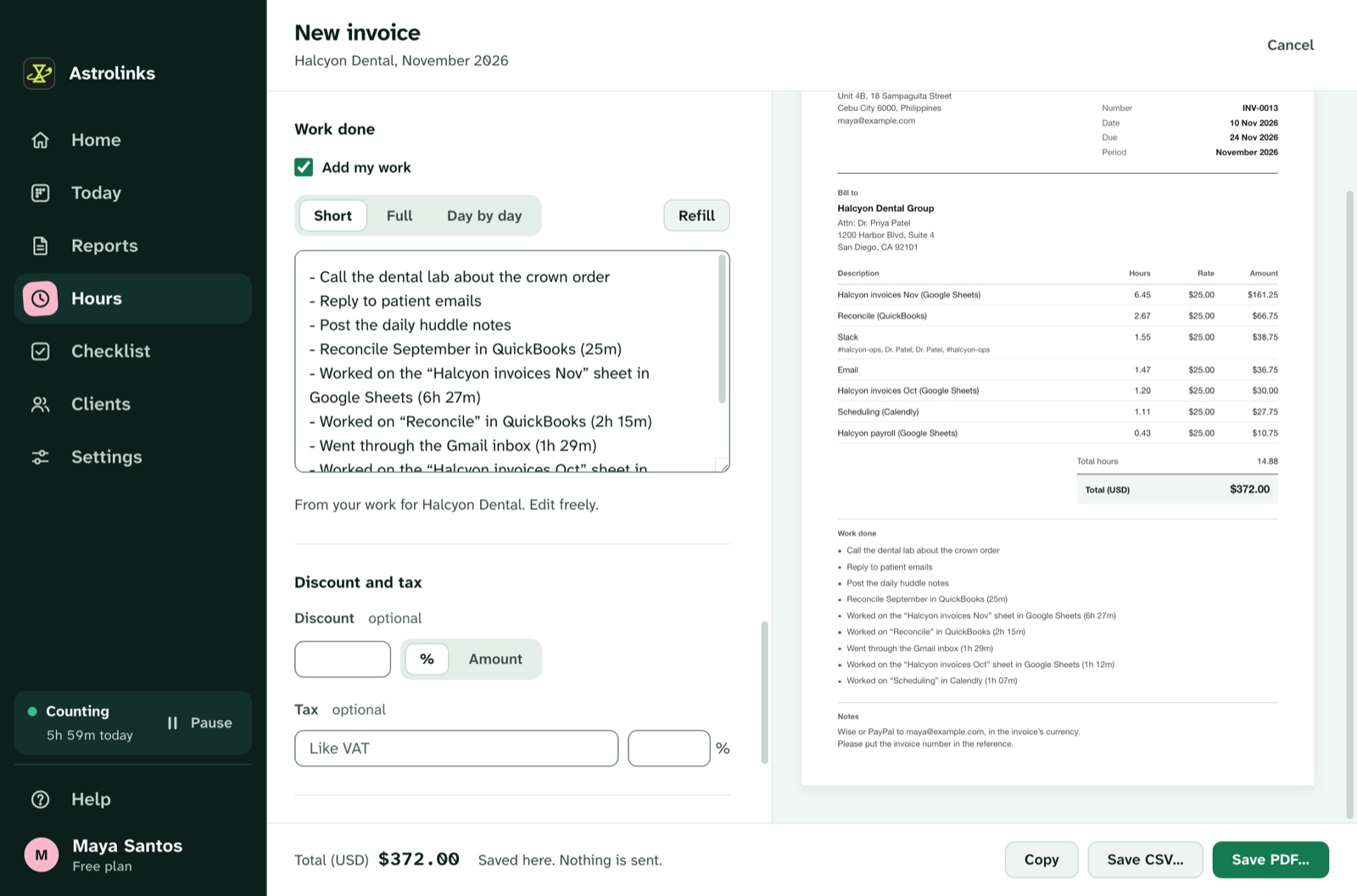
| Invoicing | Yes, built in, PDF invoices in 18 languages | Yes, on every plan, fully editable, with "work done" lines |
| Team features | Logs Slack teams separately; no team view found | A Team inbox for the reports people choose to send |
| Platforms | Mac only, macOS 10.15 Catalina or later | Mac and Windows (Windows is a free beta) |
| Price model | One-time purchase, $29 on its own comparison page; 15-day trial (their site) | Free plan; Pro; Team per seat from 2 seats; Business; 7-day Pro trial, no card (our pricing) |
What Qbserve is, in its own words
Qbserve calls itself an automatic time tracker for Mac that "keeps track of what you do" and gives constant feedback on your productivity. From its own site, help articles, release notes and user agreement, checked on Nov 22, 2026:
- Automatic tracking, with no start or stop, of apps, sites, documents and window titles, plus Slack teams and YouTube videos logged separately
- A productivity score in the menu bar and Dock, from more than 8,100 sites, apps and games it already rates, with alerts when you hit a goal or spend too long on distractions
- Project rules: time counts toward a project when a document path or web address contains a word you choose, and at the end of the day you assign the time it couldn’t match
- Timesheets with an activity summary, a timeline and notes for each hour
- Invoices made from project time, as PDFs in 18 languages, with billed days kept track of so they don’t appear twice
- Data on your Mac: "All tracked data is stored locally on your Mac and never sent anywhere." You can ignore private browser tabs, pause tracking and export to JSON or CSV on a schedule
- Mac only: it is built for macOS, and its release notes list Catalina (10.15) as the minimum. The latest release, 1.91, added support for more browsers
- Price, as of November 2026: "No subscription required." Its own RescueTime comparison page lists a one-time price of $29, says no paid upgrades are planned, and says a license covers up to five Macs belonging to you or your family. Its user agreement limits a company’s license to one computer. The main page shows a Buy button rather than a price, so check the amount at checkout. There is a 15-day trial
It is built for Mac users who want to understand their own habits, and for freelancers who bill by the project.
What Astrolinks is
Astrolinks is a desktop app for Mac and Windows (Windows is a free beta). It keeps a private log of your workday on your own computer, sorts it by client, and writes each client’s end-of-day report when you clock out. You check it and send it by Copy, Slack or email, or save a PDF, Word or text file. Hours add up per client and become an invoice you can fully edit, with "work done" lines. A checklist with reminders and notes keeps the day in order, and companies get a Team inbox for the reports people choose to send.
Who should choose Qbserve instead
Qbserve does some things better than Astrolinks, and it is fair to say so. Pick Qbserve if:
- you would rather pay once than pay monthly or yearly
- you want a productivity score and alerts that nudge you away from distractions
- you work on an older Mac, with macOS 10.15 to 12, which Astrolinks doesn’t support
- you only use Macs and don’t report to clients every day
- you want invoices in one of 18 languages
Why people choose Astrolinks
- The client update writes itself. At clock-out each client gets their own report, with what got done, blockers and tomorrow, in their time zone. Qbserve gives you a timesheet; Astrolinks gives you something to send.
- No grades on your work. Astrolinks doesn’t label a site as productive or not. A designer on Pinterest or a VA in a client’s inbox is just working.
- Windows too. Astrolinks runs on Windows 10 (version 2004 or later) and Windows 11 as well as the Mac, so one tool covers a mixed setup or a team.
- A free plan. Free counts up to 4 hours a day for 2 clients, with invoices on every plan.
- A team view that isn’t activity. On Team and Business, the company sees only the reports each person chooses to send, in one inbox.
Both apps agree on the most important point: your log stays on your own computer.
How the two feel in a working day
With Qbserve, the menu bar keeps you honest. The icon changes colour as your score moves, and an alert can tell you that you’ve spent too long on a distraction. At the end of the day you open the timesheet, assign the time that no rule caught, and at the end of the month you make an invoice from the project.
With Astrolinks, the day is a set of clients. Each stretch of work lands under a client as you go, and nothing scores it. When you press Write my report, every client has a draft that says what you worked on and for how long, with your notes. Most people spend a minute checking it, then send it. At the end of the month the same hours become the invoice.
If you work mostly for yourself and want help staying focused, Qbserve is a good, low-cost choice. If your clients expect a short message every evening, Astrolinks saves you writing it.
The best Qbserve alternatives in 2026, compared
These are the tools people most often weigh against Qbserve: Timing, RescueTime, Rize, Toggl Track, Clockify, TimeCamp, and Astrolinks. Starting prices were checked on each vendor’s own pricing page on Nov 23, 2026; the other facts come from our comparison pages, written from each vendor’s site. Follow a link for the details and sources, and check the vendor’s site before you decide.
| Tool | Best for | Screenshots | Keyboard and mouse | Where data lives | Starting price |
|---|---|---|---|---|---|
| Qbserve | Mac users who want a one-time purchase and a productivity score | Not mentioned on its site | Not mentioned on its site | On the Mac only | One-time purchase, no subscription (its site) |
| Timing | Mac users who want the most detailed automatic timeline | Not mentioned on its site | Not mentioned on its site | On the computer; optional sync to Timing’s cloud | From $10 a month; no free plan |
| RescueTime | Individuals who want focus insights and a productivity score | No | No; input is used only to tell active from idle | RescueTime’s cloud | Free Lite plan; paid from $7 a month, billed yearly ($10 per user for teams) |
| Rize | Billable-hour firms that want AI-drafted timesheets | No by default; an optional feature captures the active window | No; input is used only for idle time | Rize’s cloud (AWS), with AI providers | From $9.99 a month, billed yearly ($12.99 monthly); no free plan |
| Toggl Track | Teams that want timers, billable rates and planning | No | No | Toggl’s cloud (its Timeline is private to each user) | Free for a few users; paid from $9 per user a month, billed yearly ($12 monthly) |
| Clockify | Small teams that want timesheets and approvals for free or cheap | Optional, on higher plans, switched on by an admin | Keyboard and mouse tell active from idle, with monitoring | Clockify’s cloud | Free plan for small teams; paid from $3.99 per seat a month, billed yearly |
| TimeCamp | Teams that want automatic timesheets, billing and approvals in one cloud tool | Optional, on the Ultimate plan and up, switched on by an admin | No keystroke logging, by its own statement | TimeCamp’s cloud | Free plan; paid from $3.99 per user a month, billed yearly ($5.49 monthly) |
| Astrolinks | People who send daily reports, and the teams that read them | No, never | No keystroke logging | On the person’s own computer | Free plan; paid plans on our pricing page |
A quick way to choose: for a one-time price and a productivity score on a Mac, Qbserve. For the most detailed timeline with sync, Timing. For focus scores across devices, RescueTime. For a private log that writes each client’s report and invoice on Mac and Windows, Astrolinks.
A note on this comparison
Qbserve is a trademark of its owner, used here only to name the product we compare. We wrote this from Qbserve’s own public pages on Nov 22, 2026. Prices change, so check Qbserve’s site before you decide.