 Astrolinks

Short answer
Developers in India can track time for overseas clients with a private log kept on their own computer. Astrolinks notes the app and window in front, sorts the time by client, adds up hours for timesheets, and at clock-out writes each client's update with times shown in that client's time zone, ready to send.
Bengaluru, Pune, Hyderabad, Chennai, Kochi: a great deal of software is built in India, by large firms, small dev shops and independent developers. If you're one of the freelancers or small teams working directly for overseas clients, you know the extra work around the code. A timesheet for the agency. A written update for the client who can't make the standup. A meeting at 7:30 PM because that's 9 AM somewhere else.
Time tracking for developers in India should handle that admin without watching you. Astrolinks is a small desktop app for Mac and Windows that keeps a private log of your workday on your own computer, sorts it by client, and writes each client's update at clock-out. It never takes screenshots and never records keystrokes.
How do I handle the half-hour time difference with US, UK and Australian clients?
India Standard Time is UTC+5:30 all year, with no daylight saving time. That half hour is what makes the math awkward: almost every client's clock is a whole number of hours away from UTC, so yours is always "something and a half" away from theirs.
| Client's clock | Their 9 AM in IST, northern winter | Their 9 AM in IST, northern summer |
|---|---|---|
| New York (US Eastern) | 7:30 PM | 6:30 PM |
| San Francisco (US Pacific) | 10:30 PM | 9:30 PM |
| London | 2:30 PM | 1:30 PM |
Australia runs the other way. Your 5 PM sign-off is 10:30 PM in Sydney during their summer daylight time, and 9:30 PM in their winter. Because India never changes its clocks, every one of these gaps moves by an hour when the client's country does.
Astrolinks takes that math off your hands for reports. Give each client their time zone, and their report shows times on their clock, like "worked from 09:00 to 13:45 Eastern Time", instead of an IST time they have to convert. Late shifts are fine too: a workday starts four hours before your shift, so work that runs past midnight stays one workday.
Daily standup or written EOD update: what do overseas clients prefer?
Many overseas teams run a daily standup. When the standup is at 9:30 AM in New York, that's 8 PM or 7 PM for you, and you're often reporting on work you finished hours earlier. Some clients drop the meeting for you and ask for a short written update instead. Others want both.
A written end-of-day update has real advantages across time zones. The client reads it with their morning coffee. It records decisions and blockers in writing. And you write it while the day is still fresh, not five hours later. We compare the two in daily standup vs. EOD report.
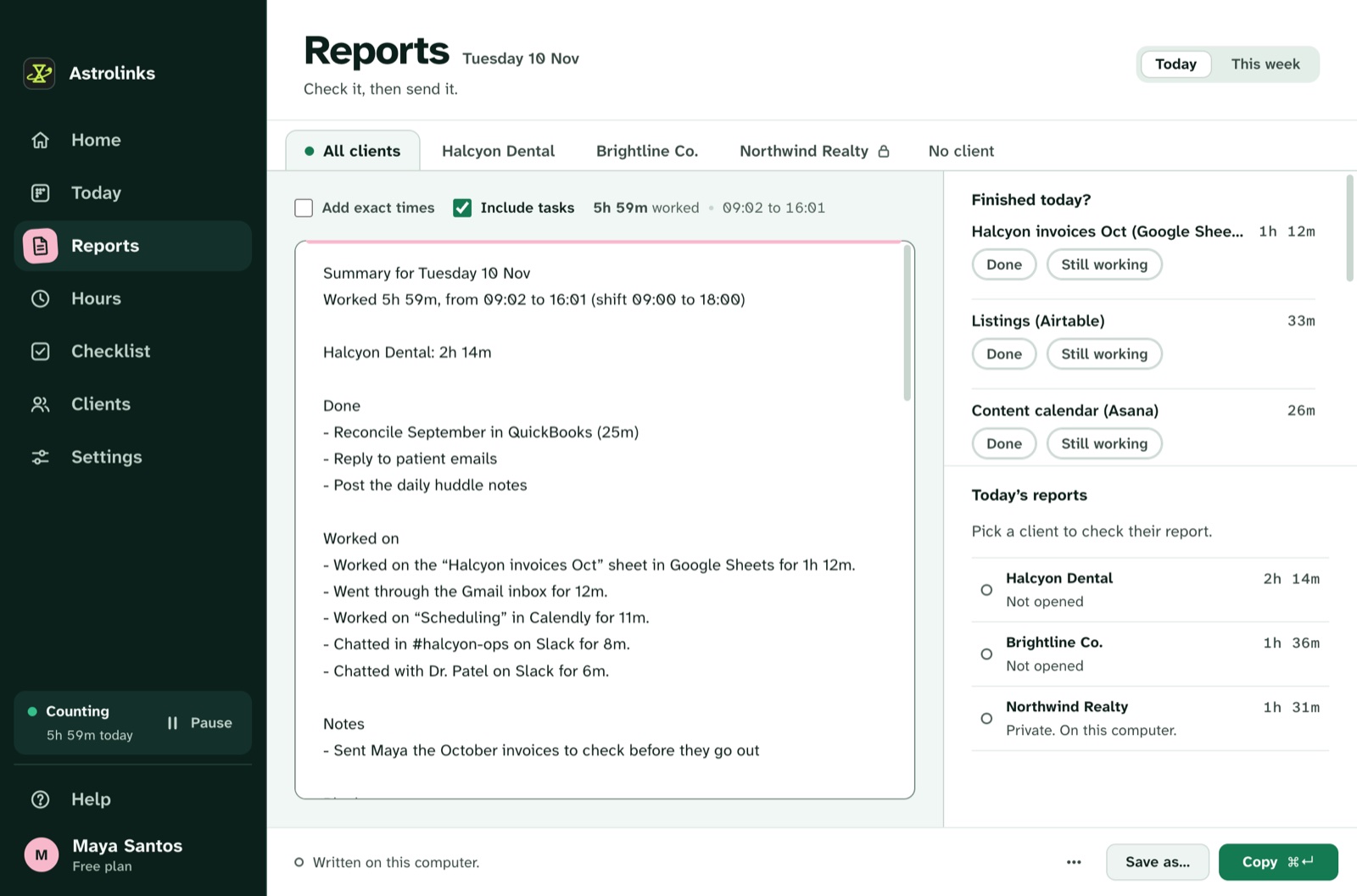
Astrolinks writes that update for you. Your editor's window title usually holds the project folder, and your browser shows the repo or the Jira ticket. Give each client a rule based on that, like a repo name or a domain such as acme.atlassian.net. Press Write my report at clock-out and each client gets a tab: Done, Worked on, Meetings and calls, Blockers, Tomorrow and hours. Press ⌃⌥N (Ctrl+Alt+N on Windows) in any app during the day to add things a window title can't show, like "blocked: waiting on API keys from the client". Then Send to Slack, open an Email draft, or Copy it into their tracker. If you'd rather write it yourself, start from our daily status report template.
What timesheets do agencies and outsourcing firms ask developers for?
If you take work through an agency, a staffing firm or a larger outsourcing company, you probably fill in a timesheet: hours per day, per project, sometimes per task. Rebuilding that from memory every Friday is where the guessing starts.
Hours in Astrolinks adds up each client's time from your log. Pick This week, Last week, This month, Last month or any two dates (other dates are part of Pro), and you see each client's hours in decimals and a table of clients by day. Copy as table pastes it into Google Sheets or Excel with every number in its own cell. With Pro, Save as CSV gives one row per date, client and work item, with minutes, hours, rate and amount.
If you bill clients directly, add a rate per client in their currency, like 30 USD or 40 AUD, and make the invoice from the same hours, on every plan. See hours and invoices and how to track billable hours. Hours are your own notes of your day, so check them before you send anything.
What does India's data protection law mean for a developer's time log?
India's Digital Personal Data Protection Act, 2023 became law in August 2023. Its rules were notified in November 2025, and most of the duties for organizations are being phased in over about 18 months after that. In plain terms, the Act sets rules for organizations that handle people's digital personal data: have a clear reason, use it for that purpose, keep it safe, and respect the person's rights over it. This is a summary, not legal advice. Ask a lawyer about your own situation.
For a developer, the practical question is simple: where does your activity data go? With Astrolinks, the log is a set of plain files on your own computer. We never receive it. There's no analytics in the app and no account that holds your day. You choose how many days to keep, from 1 to 365, and can delete everything any time.
Window titles can include a customer's name or an email subject. Add words or apps to Never record, and turn off Record web addresses if you'd rather keep browsers by page title only. The built-in AI writing helper on Pro runs on your computer, so nothing about your day goes to an AI company. If you add your own Anthropic key instead, Claude gets only a masked summary of one client's day, with emails and phone numbers hidden first, and nothing about a client you mark Private.

An example day in Pune
This is an illustrative example, not a real customer.
Ananya is an independent developer in Pune. It's November. Mornings go to a fintech startup in Sydney, where it's already afternoon. Evenings go to a Toronto agency that books her for 25 hours a week and wants a weekly timesheet plus a short daily update.
At 9:30 AM IST, 3 PM in Sydney, she opens the startup's repo and Linear board. Astrolinks files the time under the startup, because "kanga-pay" is in her editor's title. At 7:30 PM, 9 AM in Toronto, she joins the agency's standup on Zoom and then works on their Next.js site. She presses ⌃⌥N (Ctrl+Alt+N on Windows): "tomorrow: finish the pricing page tests".
At 10:15 PM she presses Write my report. The Sydney report shows times in Sydney time and goes by email draft. The Toronto report shows times in Eastern Time and goes to their Slack. On Friday she opens Hours, picks This week, presses Copy as table, and pastes the agency's hours by day straight into their timesheet.
Keep reading
- Astrolinks for developers, for the developer workflow in full
- How to track time across multiple clients
- Running a small team that sends client reports? See Astrolinks for agencies
- Working the same hours from Pakistan? See developers in Pakistan