 Astrolinks
Short answer
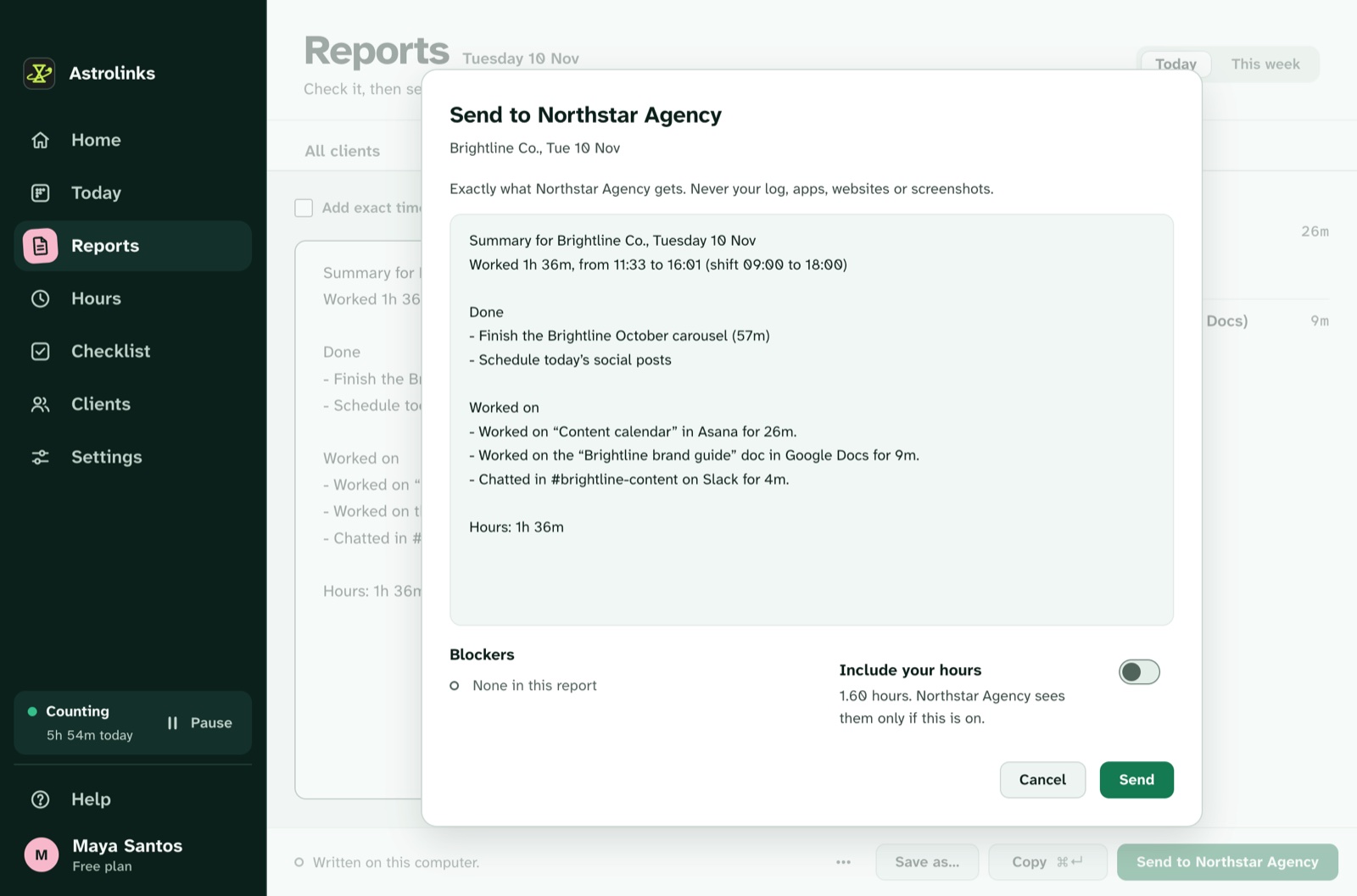
Common DeskTrack alternatives are Hubstaff and Time Doctor for proof of work with activity levels, DeskTime for productivity percentages, and ActivTrak for workforce analytics. If you want no screenshots at all, Astrolinks keeps a private log on each computer and sends a daily report the person checks first.
DeskTrack is a low-cost employee monitoring tool, and its pricing page is clear about what each plan includes. People look for a DeskTrack alternative when screenshots every few minutes feel like more than the work needs, when silent mode is on the table, or when a manager realizes that idle time and app lists don’t say what actually got done. Here is a fair comparison, including when DeskTrack is the better choice.
Quick picks (details and prices in the comparison table):
- Proof of paid hours, payroll or GPS: Hubstaff
- Proof of work for larger teams and BPOs: Time Doctor
- Productivity percentages across a team: DeskTime
- Workforce analytics, free for 3 workers: ActivTrak
- Work analytics with on-premise hosting: Insightful
- No monitoring, just a daily report from each person, split by client: Astrolinks
DeskTrack and Astrolinks at a glance
| DeskTrack | Astrolinks | |
|---|---|---|
| Built mainly for | Companies tracking in-office, remote and offshore staff | The person doing the work, and the team that reads their reports |
| Screenshots | On every plan; every 5 minutes by default (5 at the least), all monitors, on or off per team, kept one month | No, never |
| Silent mode | Yes, background tracking the employee can’t switch off; it says only where law and policy allow | No; the log belongs to the person |
| Keyboard and mouse | Tracks active and idle time; it says it logs no keystroke content | No keystroke logging |
| Productivity scores | Productivity % by role and department, on Stealth and up | No |
| Apps and websites | Apps, URLs and window titles tracked for managers; file names and paths on Tagger | Kept in a private log on the person’s computer |
| Attendance | Yes, automatic, with leave management and biometric devices | No |
| Where the data lives | DeskTrack’s servers, location not stated; it says it is ISO 27001:2022 certified; hybrid on-premise is an add-on | On the person’s own computer |
| What a manager sees | Hours, idle time, apps, sites, screenshots and productivity by team | Only the reports people choose to send |
| End-of-day report written for you | Not found; an AI agent answers managers’ questions and can schedule reports | Yes, one per client at clock-out |
| Invoicing | Yes, timesheets to invoices; which plans include it is not stated | Yes, on every plan, fully editable, with "work done" lines |
| Platforms | Windows, Mac and Linux; iPhone and Android apps for GPS attendance | Mac and Windows (Windows is a free beta) |
| Price model | Free for 2 users; from $1.99 per user per month; 15-day trial, no card (their pricing) | Free plan; Pro; Team per seat from 2 seats; Business; 7-day Pro trial, no card (our pricing) |
What DeskTrack is, in its own words
DeskTrack calls itself "workforce analytics software for growing teams". It is made by Aryavrat Infotech. From its own site, checked on Nov 22, 2026:
- Automatic tracking of work time, attendance, apps, websites and idle time, with productivity shown by team and role
- Screenshots on every plan, every 5 minutes by default or longer, on for some teams and off for others, kept for one month, with only permitted managers able to view them
- Silent and visible modes: in silent mode the employee can’t turn tracking on or off; it says visible is the default and employees can see their own data
- Its own words on what it never does: no "keystroke content, webcam, video recording, OCR or live streaming", and file names only, never file contents
- Attendance and leave, with ZKTeco, eSSL and Suprema biometric devices
- Desky, an AI agent that answers managers’ questions about their team’s data, on Stealth and up
- Data loss prevention, file path tracking, API access and field GPS on Tagger
- Timesheets, approvals, project time, payroll and invoicing
- Windows, Mac and Linux agents, and iPhone and Android apps for GPS attendance (not screenshots)
DeskTrack pricing, as of November 2026
From DeskTrack’s pricing page, per user per month in US dollars:
| Plan | Monthly billing | Yearly billing | What it adds |
|---|---|---|---|
| 2-User Plan | Free | Free | DeskLite for 2 users; "Terms & Conditions Apply" |
| DeskLite | $1.99 | $1.99 | Time, attendance, idle, apps and URLs, screenshots, silent mode |
| Stealth | $5.99 | $4.99 | Manager and employee logins, productivity reports, Desky |
| Tagger | $7.99 | $6.99 | Data loss prevention, file paths, API, field GPS |
| Enterprise | Custom | Custom | Custom roles, account manager, SLA; for 2,000+ seats |
Every paid plan starts with a 15-day free trial and no credit card. Prices in India are listed separately in rupees.
What Astrolinks is
Astrolinks is a desktop app for Mac and Windows (Windows is a free beta). It keeps a private log of the workday on each person’s computer and writes each client’s end-of-day report at clock-out. The person checks it and sends it by Copy, Slack or email, or saves a PDF, Word or text file, or sends it to the company’s Team inbox. It also does hours, fully editable invoices and a checklist with reminders and notes.
No screenshots, no keystroke logging. The built-in AI on Pro runs on the person’s own computer, so it sends nothing to an AI provider.
Who should choose DeskTrack instead
Pick DeskTrack if:
- you want screenshot monitoring at a low price per person
- you need attendance, leave and biometric devices in the same tool
- your policy and local law allow silent tracking, and you want it
- you need data loss prevention, USB alerts or field GPS
- you need Linux
Why teams choose Astrolinks
- A sentence beats a screenshot. "Sent the October invoices, waiting on the new rates" tells a manager more than a folder of screen captures.
- People keep their privacy. The log stays on their computer, and nothing leaves without a click.
- No productivity labels. A long client call or research in a browser is not "idle" or "unproductive" in a report.
- One Team inbox for every report, and a free 14-day pilot to try it.
Moving from DeskTrack
Nothing needs importing. Each person installs Astrolinks, adds their clients and works as usual. At the end of the day they press Write my report and send it. If you used DeskTrack for invoices, Astrolinks makes them from the same hours, and you can edit every line.
The best DeskTrack alternatives in 2026, compared
These are the tools people most often weigh against DeskTrack: Hubstaff, Time Doctor, DeskTime, ActivTrak, Insightful, TimeCamp, and Astrolinks. Starting prices were checked on each vendor’s own pricing page on Nov 23, 2026; the other facts come from our comparison pages, written from each vendor’s site. Follow a link for the details and sources, and check the vendor’s site before you decide.
| Tool | Best for | Screenshots | Keyboard and mouse | Where data lives | Starting price |
|---|---|---|---|---|---|
| DeskTrack | Companies that want low-cost screenshot monitoring and attendance | On every plan, every 5 minutes by default, set per team | Tracks active and idle time; it says it logs no keystroke content | DeskTrack’s servers (location not stated) | Free for 2 users; paid from $1.99 per user a month |
| Hubstaff | Contractor teams that need proof of work, payroll or GPS | Optional, set per user by admins | Yes, an activity % from keyboard and mouse input | Hubstaff’s cloud | From $4.99 per seat a month, billed yearly |
| Time Doctor | Larger companies, BPOs and contact centers that want proof of work | Optional, set by the company | Yes, an activity % from keystroke and mouse counts | Time Doctor’s cloud | From $6.67 per user a month, billed yearly ($8 monthly) |
| DeskTime | Managers who want productivity percentages across a team | Optional, off by default, on higher plans | Used to measure active time; it says it logs no keystrokes | DeskTime’s cloud (Germany and Ireland) | From $6.42 per user a month, billed yearly; no free plan |
| ActivTrak | Mid-size and large organizations that want workforce analytics | Optional add-on; none by default | Not mentioned on its site | ActivTrak’s cloud (Google Cloud) | Free for 3 workers; paid from $10 per worker a month, billed yearly |
| Insightful | Operations and IT teams that want work analytics across a large workforce | Optional, blurred by default, set by the admin | Tracks active and idle time; it says it logs no keystrokes | Insightful’s cloud (Google Cloud in the US, EU or Saudi Arabia), private cloud or on-premise | From $8 per seat a month, billed yearly ($10 monthly) |
| TimeCamp | Teams that want automatic timesheets, billing and approvals in one cloud tool | Optional, on the Ultimate plan and up, switched on by an admin | No keystroke logging, by its own statement | TimeCamp’s cloud | Free plan; paid from $3.99 per user a month, billed yearly ($5.49 monthly) |
| Astrolinks | People who send daily reports, and the teams that read them | No, never | No keystroke logging | On the person’s own computer | Free plan; paid plans on our pricing page |
A quick way to choose: for proof of paid hours with activity levels, Hubstaff or Time Doctor. For productivity percentages, DeskTime. For organization-wide analytics, ActivTrak. If you only need to know what got done each day, a written daily report is lighter than any of them.
A note on this comparison
DeskTrack is a trademark of its owner, used here only to name the product we compare. We wrote this from DeskTrack’s own public pages on Nov 22, 2026. Plans change, so check DeskTrack’s site before you decide.