 Astrolinks
Short answer
Common DeskTime alternatives are ActivTrak for workforce analytics, Hubstaff and Time Doctor for activity levels and optional screenshots, and RescueTime for personal focus insights. If you want no scores at all, Astrolinks keeps a private log on each computer and sends a daily report the person checks first.
DeskTime is a polished automatic time tracker, and it is open about what it records. People look for a DeskTime alternative when the productivity labels feel wrong for their work, when screenshots are on the table, or when a manager realizes that a percentage doesn’t say what actually got done. Here is a fair comparison.
DeskTime and Astrolinks at a glance
| DeskTime | Astrolinks | |
|---|---|---|
| Built mainly for | Managers and teams at small and mid-sized companies | The person doing the work, and the team that reads their reports |
| Screenshots | Optional, off by default, on Premium and Enterprise | No, never |
| Keyboard and mouse | Used to measure active time; it says it logs no keystrokes | No keystroke logging |
| Productivity scores | Yes, apps labeled productive, unproductive or neutral | No |
| Apps and websites | Tracked, for managers and admins to see | Kept in a private log on the person’s computer |
| Where the data lives | DeskTime’s cloud, in Germany and Ireland | On the person’s own computer |
| What a manager sees | Their team’s time, apps, productivity and, if on, screenshots | Only the reports people choose to send |
| End-of-day report written for you | An AI summary of insights; client reports not verified | Yes, one per client at clock-out |
| Invoicing | No; hours export for invoicing | Yes, on every plan, fully editable, with "work done" lines |
| Platforms | Windows, Mac, Linux, web, phones (manual entries) | Mac and Windows (Windows is a free beta) |
| Price model | No free plan found; per user per month; 14-day trial, no card (their pricing) | Free plan; Pro; Team per seat from 2 seats; Business; 7-day Pro trial, no card (our pricing) |
What DeskTime is, in its own words
DeskTime describes itself as automatic time tracking software for productivity insights, with "a focus on employee privacy". From its own site, checked on Nov 10, 2026:
- Automatic tracking of apps, web addresses and document titles, with idle time after a few minutes without input
- Productivity labels: admins mark apps and sites as productive, unproductive or neutral, which gives a productivity percentage
- Screenshots, optional and off by default, on Premium and Enterprise, switched on by an admin, with blur
- Private time, so people can pause tracking
- Its own words: it "does not offer features like keystroke capture or video recordings"
- Data in DeskTime’s cloud in Germany and Ireland; exports for payroll and invoicing
- Paid plans per user, and a 14-day trial with no card
What Astrolinks is
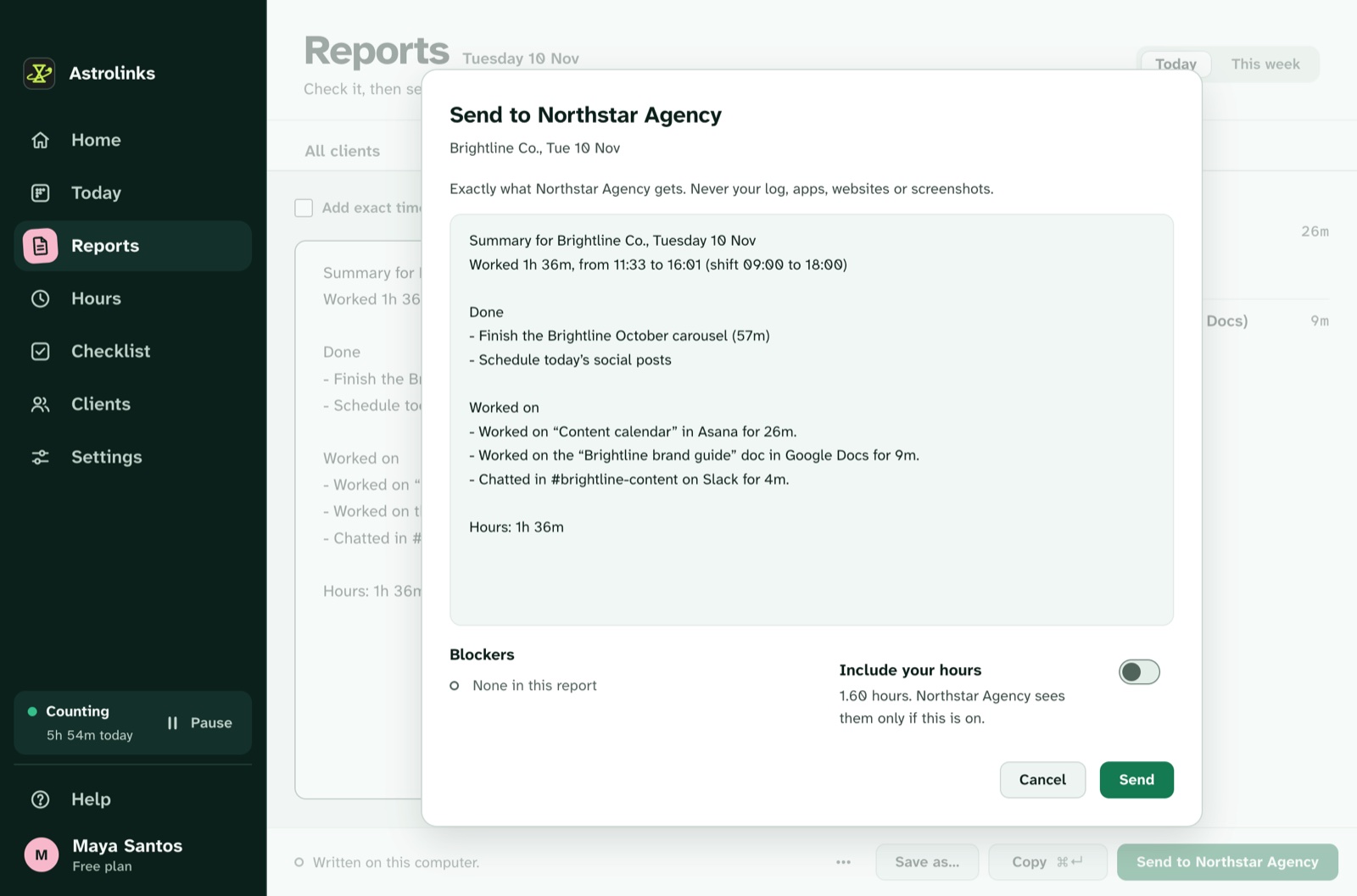
Astrolinks is a desktop app for Mac and Windows (Windows is a free beta). It keeps a private log of the workday on each person’s computer and writes each client’s end-of-day report at clock-out. The person checks it and sends it by Copy, Slack or email, or saves a PDF, Word or text file, or sends it to the company’s Team inbox. It also does hours, fully editable invoices and a checklist with reminders and notes.
No screenshots, no keystroke logging. The built-in AI on Pro runs on the person’s own computer, so it sends nothing to an AI provider.
Who should choose DeskTime instead
Pick DeskTime if:
- you want productivity percentages for a whole team, set by your own labels
- you want shift scheduling and app analytics in one tool
- your staff know and accept central tracking, with optional screenshots
- you need Linux
Why teams choose Astrolinks
- A sentence beats a percentage. "Sent the October invoices, waiting on the new rates" tells a manager more than 82% productive.
- No labels to argue about. Research on YouTube or a long call is not "unproductive" in a report.
- Trust is the default. People see exactly what they send, and nothing else leaves their computer.
- One Team inbox for every report, and a free 30-day pilot to try it.
Other DeskTime alternatives compared
If DeskTime isn’t the right fit, these are the tools people most often weigh against it: ActivTrak, Hubstaff, Time Doctor, RescueTime, and Astrolinks. Each fact below comes from our comparison pages, written from each vendor’s own site on Nov 10, 2026. Follow a link for the details and sources, and check the vendor’s site before you decide.
| Tool | Best for | Screenshots | Keyboard and mouse | Where data lives | Free plan |
|---|---|---|---|---|---|
| DeskTime | Managers who want productivity percentages across a team | Optional, off by default, on higher plans | Used to measure active time; it says it logs no keystrokes | DeskTime’s cloud (Germany and Ireland) | No free plan found |
| ActivTrak | Mid-size and large organizations that want workforce analytics | Optional add-on; none by default | Not mentioned on its site | ActivTrak’s cloud (Google Cloud) | Free plan for 3 workers |
| Hubstaff | Contractor teams that need proof of work, payroll or GPS | Optional, set per user by admins | Yes, an activity % from keyboard and mouse input | Hubstaff’s cloud | No free plan |
| Time Doctor | Larger companies, BPOs and contact centers that want proof of work | Optional, set by the company | Yes, an activity % from keystroke and mouse counts | Time Doctor’s cloud | No free plan |
| RescueTime | Individuals who want focus insights and a productivity score | No | No; input is used only to tell active from idle | RescueTime’s cloud | Free Lite plan |
| Astrolinks | People who send daily reports, and the teams that read them | No, never | No keystroke logging | On the person’s own computer | Free plan (4 hours a day, 2 clients) |
A quick way to choose: for organization-wide analytics, ActivTrak. For proof of paid hours with activity levels, Hubstaff or Time Doctor. For your own focus rather than a team's, RescueTime. If you only need to know what got done each day, a written daily report is lighter than any of them.
A note on this comparison
DeskTime is a trademark of its owner, used here only to name the product we compare. We wrote this from DeskTime’s own public pages on Nov 10, 2026. Plans change, so check DeskTime’s site before you decide.