 Astrolinks

Remote companies run on trust and on written updates. When the updates are good, nobody has to ask. When they are thin or late, managers start to wonder, and that is usually when someone suggests employee monitoring software. Screenshots and activity scores feel like answers. They are not. They show that a mouse moved, not what got done, and they cost you the goodwill of the people you most want to keep.
Astrolinks gives you the answer you were actually after: a daily report from every person, in one place, written from their real day.
The problems, and how Astrolinks fixes them
| What goes wrong | How Astrolinks fixes it |
|---|---|
| You don't know what got done until the weekly meeting | Every person sends an end-of-day report: done, blocked, tomorrow |
| Updates are late, thin or forgotten | Each report is written for them at clock-out, from their own day; they check it and send |
| Monitoring tools make good people feel watched | No screenshots, no keystroke logging, and nothing a manager can switch on |
| Updates scatter across Slack, email and DMs | One Team inbox for every report |
| Blockers surface a day too late | A note that starts with "blocked" lands under Blockers in the report |
| Teams span five time zones | Reports can show times on the reader's clock |
How it works
Each person keeps a private log
Astrolinks is a desktop app for Mac and Windows (Windows is a free beta). It keeps a private log of the workday on each person’s own computer. The company never receives that log, and neither do we. There are no screenshots and no keystroke logging. The built-in AI on Pro runs on each person’s own computer, so it sends nothing to an AI provider.
At clock-out, the report is already written
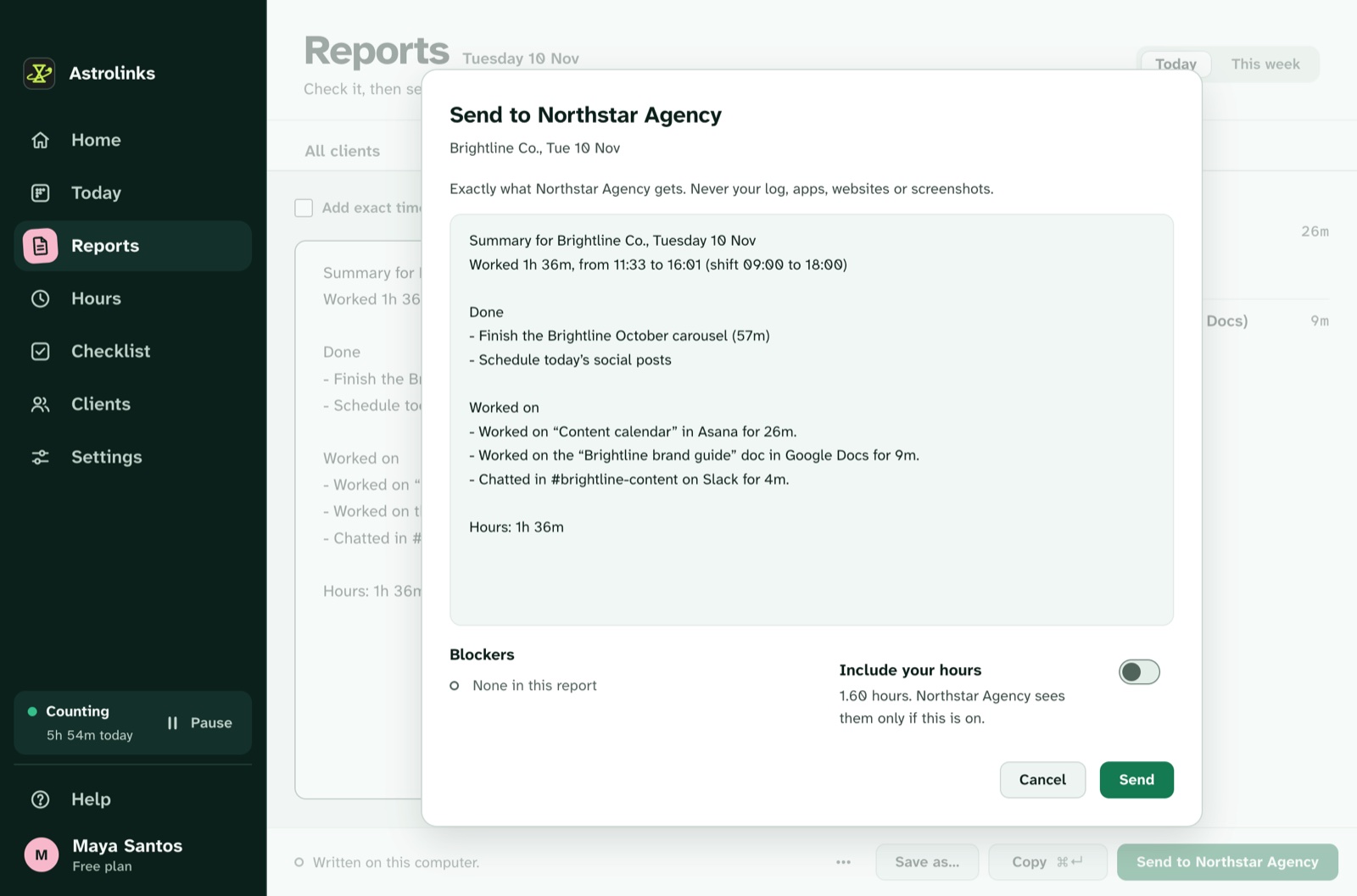
When someone finishes, they press Write my report. Astrolinks writes their end-of-day report from the day it kept and the quick notes they added. They read it, change anything, and send it.
Your Team inbox gets what they choose to send
People press Send to your team and see exactly what will go before it goes. Your managers read every report in one Team inbox. People can also send a report by Copy, Slack or email, or save it as a PDF, Word or text file, for the clients they work with.
The rest of the day, handled
The same app tracks hours and makes invoices (fully editable, with "work done" lines) for people who bill clients, and keeps a checklist with reminders and notes, so the next day starts where this one ended.
Daily visibility without surveillance
We call Astrolinks the trusted way to show your work. It is built on one rule: the people doing the work decide what to share. That rule is good for them, and it turns out to be good for managers too. A report someone wrote and checked is more useful than an activity score, because it says what happened and what is stuck.
It also keeps your company out of an uncomfortable business. You collect no screenshots and no keystrokes, so there is nothing sensitive to store, secure or explain. Share our worker notice for teams and read the security page for exactly what leaves a computer.

Try it free for 30 days
Write to info@astrolinks.org with your team’s size. We set up your Team inbox, your people join from the app, and they send real reports for 30 days, free. After that, choose Team or Business, per seat from 2 seats, or walk away.
Comparing monitoring tools?
If you are weighing Astrolinks against a monitoring product, read the fair comparisons, written from each product’s own pages: the Time Doctor alternative, the Hubstaff alternative, the ActivTrak alternative, the Teramind alternative, or all alternatives.
Keep reading
- Remote team updates without micromanaging
- Async check-ins for remote teams
- Daily standup vs. EOD report
- How the Team inbox works
- Running an agency? See time tracking software for agencies