 Astrolinks


Short answer
A good SEO report template for clients has six parts: a short plain-English summary, key numbers compared with last month and last year (organic leads, clicks and priority rankings), the work done, what's next, anything you need from the client, and notes on wins or risks. Lead with results and send it on the same day each month.
Astrolinks gives each person a daily report written from their own private log. No screenshots. Get it free →
Most SEO reports are too long, too full of charts, and written for the agency instead of the client. The client opens a 20-page PDF, scrolls past graphs they don't understand, and still emails you: "So, how's it going?"
A good SEO report answers that question in the first three lines. This guide gives you a free SEO report template for clients that you can copy into an email, a Google Doc or your reporting tool, plus a filled-in example, what to include each month, and the mistakes that make clients stop reading.
It's written for SEO agencies and freelancers who report to clients every month.
What should an SEO report include?
Every client SEO report should answer five questions:
- Is it working? The headline result in plain words.
- What are the numbers? A few key metrics, compared with last month and last year.
- What did you do? The work done this month, specifically.
- What's next? The plan for next month.
- What do you need from me? Approvals, content, access.
Everything else is optional. If a metric doesn't help answer one of these, it probably belongs in a dashboard, not the report.
The metrics that matter
Pick a small set and keep it the same every month so clients can see the trend:
| Metric | Where it comes from | Why it matters to the client |
|---|---|---|
| Leads, calls or sales from organic search | Google Analytics 4 (or the client's CRM) | The business result |
| Organic clicks | Google Search Console | How many people search sends |
| Impressions | Google Search Console | How often the site is seen in search |
| Rankings for priority terms | Search Console or a rank tracker | Progress on the searches that bring customers |
| Pages published or improved | Your own work log | Shows the work behind the numbers |
Compare each number with the previous month and the same month last year. Many businesses are seasonal, and a year-on-year comparison stops a normal December dip from looking like a disaster.
SEO report template (copy and paste)
SEO report: {Client name}, {Month Year}
Summary {One to three sentences in plain words. What happened, why, and whether it's on track. Example: "Organic leads grew for the third month in a row, mainly from the new service pages. Traffic dipped slightly because of the holiday period, but rankings for your main services kept improving."}
Results (vs last month / vs same month last year)
- Leads from organic search: {number} ({+/- %} / {+/- %})
- Organic clicks: {number} ({+/- %} / {+/- %})
- Impressions: {number} ({+/- %} / {+/- %})
- Priority rankings: {e.g. "6 of 10 target terms on page one, up from 4"}
Work done this month
- {Specific item, with a link if possible}
- {Specific item}
- {Specific item}
Next month
- {Planned item}
- {Planned item}
What we need from you
- {Approval, content, access, or "Nothing this month"}
Notes {Wins worth celebrating, risks, algorithm updates, anything unusual.}
Full dashboard: {link}
That's the whole thing. One screen, five minutes to read, and it works as an email or as the first page of a longer report.
Filled-in example
Here's the same template filled in for a fictional local plumbing company:
SEO report: Rivera Plumbing, October 2026
Summary Organic search brought 38 calls and form leads this month, up from 29 in September. The new "water heater repair" page is now on page one and brought 9 of those leads. Traffic held steady.
Results (vs September / vs October 2025)
- Leads from organic search: 38 (+31% / +52%)
- Organic clicks: 1,240 (+4% / +38%)
- Impressions: 41,800 (+9% / +61%)
- Priority rankings: 7 of 12 target terms on page one, up from 5
Work done this month
- Published the water heater repair page and the emergency plumber page
- Rewrote titles and descriptions on the 6 main service pages
- Fixed 14 broken internal links found in the site crawl
- Added 5 new reviews to the Google Business Profile with the client's help
Next month
- Publish the drain cleaning page
- Build area pages for the 3 suburbs with the most calls
- Ask for reviews from October's customers
What we need from you
- Photos of a recent drain cleaning job for the new page
Notes Rankings swung for a few days mid-month, which is normal; they were back to where they started by the end of the month.

How do you write an SEO report summary clients actually read?
The summary is the most important part of the report and the part most agencies rush. A few rules:
- Lead with the business result. Calls, leads or sales first, then traffic, then rankings.
- Explain the why. "Leads grew because the new service pages started ranking" beats "Leads grew 31%".
- Be honest about drops. Say what happened, whether it's expected, and what you're doing. Clients trust agencies that report bad news early.
- No jargon. "Impressions" and "CTR" need a few words of explanation the first time, or leave them out of the summary.
- Keep it to three sentences. If it needs more, the report is trying to do too much.
How do you explain a traffic drop in an SEO report?
Every client has a bad month eventually. Before you write anything, check the usual causes in this order:
- Season. Compare with the same month last year. If last year dipped by a similar amount, say so.
- Tracking. If leads fell in Analytics but clicks held steady in Search Console, check that the Analytics tag and the form tracking still work before blaming rankings.
- A Google update. Google lists confirmed ranking updates on its Search Status Dashboard. Check whether one rolled out during the month.
- One page. In Search Console, compare the two months by page. A drop is often one or two pages slipping, not the whole site.
- Site changes. A redesign, new URLs, or a page accidentally set to noindex can all cut traffic quickly. Ask the client whether anything changed on their side.
Then write it in the same order as the summary: what happened, why, and what you're doing. For example:
"Organic clicks fell 18% this month. Part of that is seasonal: the same month last year was down too. The rest came from the boiler service page, which slipped from position 3 to 7 after a Google update mid-month. We're adding pricing and common questions to that page this month and will report on it next time."
Short, specific and calm. Clients don't expect every month to go up. They expect you to notice before they do.
How often should you send an SEO report?
SEO results move slowly. Weekly numbers mostly show noise, and reporting them invites anxious questions about normal swings.
A rhythm that works for many agencies:
- Weekly: a short update on work done and what's next, no metrics. Our weekly client recap templates have formats you can copy.
- Monthly: the full SEO report above, with results.
- Quarterly: a strategy review call, looking at trends and the plan for the next three months.
How do you put the report together each month?
Once the template is set up, a monthly report for one client should take well under an hour. A simple routine:
- Search Console: open Performance, then Search results. Set the date to last month and use the Compare tab to add the previous month, then repeat with the same month last year. Note clicks, impressions and the positions of your priority terms.
- Analytics: in GA4, open Reports, then Acquisition, then Traffic acquisition. Read the key events (leads, calls, sales) on the Organic Search row, with the same two comparisons.
- Log the numbers in a sheet. Search Console only keeps 16 months of data, so a simple sheet with one row per month gives you a longer history to compare against.
- Copy the work done from your team's daily or weekly updates for that client (more on that below).
- Write the summary last, once you can see the numbers and the work side by side.
- Send it on your fixed day and put the next one in your calendar.
If you manage many clients, a dashboard tool that pulls in Search Console and Analytics saves the copying in steps 1 and 2. You'll still need to write the summary yourself.
Common SEO reporting mistakes
- Too many metrics. Bounce rate, domain rating, backlinks, page speed, sessions by device… Most clients can't act on them. Keep them in the dashboard.
- Charts with no explanation. A graph going up and to the right means nothing without one sentence on why.
- Rankings for terms nobody searches. Report on the searches that bring customers, not vanity terms.
- A vague work list. "On-page optimisation" doesn't tell the client anything. "Rewrote titles on the 6 service pages" does.
- Sending it late. Pick a day, such as the 5th of each month, and stick to it.
Where the "work done" section comes from
The numbers come from Search Console and Analytics. The work-done section is harder: it depends on what your team actually did across the month, often spread across several people and time zones.
Many agencies collect it by asking the team at the end of the month, which means guessing and forgetting. A better habit is a short end-of-day update from each team member, split by client: what they did, what's next, what's blocked. At month end, the work-done list for each client is already written. (Here's a sample end-of-day report if you want to see the format.) Our guide to agency client reporting covers this in more detail.
Where Astrolinks fits
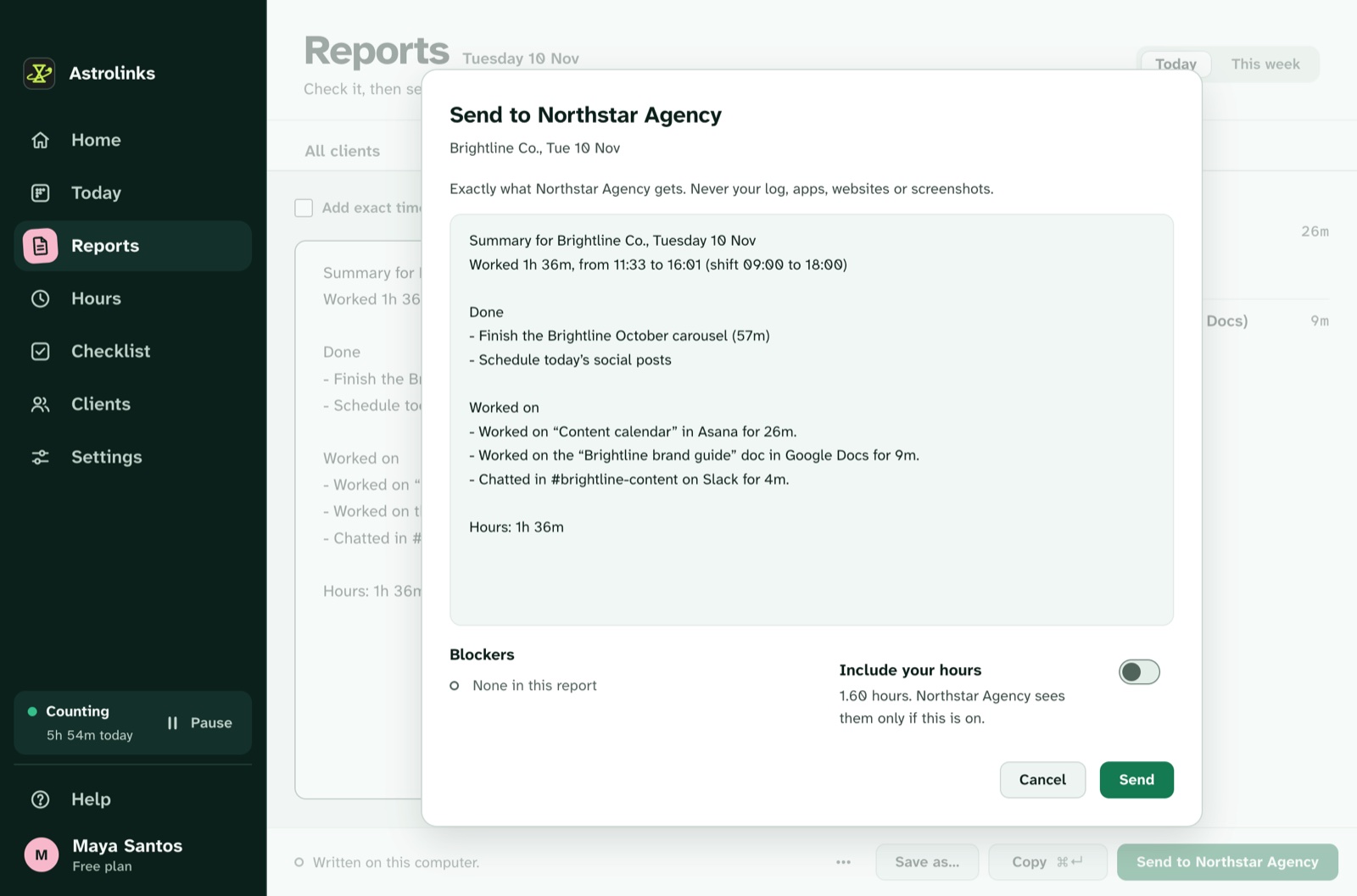
We make Astrolinks, so read this with that in mind. Astrolinks is a desktop app for Mac and Windows that writes each team member's end-of-day report from their actual work on their own computer, split by client. They check it and send it. On the Team plan, every report lands in one inbox, so the "work done" part of each client's SEO report is already there at the end of the month. No screenshots and no keystroke logging.
It doesn't pull your SEO metrics; keep using Search Console, Analytics and your reporting tool for those.
If you run an agency with remote staff, we're running free 14-day pilots for up to 5 people, no card needed. Ask for a pilot or read about Astrolinks for agencies.
The short version
A good SEO report template for clients fits on one screen: a three-sentence summary that leads with business results, a few key numbers compared with last month and last year, a specific list of work done, the plan for next month, and anything you need from the client. Send it monthly, on the same day, with a short weekly work update in between. Keep the detail in a dashboard and the story in the report.