 Astrolinks
Everything it does, in plain words
Astrolinks keeps a private log of your day and turns it into the reports, hours and invoices your clients ask for. Here is each part.
Mac and Windows. 7 days of Pro free, no card.
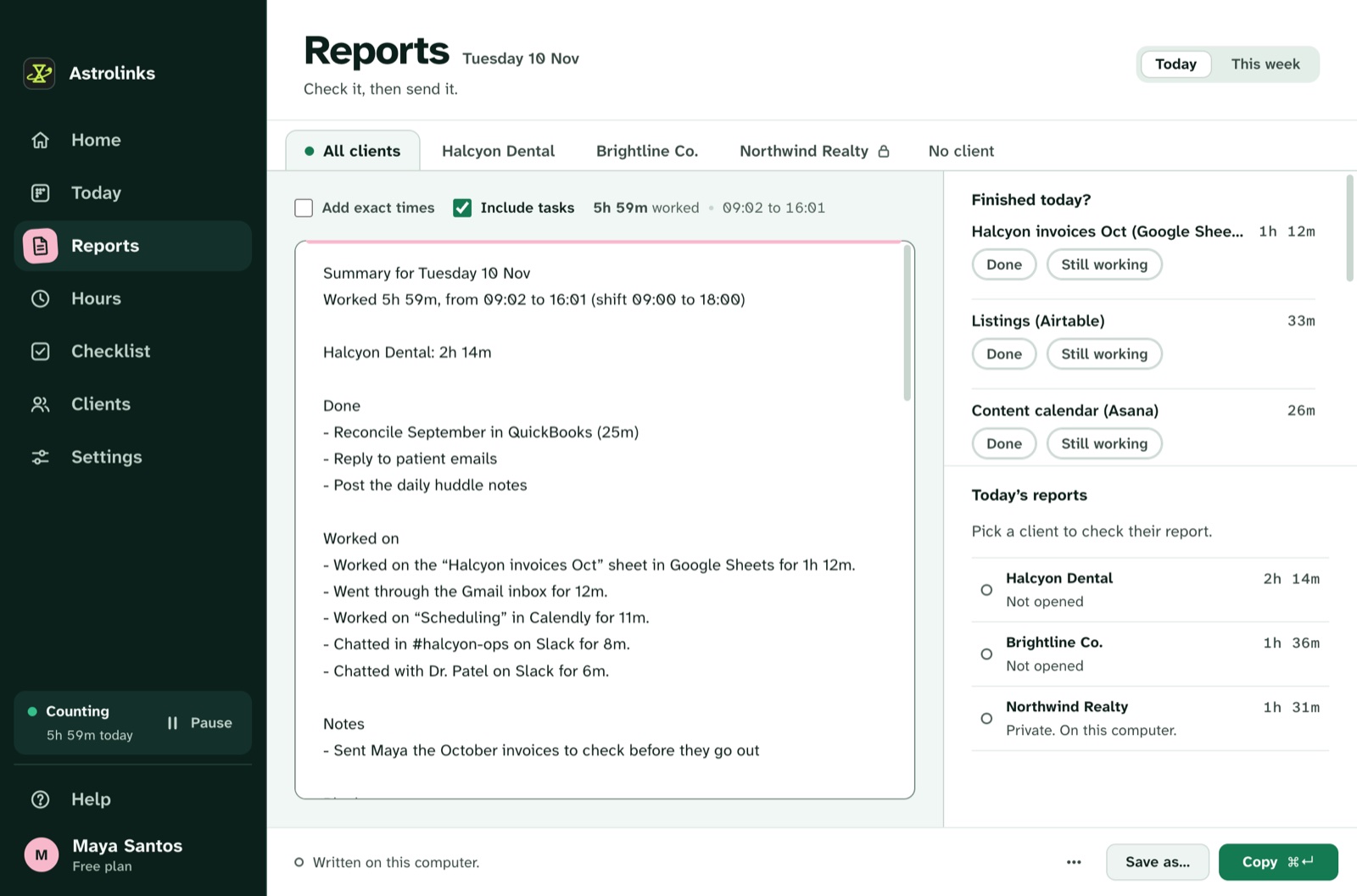
End-of-day reports
Each client’s report, written at clock-out from what you really did.
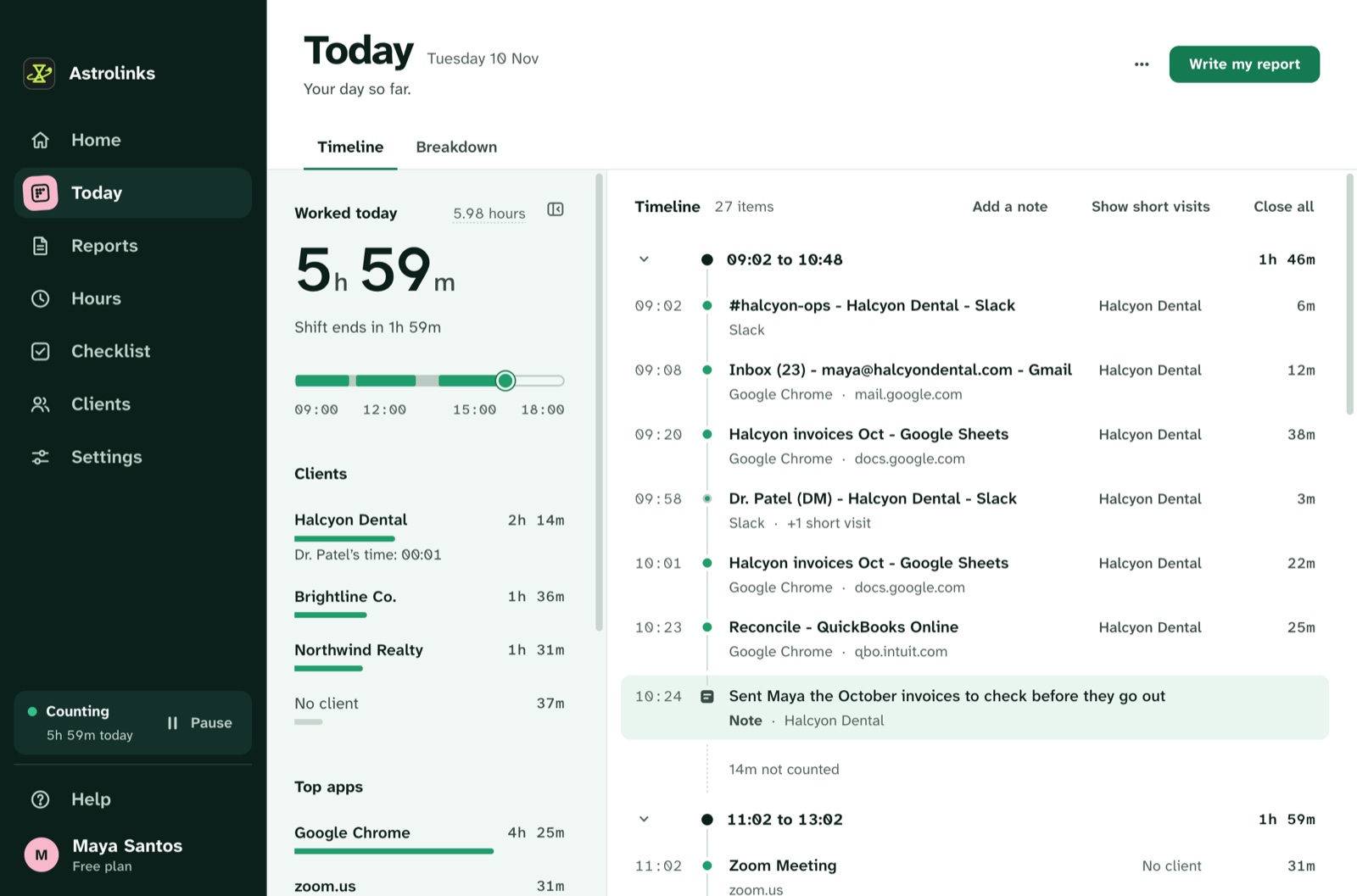
Automatic time tracking
A private log of your day that fills itself in, sorted by client.
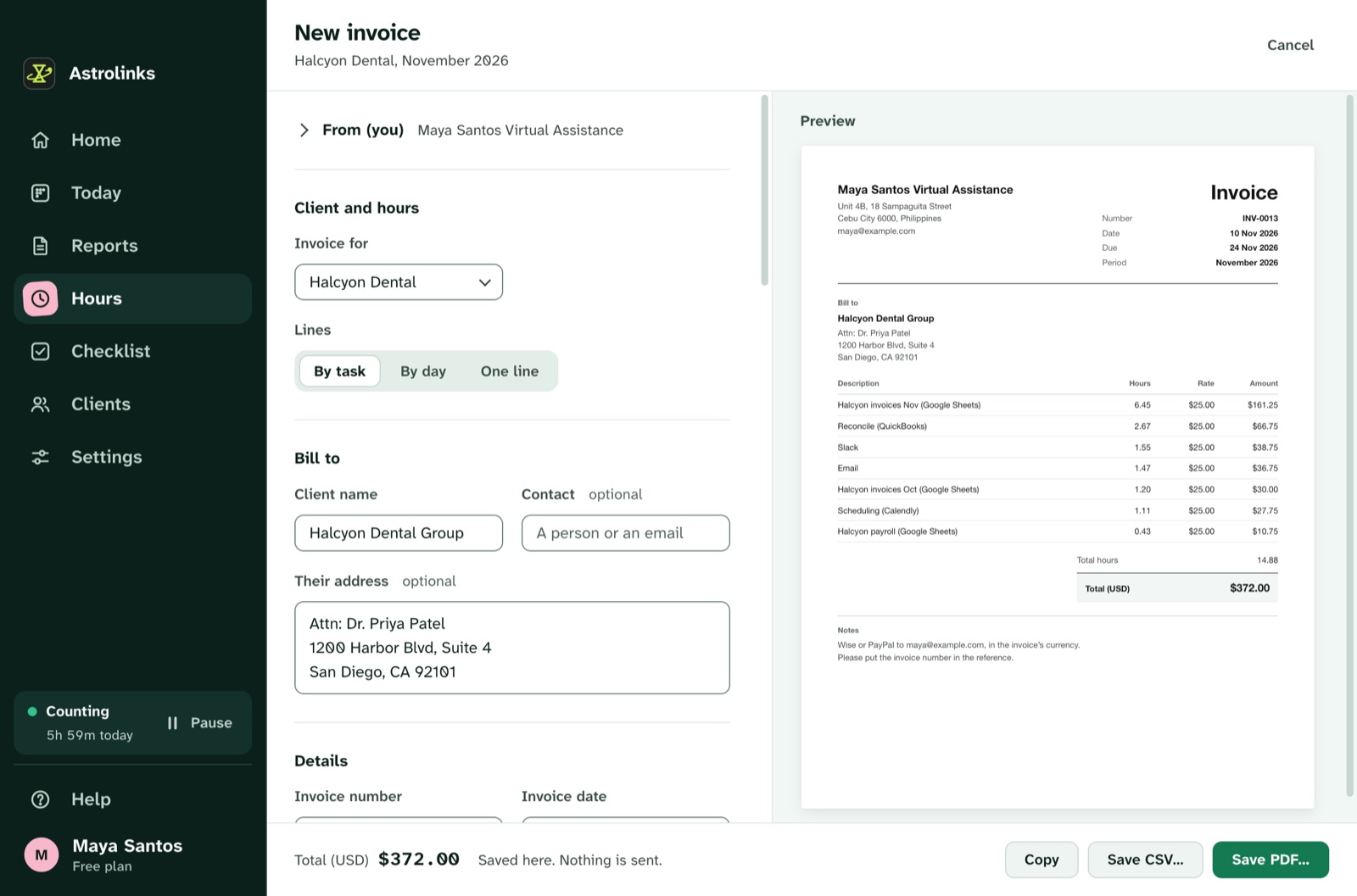
Hours and invoices
Billable hours per client, a table for your sheet, and a PDF invoice in one click.
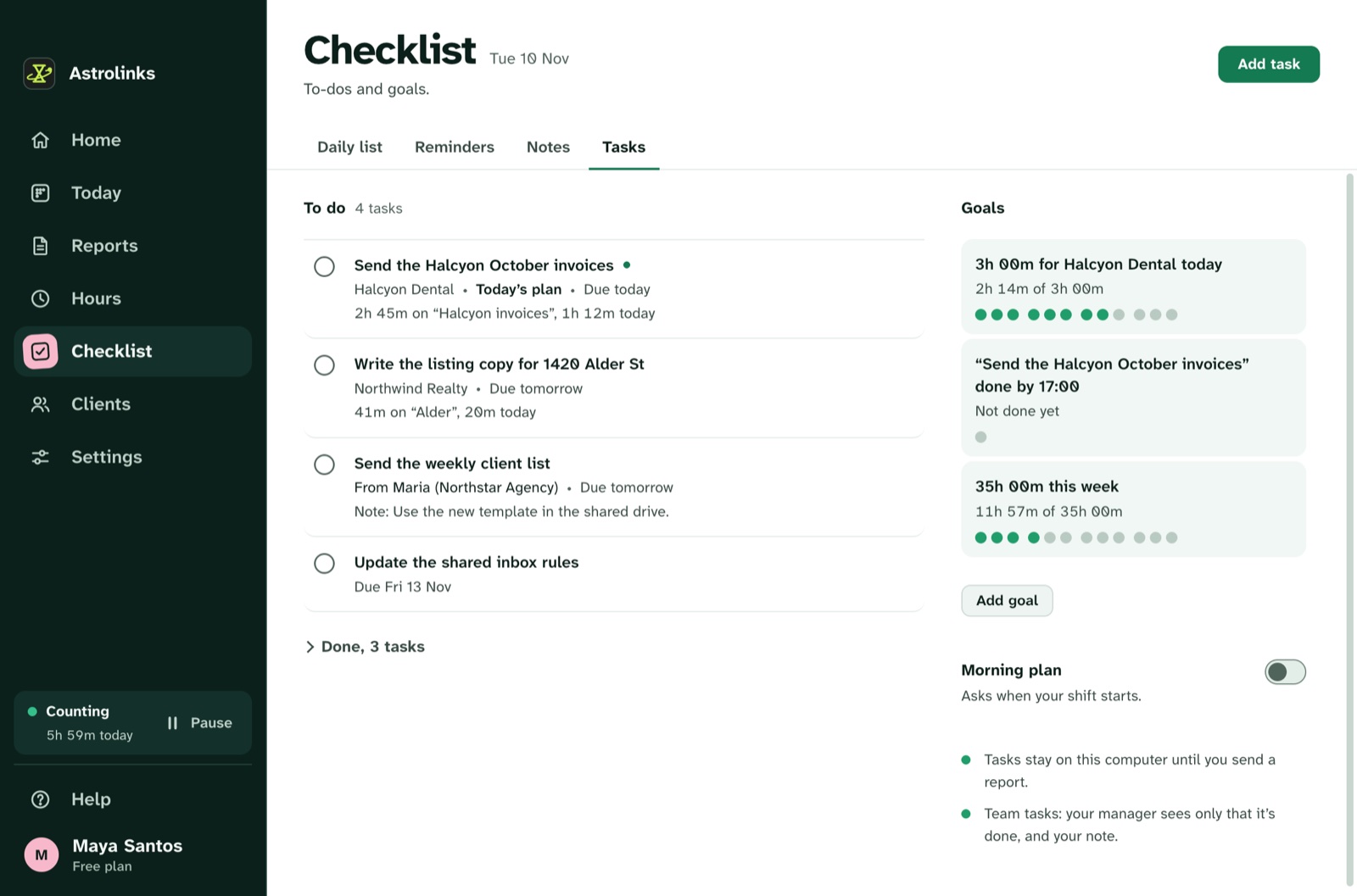
Tasks and goals
What you plan to do, how long it is taking, and goals that fill in as you work.
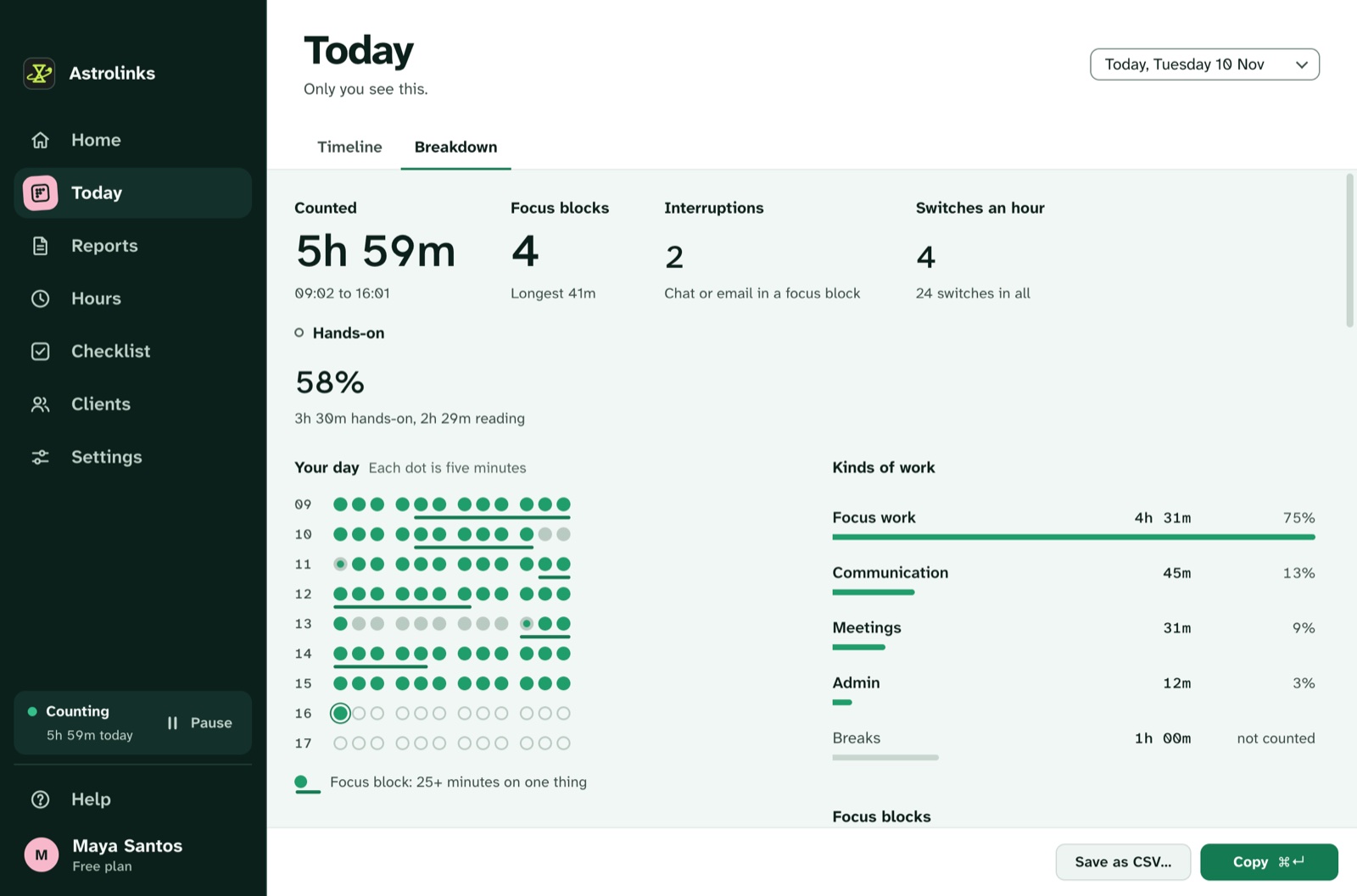
Detailed breakdown
Optional. Each document, ticket and meeting with its time, and your focus blocks.
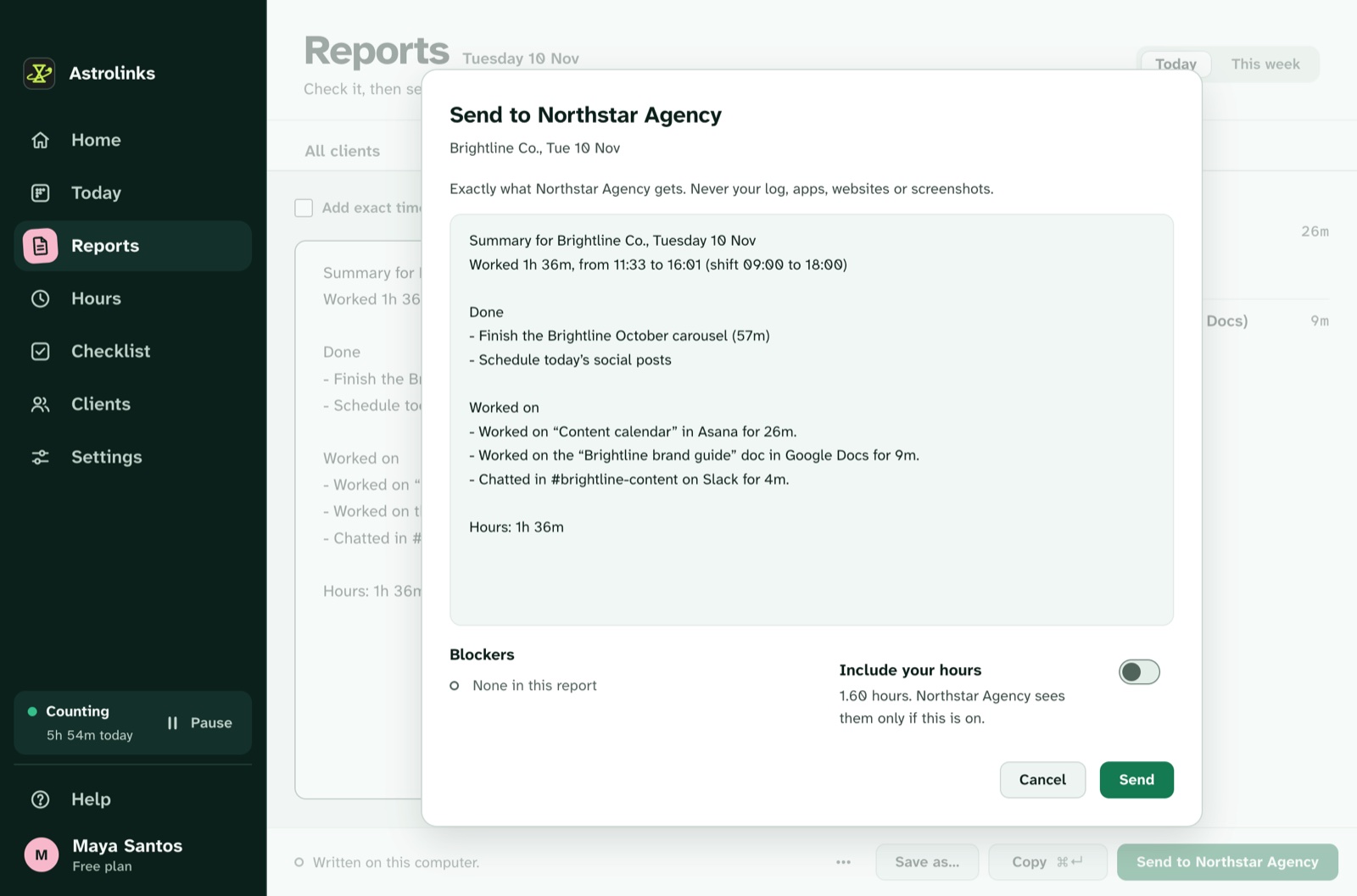
Team inbox
For agencies and companies: the reports your people choose to send, in one place.
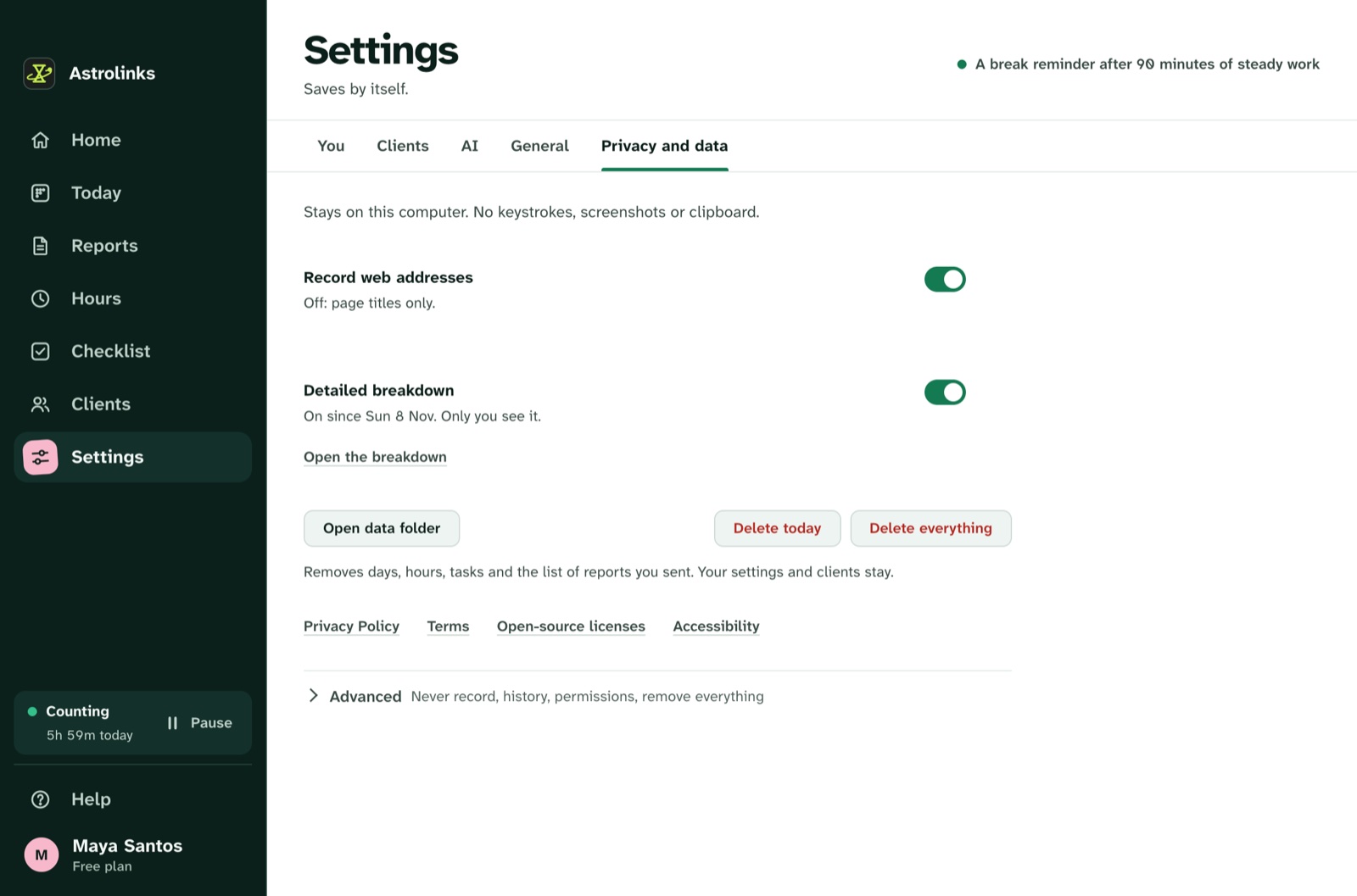
Privacy first
Your log stays on your computer. Nothing leaves it without a click.
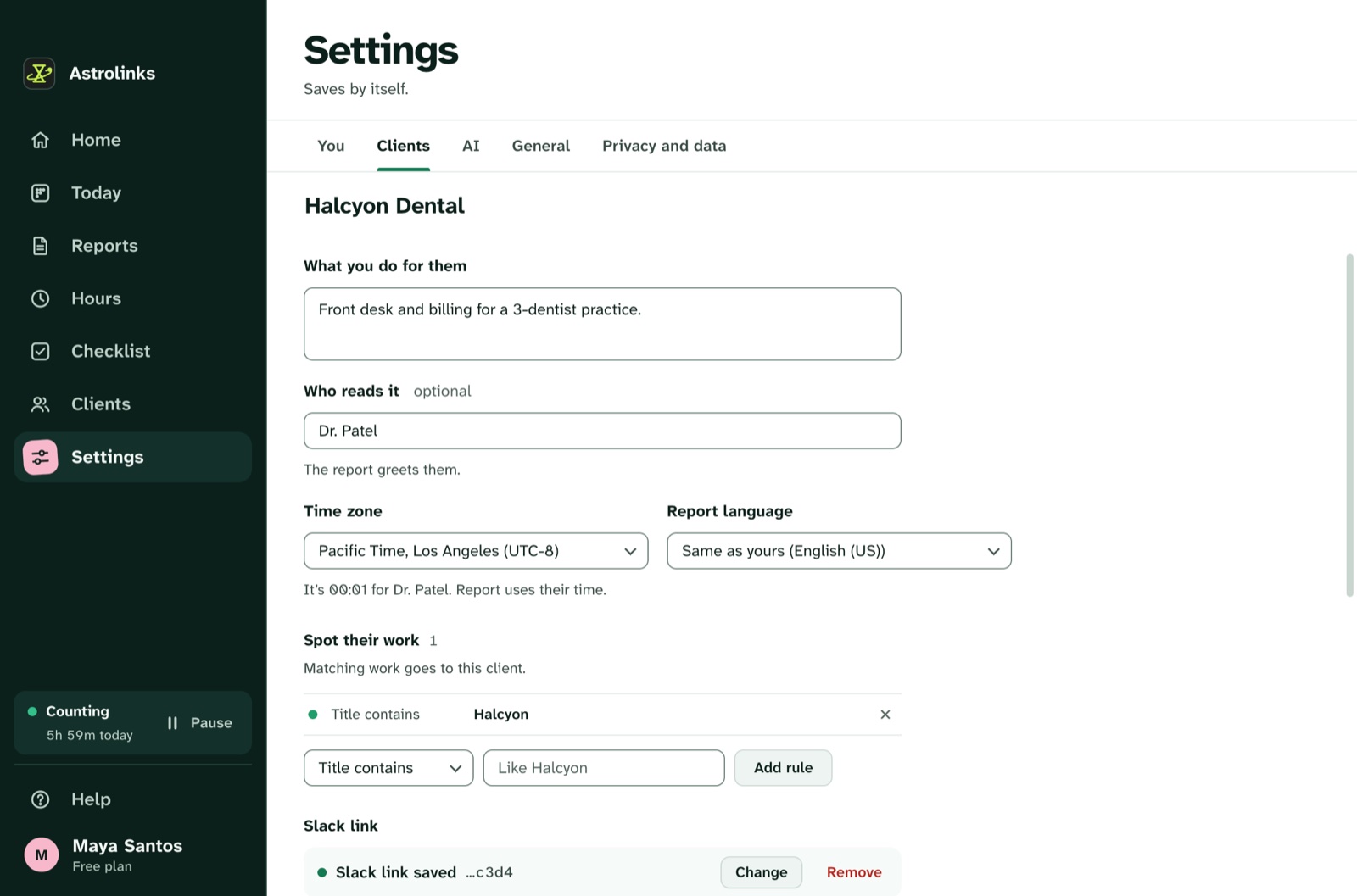
Languages and time zones
Reports in your client’s language, with times on your client’s clock.
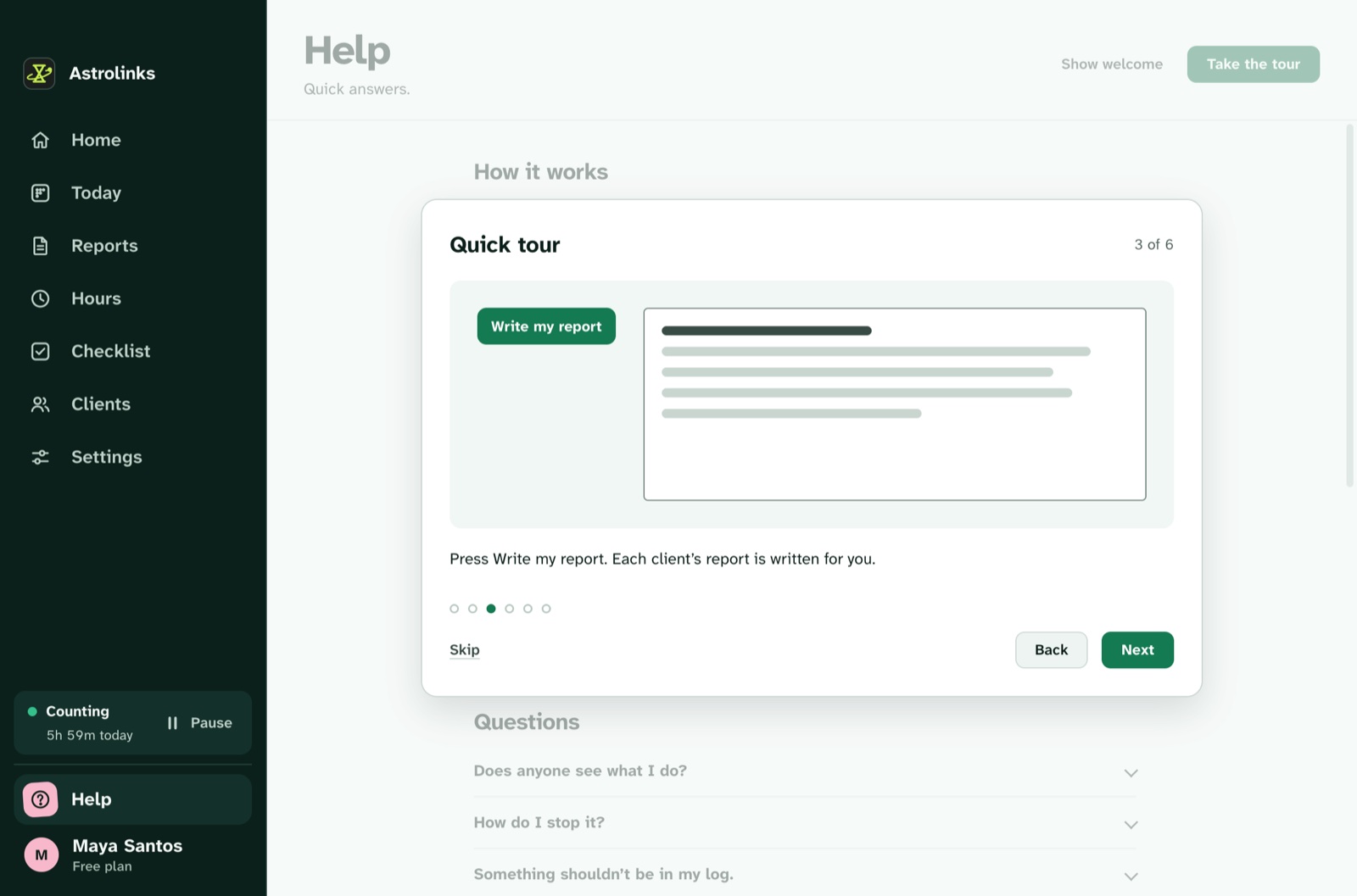
A tour of the app
One window with a sidebar, a Before you start list, and a six-step tour inside the app.
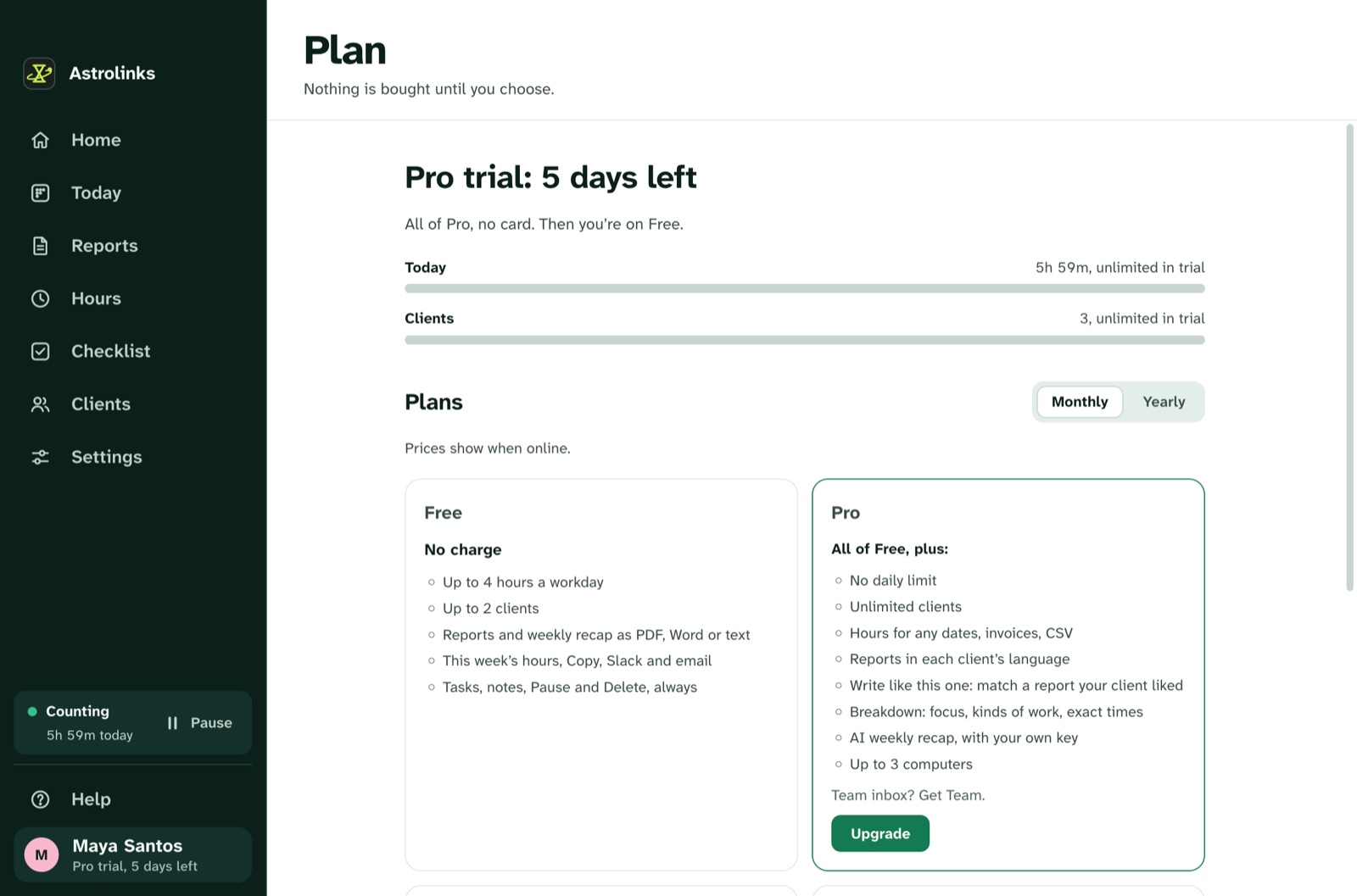
Plans and the trial
A 7-day Pro trial with no card, a Free plan that keeps working, and the Plan page.
How it works
From a normal workday to a sent report
You work as usual. You only step in at clock-out.
Work as usual
Every 5 seconds, Astrolinks notes the app in front, the window title and, in supported browsers, the web address without anything after “?” or “#”. The rules you give each client sort your day by client.
Clock out
Press Write my report. Each client gets a report written on your computer. Mark what happened with each item, Finished, Sent, Drafted, Replied or In progress, and add a note in your own words.
Check and send
Change what you like, then copy it, send it to Slack or email, save a PDF, or send it to your Team inbox. Your hours add up per client for invoices, on every plan.
Who it’s for
People who answer to more than one client or manager
Virtual assistants
Several clients, each with its own report, time zone and hours, ready when your shift ends.
Learn moreFreelancers
Billable hours per client without a timer, and an invoice made from them on every plan.
Learn moreRemote teams and agencies
People send their daily reports to one Team inbox. Managers see reports, never screens.
Learn more
What it keeps, and what it never touches
Kept on your computer
- The app in front and its window title
- The web address, without anything after “?” or “#”, in supported browsers. Turn this off and browsers are kept by title only
- Your clients, rules and notes
- Your days, for 14 days unless you choose 1 to 365
Never recorded
- Keystrokes
- Screenshots or screen video
- Your clipboard
- Private windows in Chrome, Edge, Brave, Firefox and the other supported browsers, when the browser says a window is private
Safari can’t tell the app a window is private, so pause first if you need to. Nothing leaves your computer until you press a button, and we never get a copy of your log. The detail is on privacy first and in the Privacy Policy.
Plans in short
| Trial | 7 days of Pro, once per computer. No card, and nothing is charged when it ends. |
|---|---|
| Free | Up to 4 hours counted a workday, for up to 2 clients, with full reports, the weekly recap, Copy, Slack, email and invoices (with a small “Made with Astrolinks” line). |
| Pro | No daily limit and as many clients as you need, Hours for any dates, CSV export, invoices without the line and with a timesheet page, the built-in writing helper, report languages and the detailed breakdown. |
| Team and Business | Pro for each person, plus a company Team inbox for the reports people choose to send. From 2 seats. |
| AI | Not needed. Pro and the trial include a built-in writing helper that runs on your computer. On any plan, you can add your own Anthropic key instead. |
| Computers | A Mac with Apple silicon and Intel and macOS 13 Ventura or later, or a PC with Windows 10 version 2004 or later, or Windows 11 (x64). |
Compare every plan side by side, with prices for your country, on the pricing page, or read how the trial and the Plan page work.
Clock out with the report already written
7 days of Pro to start. No card. Your log stays on your computer.