 Astrolinks


Short answer
A virtual assistant can take repetitive, rules-based work off a small business owner's plate: inbox and calendar management, customer support, social media scheduling, data entry, bookkeeping prep, research and lead lists. Start with 5 to 10 hours a week of tasks you do the same way every time, write short instructions, and ask for a daily update so you can see the work getting done.
Astrolinks gives each person a daily report written from their own private log. No screenshots. Get it free →
Most small business owners do far too much themselves. Answering emails, chasing invoices, posting on social media, updating spreadsheets: all necessary, and most of it work someone else could do just as well with clear instructions.
A virtual assistant (VA) is a remote worker who takes that work off your plate, often for less than you'd expect. This guide covers what a virtual assistant can do for a small business, the signs you're ready, what it costs in 2026, and how to set a VA up so the work actually gets done.
What does a virtual assistant do for a small business?
VAs range from general admin assistants to skilled specialists. Here are 25 common tasks small businesses delegate, grouped by area.
Admin and inbox
- Sorting and replying to routine emails
- Managing your calendar and booking meetings
- Organizing files and folders
- Booking travel and handling expenses
- Transcribing notes and calls
Customer service
- Answering customer emails and chat
- Handling simple returns, refunds and order questions
- Collecting and replying to reviews
- Following up with customers after a purchase
Marketing
- Scheduling social media posts
- Replying to comments and messages
- Creating simple graphics in Canva
- Formatting and uploading blog posts
- Sending email newsletters
Sales and leads
- Building lead lists from directories and LinkedIn
- Updating your CRM
- Sending follow-up emails to leads
- Preparing quotes and proposals from templates
Finance
- Preparing and sending invoices
- Chasing late payments
- Entering receipts and expenses into your accounting software
- Preparing records for your bookkeeper or accountant
Operations
- Updating products and prices on your online store
- Researching suppliers, tools or competitors
- Keeping SOPs and checklists up to date
You don't need a VA to do all of these. Pick the five that eat the most of your time.
How do you know your small business is ready for a VA?
- You spend 5+ hours a week on repetitive tasks that follow the same steps every time.
- Important things slip. Customer emails sit for days, invoices go out late, social media goes quiet.
- Admin crowds out revenue work. You're doing data entry instead of selling, serving clients or building the business.
- You can describe the work. If you can write down how a task is done, a VA can learn it.
If you can't yet describe the tasks, spend a week writing down everything you do and how long it takes. The list will show you what to delegate.
Which tasks should you delegate first?
Use that week's list to score each task with three questions: how many hours does it take each week, is it done the same way every time, and does it really need you? Here's what that looks like for a small marketing agency owner:
| Task | Hours a week | Same steps every time? | Needs you? | Delegate? |
|---|---|---|---|---|
| Sorting the inbox and booking calls | 4 | Mostly | No | Yes, first |
| Scheduling client social posts | 3 | Yes | No | Yes, first |
| Sending invoices and chasing late ones | 2 | Yes | Only to approve | Yes, with a check |
| Monthly client reports | 3 | Partly | The summary, yes | Split: VA gathers numbers, you write the summary |
| Sales calls | 4 | No | Yes | No |
Start with the tasks that score high on hours, follow the same steps, and don't need your judgement. In this example that's about 9 hours a week, a sensible part-time start. Leave anything that needs your relationships or decisions, such as sales calls and pricing, until the VA has been with you for a while.
How much does a virtual assistant cost for a small business?
As of November 2026, from sources we could check:
- A full-time Filipino VA's median ask was about US$714 a month for remote roles with foreign clients, in one staffing firm's data.
- Virtual assistant job postings in the US on Indeed averaged about $23 an hour.
Specialists such as bookkeepers, ads managers and developers cost more. Most small businesses start part-time, at 10 to 20 hours a week. For the full breakdown, including hidden costs like hiring and payment fees, see how much a virtual assistant costs.
Freelance VA, VA agency or direct hire?
- Freelance VA on a marketplace like Upwork: flexible, good for part-time or project work, with platform fees.
- VA agency: they recruit, screen and sometimes manage the VA, and replace them if they leave. Costs more, saves your time.
- Direct hire, for example through OnlineJobs.ph for Filipino VAs: lowest cost for long-term roles, but you do the hiring. Our guide on how to hire a Filipino virtual assistant walks through it step by step.

How do you get started with your first VA?
- List the tasks. Pick five to ten repetitive tasks that take the most of your time.
- Write short instructions. For each task: what it is, how to do it, what good looks like, and an example. A five-minute screen recording often beats a written guide.
- Write the job post with the tasks, tools, hours and pay. Our virtual assistant job description template helps.
- Hire with a short paid test. One or two hours of real-ish work from your top candidates.
- Prepare logins before day one. Use a password manager to share access safely.
- Start small. One or two tasks in week one, more as they get comfortable.
What short instructions look like
Instructions don't need to be long. Here's a complete one for a common first task:
Task: reply to booking requests When: every morning and after lunch. Steps: open the "Bookings" label in Gmail. For each request, check the calendar, offer two free times using the "Booking reply" template, and move the email to "Waiting". Done looks like: every booking request has a reply within half a day. Ask me first if: the person asks for a discount, or it's an existing client who is unhappy.
The "ask me first" line matters most. It tells the VA exactly where their judgement ends, so they don't freeze on every edge case or guess on the important ones.
Our virtual assistant onboarding checklist has a full first-two-weeks plan.
How to manage a VA when you're not a manager
Many small business owners have never managed anyone. Good news: managing a VA well takes very little.
- A written task list. One place where tasks, instructions and due dates live, such as Trello or Asana.
- A short end-of-day update. The VA sends what's done, what's next and what's blocked at the end of each shift. You read it in a minute.
- Fast answers. Reply to their questions within a day, ideally before their next shift.
- A weekly 15-minute call to review the week, give feedback and plan ahead.
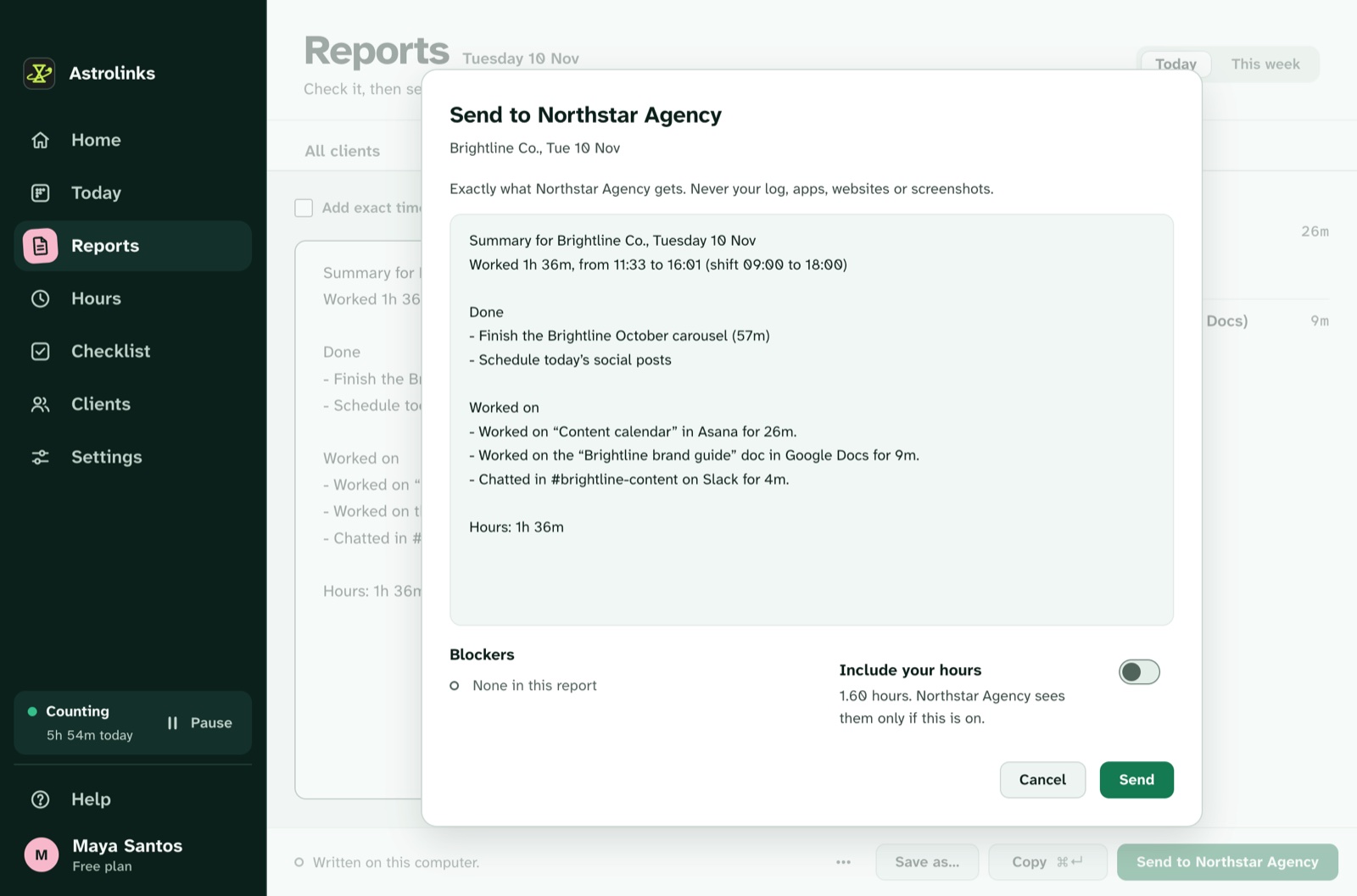
A useful end-of-day update takes the VA two minutes to write and you one minute to read:
Thursday Done: replied to 12 booking requests, scheduled next week's posts, sent 3 invoices. Next: chase the two invoices that are 30 days overdue. Blocked: need your OK on the new price list before I update the website.
Want more examples? Here's a sample end-of-day report.
That's it. You don't need screenshot software or hourly check-ins. Our full guide on how to manage a virtual assistant has a weekly rhythm to copy. If the work gets done and the updates match the work, your VA is doing their job. More on that in how to know if remote employees are working.
What shouldn't you delegate to a VA?
Some work should stay with you, at least at first:
- Money decisions. A VA can prepare invoices and payment runs, but you approve them. Give them a bookkeeping or invoicing login, not full access to your bank.
- Pricing and discounts. Write your prices down so the VA can quote them, but keep exceptions for yourself.
- Hiring, firing and difficult conversations with staff or clients.
- Anything you sign. Contracts, legal letters and tax filings.
- Your key client relationships, until the VA knows the clients and the clients know the VA.
As trust builds, you can hand over more. Just make the change on purpose, in writing, rather than by drift.
Common mistakes small businesses make with VAs
- Delegating chaos. If a process is a mess, a VA will do the mess faster. Tidy it first.
- No instructions. "Handle my inbox" isn't a task. "Archive newsletters, reply to booking requests with this template, flag anything from clients" is.
- Too much at once. Ten new tasks in week one overwhelms anyone.
- Not checking early work. Review closely in the first two weeks, then step back.
- Choosing on price alone. The cheapest VA often costs the most in rework.
Where Astrolinks fits
We make Astrolinks, so read this with that in mind. Astrolinks is a desktop app for Mac and Windows that makes the end-of-day update easy for your VA. It keeps a private log of their workday on their own computer and drafts their report at clock-out: done, next, blocked. They check it and send it. With more than one VA, the Team plan puts all reports in one inbox. No screenshots and no keystroke logging. It also tracks hours, which helps if you pay your VA hourly.
If you have a team of remote staff, we're running free 14-day pilots for up to 5 people, no card needed. Ask for a pilot or read about Astrolinks for agencies.
The short version
A virtual assistant can take repetitive admin, customer service, marketing, sales and finance tasks off a small business owner's plate. Start part-time with five to ten clearly described tasks, hire with a short paid test, onboard with written instructions, and ask for a short daily update. As of November 2026, a full-time Filipino VA asks around US$714 a month and US VAs average about $23 an hour. The return comes from the hours you get back for the work only you can do.