 Astrolinks


Short answer
Clockify's cheapest paid plan, Basic, costs $3.99 per user a month billed yearly or $4.99 monthly. The free plan still exists, but since April 2026 it covers 5 users, 31-day reports and no billable rates or CSV exports. Paid plans are billed per seat. Screenshots and GPS need Pro, at $7.99 yearly or $9.99 monthly.
Astrolinks sorts your day by client without a timer and turns the hours into client updates and invoices. Get it free →
Clockify pricing in 2026 starts at $3.99 per user a month for the Basic plan billed yearly, or $4.99 month to month. Clockify is still free for small teams, but the free plan was cut back in 2026: it now covers up to 5 users, reports of up to 31 days, and no billable rates or CSV exports. Screenshots and GPS need the Pro plan, at $7.99 per user a month yearly.
Prices checked on the vendor's pricing page on 26 November 2026; they change, so confirm before you buy. Every other Clockify fact here comes from Clockify's help center or its parent company, CAKE.com, linked as we go.
How much is Clockify per user in 2026?
Here's what Clockify's pricing page listed on the day we checked, in US dollars per seat per month, before tax.
| Plan | Billed yearly | Billed monthly | What it adds |
|---|---|---|---|
| Free | $0 | $0 | Up to 5 users; timer, timesheet, auto tracker (visible only to you), calendar, mobile and desktop apps, idle detection, reports of up to 1 month |
| Basic | $3.99 | $4.99 | Billable rates, export and share data, kiosk, add time for others, time audit, estimates, bulk edit, required fields |
| Standard | $5.49 | $6.99 | Invoicing, timesheet approval, time off, lock time, attendance and overtime, manager role, QuickBooks integration |
| Pro | $7.99 | $9.99 | Activity monitoring, GPS tracking, scheduling, forecasting, expenses, labor cost and profit, budgets, multiple currencies |
| Enterprise | $11.99 | $14.99 | Single sign-on, SCIM provisioning, custom subdomain, audit log |
Clockify also sells a CAKE.com Bundle at $12.99 yearly or $15.99 monthly, which includes Enterprise-level Clockify. People added only for the kiosk (no email) can be "limited members" at a lower seat rate, from $0.79 a month yearly on Basic.
Two notes on the table:
- Screenshots aren't on the pricing page. Clockify's screenshots help article says they're a Pro or Enterprise feature. The pricing page lists Activity monitoring under Pro, which is a separate, newer feature.
- Five users or four invites? The page header says the free plan is for up to 5 users, while the FAQ says you can invite up to 4 people. Both fit: the owner plus 4 invitees.
Yearly billing is 20% off, according to the pricing FAQ, and Clockify says it offers no other discounts.
What does Clockify cost for a team?
This is list-price arithmetic before tax and discounts: seats times the per-seat price, per month, with the yearly total in brackets.
| Team size | Basic, yearly | Basic, monthly | Pro, yearly | Pro, monthly |
|---|---|---|---|---|
| 1 user | $3.99 ($47.88 a year) | $4.99 ($59.88 a year) | $7.99 ($95.88 a year) | $9.99 ($119.88 a year) |
| 5 users | $19.95 ($239.40) | $24.95 ($299.40) | $39.95 ($479.40) | $49.95 ($599.40) |
| 10 users | $39.90 ($478.80) | $49.90 ($598.80) | $79.90 ($958.80) | $99.90 ($1,198.80) |
| 25 users | $99.75 ($1,197) | $124.75 ($1,497) | $199.75 ($2,397) | $249.75 ($2,997) |
Standard sits between them: 10 users on yearly billing come to $54.90 a month ($658.80 a year).
What changes the real number:
- The 6th user is expensive. Clockify's help article says that once you upgrade, every user needs a paid seat and the 5 free places no longer apply. A sixth person takes a team from $0 to 6 seats on Basic, $23.94 a month on yearly billing.
- Invited users count. The pricing FAQ says active and invited users each use a seat, including owners and admins.
- Seats added mid-cycle are prorated, per the same FAQ.
- The feature you need decides the plan. If you need screenshots or GPS for field staff, the floor is Pro, not Basic.
Which Clockify plan includes screenshots, GPS, rates and exports?
Most teams pick a plan for one or two features. Here's the lowest plan for the ones people ask about most, from the pricing page and help center.
| You need | Lowest plan | Per seat, yearly |
|---|---|---|
| Billable rates and earned amounts | Basic | $3.99 |
| CSV and Excel exports, reports longer than 31 days | Basic | $3.99 |
| Invoicing and timesheet approval | Standard | $5.49 |
| Screenshots | Pro | $7.99 |
| GPS tracking on the mobile apps | Pro | $7.99 |
| Activity monitoring, expenses, scheduling | Pro | $7.99 |
| Single sign-on and audit log | Enterprise | $11.99 |
A little more on the two monitoring features. The screenshots article says they're taken at random within 5-minute intervals while the timer runs in the desktop app, are blurred and low resolution by default, and are kept for up to a year. Clockify's GPS tracking article says location is recorded by the mobile apps when a timer starts and stops and when the person moves a significant distance. An admin turns GPS on in workspace settings, and screenshots stay off unless the workspace enables them, so tell your team before you switch either on.
Is Clockify free, and what are the free plan limits?
Yes, Clockify is still free for small teams. Its help article on updates to the free plan lists the limits:
| Free plan limit | What it means in practice |
|---|---|
| 5 active users, including the owner | After a trial ends, the owner and first 4 invitees stay active; the rest are deactivated automatically |
| Reports capped at a 31-day range | Multi-month reports and data older than 31 days need an upgrade |
| CSV and Excel exports are paid | PDF exports stay free; shared reports are paid |
| Billable rates removed | No hourly rates, no billable toggle, no earned amounts |
| All projects are public | Private projects are paid |
| Everyone can create clients, projects, tasks and tags | This can't be restricted on Free |
| API: 30 requests an hour; 3 webhooks | Matters if you sync with invoicing or reporting tools |
What's still included is generous for a solo freelancer or a small team: unlimited tracking, a timer and timesheet, an auto tracker that only you can see, mobile and desktop apps, and idle detection.
New workspaces start with a free trial of paid features before dropping to Free. The pricing page describes it as a 7-day Pro trial with no credit card required.
What changed in Clockify pricing in 2026?
The 2026 change was to the free plan, not the paid prices. We found no sourced change to Clockify's paid per-seat prices.
On 21 April 2026, CAKE.com published a press release saying the free plan would change in April for current and future customers. It gave two reasons: the cost of hosting an unlimited number of free users, and a wish to focus on paying customers. The release moved these into paid plans:
- Kiosk and limited users
- Billable hours
- Shared reports
- Project time estimates
- CSV and Excel report export
It also capped the free plan at 5 users, report filters at one month, the API at 30 requests an hour and webhooks at 3, and made projects public by default. The release says existing paid plan users are not affected.
If you were a long-time free user, the practical effect is simple: the free plan now suits a team of 5 or fewer that doesn't bill by the hour from Clockify. If you invoice from tracked hours, you need at least Basic.

What do Clockify users complain about?
Long-time users have valued Clockify's free plan, and most recent complaints are about losing parts of it.
- The free plan changes. On Trustpilot, Clockify had a score of 3.0 out of 5 from 86 reviews when we checked on 26 November 2026. Most visible 2026 reviews are about features moving behind paid plans, the 5-user cap and a feeling that the change came without clear warning. Clockify's replies there say it gave in-app notice in advance and offered trials so people could export their data.
- Invoicing. Some reviewers find invoicing too rigid for a growing business.
- Forgotten timers. Like every manual timer, it's easy to leave one running. Clockify has help articles on idle detection and reminders for this.
- Timer glitches across devices come up in reviews on Capterra.
What reviewers like: it's simple to set up, staff pick it up quickly, the timer is reliable, and some praise the onboarding and support.
How do you keep your Clockify bill down?
- Stay on Free while you can. If you're 5 or fewer and don't need rates or CSV, Free still works.
- Pick the lowest plan that has your must-have feature. Rates and exports: Basic. Invoicing and approvals: Standard. Screenshots, GPS and expenses: Pro.
- Pay yearly if your team size is steady. It's 20% off, but Clockify's FAQ says it doesn't refund, except for system errors.
- Deactivate leavers and clear stale invites. Deactivating frees the seat.
- Use limited members for kiosk-only staff instead of full seats.
- Export what you need before a downgrade. On Free, reports only reach back 31 days.
Questions to ask before you renew or buy
- Which paid feature do we actually use every week?
- How many seats are active, and how many are pending invites?
- Will we pass 5 users this year, and what does the jump cost?
- Do our integrations fit the API limit for our plan?
- Does the checkout price match the pricing page today?
To cancel, Clockify's FAQ says to use the Billing tab on the Subscription page; you return to Free when the subscription expires, with no further charges and no data loss.
Is there another way to bill clients for your hours?
If you need team timesheets, approvals, scheduling or GPS, Clockify is a strong, low-cost choice, and our Clockify alternatives guide compares it fairly with other trackers. For the basics of billing by the hour, see how to track billable hours.
If the 2026 changes took away the part you relied on, hours per client and a record to send, Astrolinks works differently. It's a desktop app for Mac and Windows that keeps a private log of your workday on your own computer, adds up hours per client without a timer, and writes each client's end-of-day report at clock-out. Invoices from tracked hours are on every plan. The free plan covers up to 4 hours a day and 2 clients; Pro and Team are paid, every install starts with a 7-day Pro trial with no card, and prices are set per country on our pricing page.
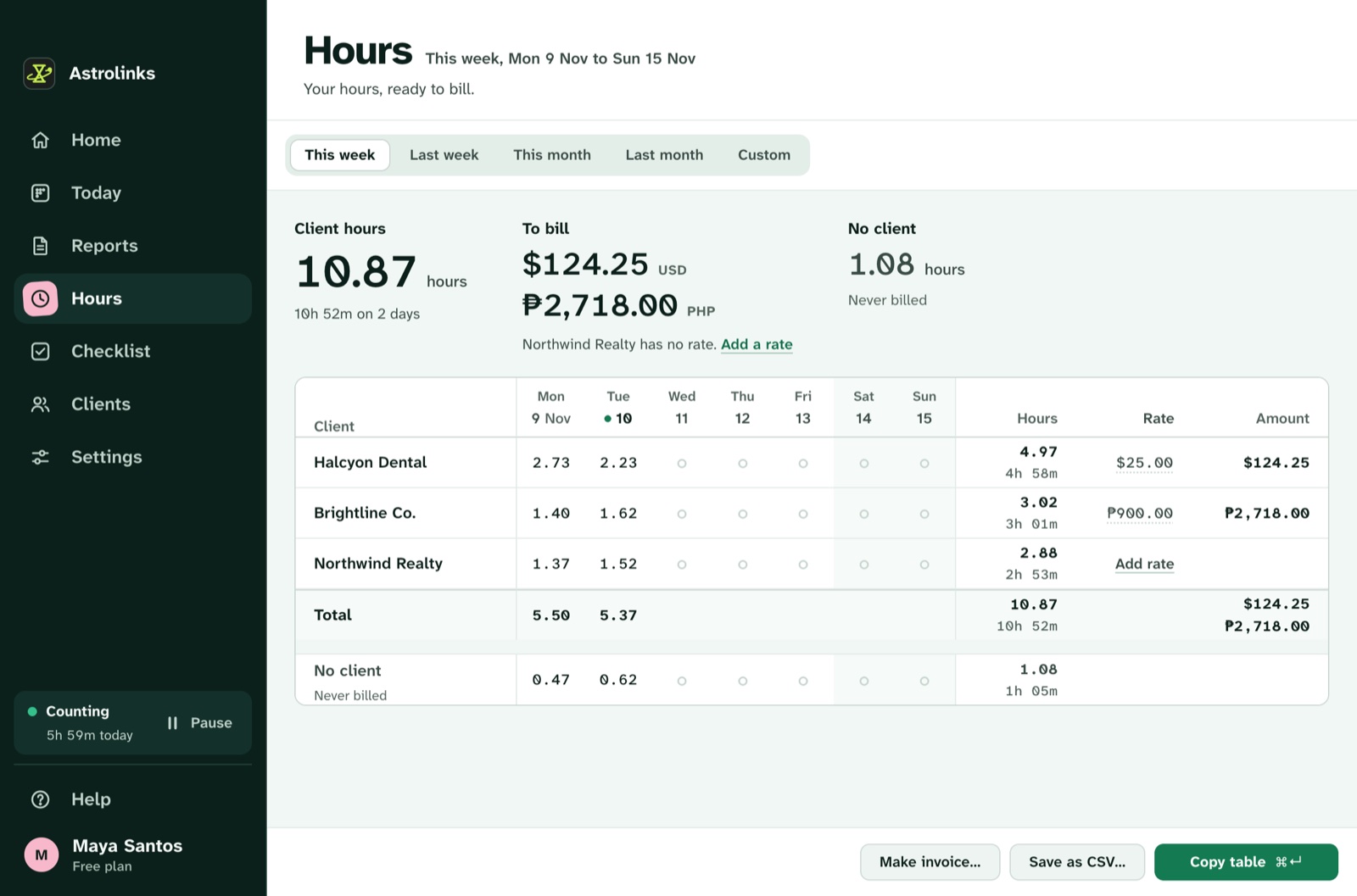
What it doesn't do, compared with Clockify: no screenshots, no GPS, no mobile app, no kiosk, no scheduling or project budgets, and no payroll. Agencies comparing several tools can also read our guide to agency time tracking software.