 Astrolinks


Short answer
Toggl Track's cheapest paid plan, Starter, costs $9 per user a month billed yearly or $12 billed monthly, and there is a free plan for up to 3 users. Paid plans are billed per license, so since July 2026 removing a member doesn't lower the bill until you also remove the license. Premium is $16 yearly or $24 monthly.
Astrolinks sorts your day by client without a timer and turns the hours into client updates and invoices. Get it free →
Toggl pricing in 2026 starts at $9 per user a month for the Starter plan billed yearly, or $12 if you pay month to month. Toggl Track also has a free plan for up to 3 users, and Premium costs $16 per user a month yearly or $24 monthly. The biggest change this year is how you're billed: since July 2026 Toggl charges per license, not per active member.
Prices checked on the vendor's pricing page on 26 November 2026; they change, so confirm before you buy. Every other Toggl fact here comes from Toggl's own help center or community forum, linked as we go.
What is Toggl pricing per user in 2026?
Here is what Toggl's pricing page showed on the day we checked. All prices are in US dollars, per user (per license) per month, before tax.
| Plan | Billed yearly | Billed monthly | Who can use it | What it adds |
|---|---|---|---|---|
| Free | $0 | $0 | Up to 3 users | Manual and live timers, calendar integrations, tasks, boards, estimates, personal-level reports |
| Starter | $9 | $12 | Per license | Billable rates, timeline views, milestones, time off and public holidays, flexible hours, team-level reports |
| Premium | $16 | $24 | Per license | Labor cost and profitability reports, fixed fee projects, project dashboards, timesheet approvals, Jira and Asana integrations, single sign-on, role and member billable rates |
| Enterprise | Custom | Custom | Through sales | Onboarding, a customer success manager, custom access levels, priority support, several workspaces under one organization |
Two paid add-ons sit on top of any plan:
- Time Off Management: $2 per user a month.
- Capacity Management: $5 per user a month billed yearly, or $6 monthly.
The page says yearly billing saves "up to 33%". That figure fits Premium ($16 against $24). On Starter the yearly saving is 25% ($9 against $12).
One conflict to know about. Toggl's help article on payment plans, updated 24 July 2026, still says Premium starts "from $18" per license, and it describes the free plan only as "a limited number of users". The live pricing page shows $16 and up to 3 users. We've used the pricing page, since that's what you'll see at checkout, but if the number matters to your budget, confirm it on the checkout screen before you pay.
What does Toggl Track cost for a team?
This is list-price arithmetic before tax and discounts: the per-user price times the number of users, per month, with the yearly total in brackets.
| Team size | Starter, yearly | Starter, monthly | Premium, yearly | Premium, monthly |
|---|---|---|---|---|
| 1 user | $9 ($108 a year) | $12 ($144 a year) | $16 ($192 a year) | $24 ($288 a year) |
| 5 users | $45 ($540) | $60 ($720) | $80 ($960) | $120 ($1,440) |
| 10 users | $90 ($1,080) | $120 ($1,440) | $160 ($1,920) | $240 ($2,880) |
| 25 users | $225 ($2,700) | $300 ($3,600) | $400 ($4,800) | $600 ($7,200) |
A few things change the real number:
- Teams of 1 to 3 can stay on Free if personal reports and timers are enough. You need Starter as soon as you want billable rates or team reports.
- Add-ons scale with headcount. Time Off Management for 10 users is $20 a month. Capacity Management for 10 users is $50 a month on yearly billing.
- Licenses, not people. You pay for every license on the account, including vacant ones (more on this below). A 10-person team with two vacant licenses pays for 12.
- No minimum seat count is shown on the pricing page.
For an agency, the jump from Starter to Premium is usually the decision that matters. Premium is where timesheet approvals, fixed fee projects and profitability reports live. If you bill hourly and don't need approvals, Starter may cover you.
Is Toggl free?
Yes. Toggl's pricing page says the Free plan is "free forever" and, in its FAQ, that it allows up to 3 users. It includes manual and live timers, calendar integrations and simple planning, with reports at the personal level.
The limits worth knowing before you rely on it for client work:
- Users: up to 3. If you downgrade from a paid plan while over the limit, Toggl's article on editing and canceling a subscription says the organization is suspended until you reduce active users.
- No billable rates or team reports. Those start on Starter.
- API limits: Toggl's API and webhook limits give Free workspaces 30 requests per hour per user, against 240 on Starter and 600 on Premium, and one webhook. That matters if you sync Toggl with invoicing or reporting tools.
- Inactive free accounts are deleted. Toggl's inactive account policy says free organizations with no new time entry in 6 months are deleted, after three reminder emails. Anyone on the team can keep a workspace alive by adding or editing one entry.
- Report views for new users. In an April 2026 community thread, Toggl support said new report limits apply only to new users. Users there describe a cap of 30 report views. Toggl's pricing page doesn't list this limit, so check it in your own account.
The paid plans come with a 30-day trial, which the pricing page says has "no strings attached".
What changed in Toggl pricing in 2025 and 2026?
Only changes we could source to Toggl itself are listed here.
| Date | Change | Source |
|---|---|---|
| 5 September 2025 | API and webhook limits by plan: 30, 240 and 600 requests per hour per user for Free, Starter and Premium | Toggl help center |
| April 2026 | Report limits for new free users, confirmed by Toggl support on the forum | Toggl community |
| 20 July 2026 | Billing moved from seats to licenses, from the next billing period | Toggl community, support reply |
| By November 2026 | Pricing page shows Premium at $16 yearly and the free plan at up to 3 users, while the help article still says "from $18" | Toggl pricing page and help center |
How the July 2026 license billing works
This is the change most likely to surprise you on your next invoice. In the community thread where customers asked about the notice, a Toggl support agent explained that from 20 July 2026 you pay for the licenses you subscribe to, not the current number of members. Adding a member adds a license automatically. Removing a member does not remove the license.
Toggl's help article on understanding licenses spells it out: paid plans are "billed per license, not per user", and deactivating or deleting a member, on its own, doesn't lower what you're charged. The license becomes vacant and stays billed.
To stop paying for a vacant license:
- Open the Subscription page in the Toggl Track web app.
- Click the 3-dot menu on the Toggl Track row and choose Manage Licenses.
- Lower the license total and confirm.
The article says removal takes effect immediately. On a yearly plan, any vacant licenses you haven't removed are billed again at renewal, so check the count before your renewal date. Toggl says the change gives teams more control and lets them hold licenses for upcoming hires. That's fair, but it puts the job of cleaning up on the admin.

What do Toggl Track users complain about?
Toggl Track is widely used, and the complaints about it are fairly specific.
- Support and billing. On Trustpilot, Toggl had a score of 1.7 out of 5 from 68 reviews when we checked on 26 November 2026. That's a small sample for a tool this size, and Trustpilot notes Toggl hasn't recently invited customers to review. The recurring themes are slow support replies, refunds refused on unused yearly plans and account access problems.
- License confusion. The July 2026 thread above started because customers didn't understand the notice. If you manage the account, read the licenses article once so the next invoice makes sense.
- Timers that keep running. Toggl's community has threads about a timer still running after it was stopped on another device. Reviews on G2 and Capterra also mention forgetting to start or stop timers, which is a hazard with any manual timer.
What reviewers like is just as consistent: Toggl Track is simple to start, easy for a team to adopt, has clear reports and works well across devices, including a native Mac app and mobile apps. For solo professionals and small teams it's often the tool they've used reliably for years.
How do you keep your Toggl bill down?
Most of the savings come from a few habits:
- Pick yearly only if headcount is stable. Yearly saves 25% on Starter and 33% on Premium, but you commit for a year, and Toggl's help center says it doesn't refund cancellations, plan changes or renewals.
- Remove licenses when people leave. Make it part of offboarding: deactivate the member, then lower the license count the same day.
- Audit licenses a week before renewal. Count active people against licenses on the Subscription page.
- Check whether you need Premium. If nobody uses approvals, fixed fee projects or profitability reports, Starter costs $7 less per user a month on yearly billing.
- Skip add-ons you don't use. Time Off and Capacity Management are billed per user.
- Use Free for tiny teams. Up to 3 people can track for free if personal reports are enough.
Questions to ask before you renew or buy
- How many licenses are we paying for, and how many active members do we have?
- Which Premium features did we actually use this year?
- Does our renewal date fall before planned hires or departures?
- Will our integrations stay within the API limit for our plan?
- What price does the checkout screen show today, and does it match the pricing page?
You can cancel any time from the Subscription page; the plan runs to the end of the current billing cycle, per the cancellation article linked above.
Is there a cheaper way to show clients your hours?
It depends on what you use Toggl for. If you need shared timers, project budgets, approvals or capacity planning across a team, Toggl Track is built for that, and the Toggl Track alternatives guide compares other timers fairly.
If what you really need is proof of hours and a clear daily update for each client, Astrolinks takes a different route. It's a desktop app for Mac and Windows that keeps a private log of your workday on your own computer, adds up hours per client without a timer, and writes each client's end-of-day report at clock-out. Invoices from tracked hours are on every plan. The free plan covers up to 4 hours a day and 2 clients; Pro and Team are paid, every install starts with a 7-day Pro trial with no card, and prices are set per country on our pricing page.
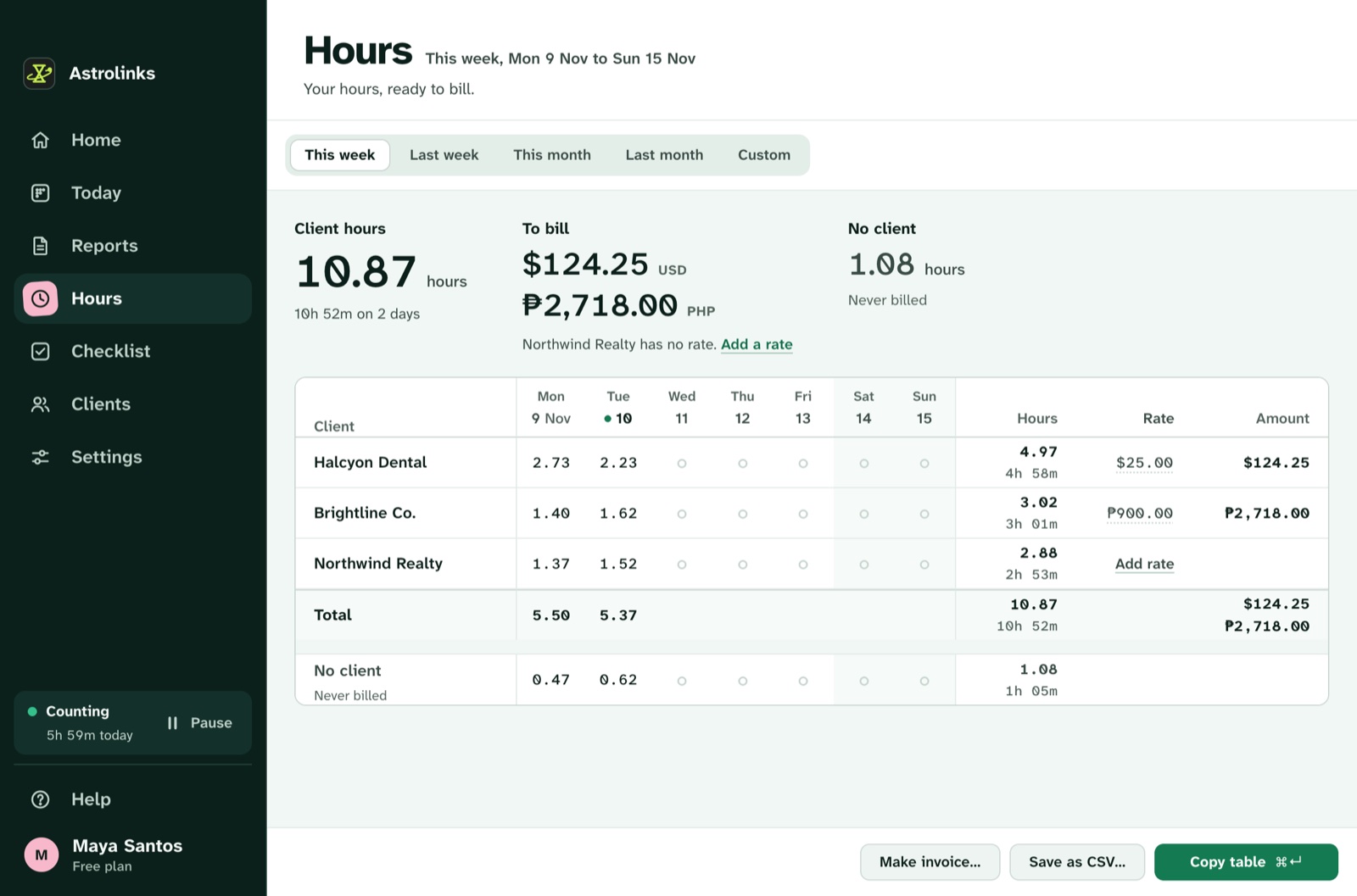
What it doesn't do, compared with Toggl: there's no shared web timer, no mobile app, no project budgets or capacity planning, and no GPS or payroll. Like Toggl, it takes no screenshots.
For more options, see our roundups of time tracking apps for freelancers and agency time tracking software.