 Astrolinks


Short answer
A remote work policy sets out who can work remotely, core hours and time zones, how the team communicates and reports progress, equipment and expenses, security rules, and how performance is judged. Copy the template below, fill in each bracket, remove what doesn't apply, and review it with the team before it takes effect.
Astrolinks gives each person a daily report written from their own private log. No screenshots. Get it free →
Many small teams go remote without ever writing down how remote work works. Rules live in old chat messages and in the founder's head. That's fine with three people. By eight or ten, people start asking different questions and getting different answers. A written remote work policy fixes that. It doesn't need to be long. It needs to be clear.
This page gives you a remote work policy template for a small team or agency, explains each section, and covers the parts most often left out. Rules on employment, tax and data differ between countries, so have the final version checked by someone who knows the law where your people work.
What is a remote work policy?
A remote work policy is a short document that explains how working away from an office works at your company: who can do it, when people are expected to be available, how the team communicates, how work is reported and judged, what equipment the company provides, and the security rules everyone follows.
A good one answers the questions a new hire would otherwise ask in their first week, and settles the arguments a team would otherwise have in its first year.
The remote work policy template
Copy this, fill in each bracket, and remove anything that doesn't apply to you.
[Company name] Remote Work Policy
Effective: [date] Owner: [role] Questions: [email or channel]
1. Purpose. This policy explains how we work remotely, so everyone has the same answers.
2. Who it applies to. [All employees and contractors / roles listed in the appendix]. Remote work is [the default / available by agreement with your manager].
3. Working hours. Everyone works [number] hours a [week]. Core hours, when everyone is available, are [times] in [time zone]. Outside core hours, plan your own schedule and keep your calendar up to date.
4. Response times. Chat: within [2] hours during your working hours. Email: within [1] working day. Urgent issues: [phone / named channel], within [30] minutes during core hours.
5. Communication. Decisions are written in [tool]. Meetings have an agenda and written notes. Video is [optional / expected] in meetings.
6. Daily and weekly updates. At the end of each working day, send a short written update: done, in progress, blocked, next. On [Friday], [manager] shares a weekly summary of team progress.
7. How performance is judged. We judge work by agreed outcomes and quality, not by hours online. Each role has [two or three] outcomes agreed with their manager and reviewed [monthly].
8. Monitoring. We [do not] record screenshots, keystrokes or activity levels. We record: [list, for example hours on timesheets, daily updates you send, security sign-in logs]. See the [monitoring policy] for details.
9. Equipment. The company provides [laptop, headset, monitor]. Company equipment is for work use and is returned when you leave. [Personal devices may be used for (list) if (conditions).]
10. Expenses. The company pays [amount] per [month] toward [internet / coworking / power backup]. Claim it by [method].
11. Security. Use the company password manager. Turn on two-step verification on all work accounts. Lock your screen when you step away. Don't use public Wi-Fi without [VPN]. Report a lost device within [24] hours to [contact].
12. Working from another location. Tell [manager] before working from a different city for more than [number] days. Working from another country needs written approval in advance.
13. Time off and sick days. Request time off in [tool] [two weeks] ahead. If you're sick, tell [manager] by [time] in [channel].
14. Changes. We'll give [30] days' notice of changes to this policy, and ask for the team's input first.
How do you fill in each section?
Working hours and core overlap
Core hours matter more than total hours on a remote team. Two to four hours a day when everyone is reachable is enough for most teams; the rest of the day is for focused work. If your team spans many time zones, core hours may only be one hour, and that's fine if written updates carry the rest. Our guide to async check-ins explains how.
Response times
Without written response times, people either answer everything instantly and get nothing done, or answer slowly and leave others waiting. Pick numbers, write them down, and make the urgent channel genuinely rare.
Daily and weekly updates
A short end-of-day update replaces most of the "what are you working on?" messages that make remote work feel watched. Keep the format fixed: done, in progress, blocked, next. If your team prefers a morning version, our daily standup template has one.

How performance is judged
Say this explicitly. If the policy doesn't say "outcomes, not hours online," people will assume it's hours online and act accordingly, staying visible in chat instead of doing the work.
Monitoring
This is the section people read most carefully. State what is recorded and what isn't. If you record nothing beyond timesheets and the updates people send, say that in one line. It does more for trust than a paragraph of reassurance. For the questions to ask of any tool you use, see our checklist on privacy-friendly time tracking.
Internet, power and backup plans
This section matters most for teams with people in places where outages happen, such as many virtual assistants in the Philippines. Spell out what's expected and who pays for it:
- Minimum setup. For example, an internet connection fast enough for video calls, plus a backup such as mobile data.
- Power backup. Whether the company contributes to a battery backup (UPS) or power bank for the router and laptop.
- What to do in an outage. Post in the agreed channel from your phone as soon as you can, say when you expect to be back, and make up the time if your hours are fixed.
- What doesn't count against you. A short outage you report promptly is not a performance problem.
Writing this down saves an awkward conversation the first time a storm takes out someone's connection during a client call.
Core hours across time zones: an example
| Team member | Location | Working hours (local) | Core hours (local) |
|---|---|---|---|
| Manager | New York | 9:00 to 17:00 | 9:00 to 11:00 |
| Designer | Lisbon | 13:00 to 21:00 | 14:00 to 16:00 |
| Assistant | Manila | 21:00 to 5:00 | 22:00 to 0:00 |
Two hours of overlap a day is enough when daily written updates carry the rest. Always name the reference time zone in the policy, and check the table again when daylight saving time starts or ends, because the overlap shifts.
What do remote work policies most often leave out?
| Missing piece | What happens without it |
|---|---|
| Core hours in a named time zone | Meetings get booked at 6 a.m. for someone |
| Response times | Constant interruptions, or people waiting a day |
| How work is reported | Managers ask in chat all day |
| What isn't monitored | People assume the worst |
| Internet and power backup | Lost hours in places with outages, and arguments about whose problem it is |
| Working from another country | Surprise tax or legal problems |
| Return of equipment | Laptops that never come back |
How do you roll out a remote work policy?
- Draft it from the template in an afternoon. Leave brackets you aren't sure about.
- Share it with the team as a draft. Ask: what's unclear, what's missing, what won't work for you?
- Fix the top three issues people raise.
- Publish the final version in one place everyone can find, with a date.
- Walk new hires through it in their first week.
- Review it every six months. Remote teams change faster than office teams.
What are common mistakes in remote work policies?
- Copying a large company's policy. A 20-page policy written for 5,000 people won't fit a team of ten.
- Rules nobody follows. If the policy says cameras on and nobody turns them on, change the policy.
- Measuring presence. "Be online in chat 9 to 5" measures the wrong thing.
- No owner. Someone needs to answer questions and keep it up to date.
- Changes without notice. Changing hours or monitoring rules overnight breaks trust quickly.
Where Astrolinks fits
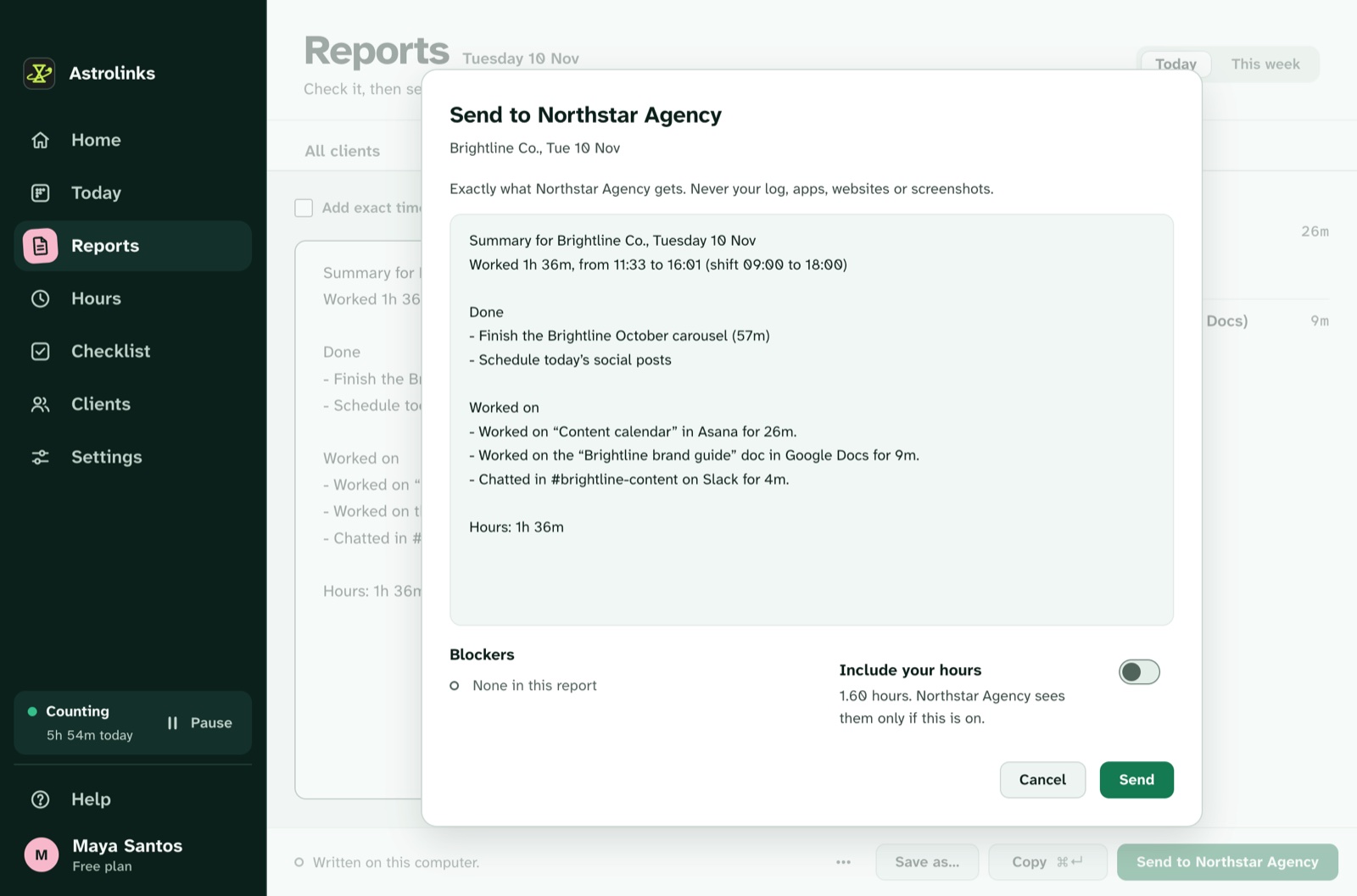
We make Astrolinks, a desktop app for Mac and Windows that handles section 6 of this template. It keeps a private log of each person's workday on their own computer and writes their end-of-day report at clock-out, with no AI needed. Each person checks the report, marks what happened with each item and sends it. It takes no screenshots, records no keystrokes and skips private windows.
On the Team plan, managers get an inbox of the reports people choose to send, never their activity, which makes section 8 easy to write honestly. See Astrolinks for remote teams or how the Team inbox works.
The short version
Write down who can work remotely, core hours in a named time zone, response times, how work is reported, how performance is judged, what is and isn't monitored, equipment, expenses, security and working abroad. Keep it to a few pages, draft it with the team, give it an owner and review it twice a year. Clear rules make remote work calmer for everyone.