 Astrolinks


Short answer
Clockify reviews are strong on software review sites: 4.8 on Capterra, GetApp and Software Advice, 4.5 on G2 and 4.6 on the App Store. Trustpilot is the outlier at 3.0, where most 2026 reviews complain about the cut-back free plan. Users praise how simple and reliable it is, and complain about paywalled features and a cluttered interface.
Astrolinks sorts your day by client without a timer and turns the hours into client updates and invoices. Get it free →
Clockify reviews in 2026 split into two very different pictures. On software review sites, where admins and team leads rate the product, Clockify scores 4.5 to 4.8 out of 5. On Trustpilot it scores 3.0, and most of the recent reviews there are long-time free users upset about the 2026 free plan changes.
So if you're asking "is Clockify good?", the short answer is: yes for simple, reliable time tracking at a low price, with real limits on the free plan that you should check before you build a workflow around it. This page sums up what reviewers say, with every rating dated and every theme tied to where we saw it. We haven't used Clockify for client work ourselves, so this is a summary of other people's reviews, not our own test.
What are Clockify's ratings on each review site?
We opened each site on 26 November 2026. Ratings move, so treat these as a snapshot.
| Site | Score | Number of reviews | Checked |
|---|---|---|---|
| Trustpilot | 3.0 / 5 | 86 | 26 Nov 2026 |
| G2 | 4.5 / 5 | 207 | 26 Nov 2026 |
| Capterra | 4.8 / 5 | 9,270 | 26 Nov 2026 |
| GetApp | 4.8 / 5 | 9.2K (19 rated 1 or 2 stars) | 26 Nov 2026 |
| Software Advice | 4.8 / 5 | 9,270 | 26 Nov 2026 |
| App Store, iPhone app (US) | 4.6 / 5 | 4,663 ratings | 26 Nov 2026 |
Software Advice breaks its 9,270 reviews down as 7,253 five-star, 1,865 four-star, 133 three-star, 15 two-star and 4 one-star. On Trustpilot, 51% of reviews are five-star, but the last six months are mostly one- to three-star.
What do Clockify users like?
These are the themes that came up most, and where we saw them.
- It's simple to set up and use. "Ease of Use", "Simple" and "Time-saving" are among the top pros G2 generates from its reviews. Capterra rates ease of use 4.8, and recent five-star Trustpilot reviews say staff picked it up right away.
- The tracking is reliable across devices. GetApp's summary of its reviews says people value reliable tracking on desktop, mobile and web, and clear dashboards. A recent Capterra reviewer praised logging hours in seconds from the timesheet.
- It suits both one person and a team. GetApp's summary says the tool works for individuals and teams with many projects and tasks.
- The free plan. GetApp's summary says many value the generous free plan. Note that much of this praise was written before the 2026 changes.
- Support and onboarding. Two of the four five-star reviews among the 20 most recent on Trustpilot mention a good experience with support or onboarding, including one from someone who moved over from Harvest.
What do Clockify users complain about?
- The 2026 free plan changes. This is the big one. Of the 20 most recent Trustpilot reviews, 14 are about it: features they had used for years moving behind a paywall, the 5-user cap, losing access to reports older than 31 days, and the feeling that it happened without warning. Trustpilot shows Clockify replied to 100% of negative reviews.
- Advanced features need a paid plan. GetApp's summary and several recent Capterra cons say advanced reporting, rounding and other features sit on higher plans.
- The interface gets cluttered. "Cluttered Interface" and "Poor Interface Design" appear in G2's cons, and Capterra reviewers say the dashboard gets busy once you have many projects.
- Limited features and customization. G2's top cons include "Limited Features" and "Limited Customization". On Trustpilot, two reviewers found invoicing too rigid, one of them for multi-currency clients.
- Occasional glitches. A G2 reviewer describes the web app logging them out, a Capterra reviewer says it sometimes misses a clock-in, and one Trustpilot reviewer had trouble receiving login codes.

What exactly changed in the free plan?
Most of the recent complaints trace back to one change. On 21 April 2026, CAKE.com, Clockify's parent company, announced that the free plan would change for current and future customers, citing the cost of hosting unlimited free users. Clockify's help article on updates to the free plan lists what the free plan looks like now:
| Free plan rule | What it means |
|---|---|
| 5 active users, including the owner | After a trial, extra members are deactivated |
| Reports capped at 31 days | Longer or multi-month reports need a paid plan |
| CSV and Excel exports are paid | PDF exports stay free |
| Billable rates removed | No hourly rates, billable toggle or earned amounts |
| All projects are public | Every member can see every project |
| API: 30 requests an hour, 3 webhooks | Matters if you sync with other tools |
The announcement says existing paid plans weren't affected. If you invoice from tracked hours, you now need at least the Basic plan. Our Clockify pricing guide covers every plan and the jump in cost when a team passes 5 people.
Why do Clockify reviews differ so much by site?
A gap of nearly two stars between Trustpilot and Capterra looks odd, but it has plain causes.
- Who writes there. G2, Capterra, GetApp and Software Advice mostly collect reviews from people who chose and use the tool at work, often invited by the vendor or the site. Trustpilot is open to anyone and tends to draw people with a billing or account problem.
- When they write. The 2026 free plan change produced a burst of Trustpilot reviews from June onward. The software review sites hold thousands of older reviews, so a few months of complaints barely move their averages.
- Shared review pools. Capterra and Software Advice both showed exactly 9,270 reviews and the same 4.8, and GetApp showed the same 4.8. All three belong to Gartner, so treat them as one source, not three.
- What's rated. Review sites ask about features and ease of use. Trustpilot reviews are often about the company: pricing changes, communication and support.
Neither picture is wrong. Read the software review sites to judge the product, and Trustpilot to see what can go wrong with the account.
Is Clockify safe?
For most teams, yes, with the usual caution about what any tracker can record. CAKE.com's security page lists a SOC 2 Type II audit, ISO/IEC 27001:2022 certification and GDPR compliance.
What Clockify records depends on the plan and on what the workspace turns on:
- Screenshots are a Pro or Enterprise feature, off unless the workspace enables them. Clockify's screenshots article says they're taken at random within 5-minute intervals while the desktop timer runs, blurred and low resolution by default, and users can delete their own unless the entry is locked or approved.
- The auto tracker, on every plan, is visible only to the user, according to the pricing page.
- Activity monitoring on Pro measures keyboard and mouse volume. Clockify's help center says it doesn't capture keystrokes or typed text.
Two privacy notes from reviews. One Capterra reviewer found the screenshot feature creepy because a personal message could end up in it. And one Trustpilot reviewer was upset to get a sales call on a personal number during a trial; Clockify replied that its team had used a business contact database and removed the details.
Is Clockify worth it?
It depends on what you need it to do. Prices below are from our pricing guide, checked on Clockify's pricing page on 26 November 2026, per user per month.
| Your situation | Plan you'd need | Cost | Worth it? |
|---|---|---|---|
| Solo freelancer, no billable rates in Clockify | Free | $0 | Yes, if 31-day reports are enough |
| Team of 5 or fewer, internal tracking only | Free | $0 | Yes, but all projects are public |
| You bill clients by the hour from Clockify | Basic | $3.99 yearly or $4.99 monthly | Yes, one of the cheapest paid options |
| You need invoicing and timesheet approval | Standard | $5.49 yearly or $6.99 monthly | Usually |
| You need screenshots or GPS proof | Pro | $7.99 yearly or $9.99 monthly | Yes, if your team agrees to it |
| Your team expects no monitoring at all | Any | Varies | Possible: leave screenshots and activity monitoring off |
The biggest trap is team size. Clockify's help article says that once you upgrade, every user needs a paid seat, so a sixth person takes a team from $0 to six paid seats.
If you keep forgetting to stop the timer, which is a common complaint about every manual tracker, see how to fix a forgotten timer in Clockify, Toggl and Harvest.
Questions to ask before you buy
- Which paid feature do we actually need every week: rates, exports, approvals, or screenshots?
- Will we pass 5 users this year, and what will every seat cost then?
- Do we need reports longer than 31 days, or exports to CSV for invoicing?
- Is anyone on the team uneasy about screenshots or activity monitoring? Have we told them what we'll turn on?
- Do our integrations fit the API limit for our plan?
- If the free plan changes again, can we export our data quickly?
What to do if you have a billing problem
Clockify's pricing FAQ sets out the rules:
- Cancel from the Subscription page, under the Billing tab. Paid features stay until the end of the current term, then the workspace moves to the free plan with no more charges, and your data is kept.
- Refunds aren't offered, except when you were charged by mistake because of a system error. If that's your case, contact Clockify support with the invoice.
- Seats: every active or invited user takes a paid seat. Deactivate leavers and clear old invites to free them.
- Before you downgrade, export what you need. On the free plan, reports only reach back 31 days and CSV exports are paid.
What if you need hours per client without a timer?
If you need team timesheets, approvals, GPS or kiosk clock-ins, Clockify is a strong, low-cost choice, and our Clockify alternatives guide compares it fairly with other trackers.
If your main need is hours per client and a record to send, Astrolinks works differently. It's a desktop app for Mac and Windows that keeps a private log of which app and window you're in, on your own computer, adds up hours per client without a timer, and writes each client's end-of-day report at clock-out. Invoices from tracked hours are on every plan.
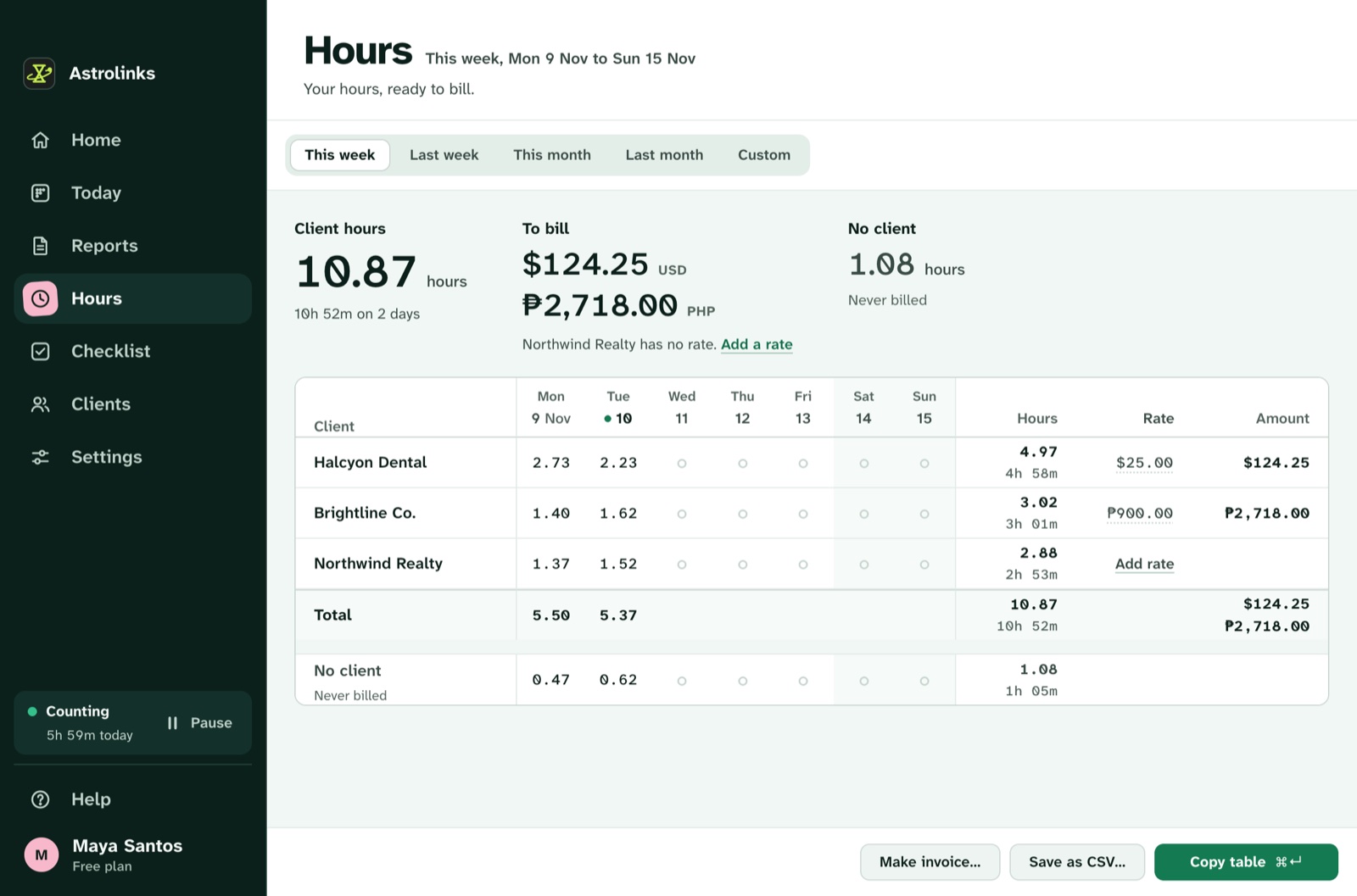
Be clear about what it doesn't do compared with Clockify: no screenshots, no GPS, no mobile app, no kiosk, no scheduling or project budgets, and no payroll. It still logs app and window names, privately on your own computer. The free plan covers up to 4 hours a day and 2 clients, every install starts with a 7-day Pro trial with no card, and Astrolinks prices are set per country on our pricing page.