 Astrolinks


Short answer
An end of day checklist is a short routine you run before you stop work: close open loops, note where each task stands, log your hours, send your end-of-day update, and set up tomorrow's first task. For most remote workers it takes 10 to 15 minutes and stops work from following you into the evening.
Want your EOD report written for you? Astrolinks writes it from your actual workday when you clock out. Get it free →
Remote work doesn't have a door you walk out of. The laptop stays on the table, the chat app keeps buzzing, and "I'll just finish this" turns into another hour. An end of day checklist gives the day a clear edge. You run through the same short list every evening, and when it's done, you're done.
This page gives you a 12-step checklist you can copy, versions for virtual assistants, freelancers and team members, and advice on keeping the routine short enough to actually use.
What is an end of day checklist?
An end of day checklist is a fixed list of steps you run through before you stop working. It has three jobs:
- Close loops. Nothing urgent is left hanging, and nobody is waiting on you without knowing it.
- Record the day. Hours are logged, progress is written down and the people who need an update have one.
- Set up tomorrow. You know what you'll start with, so the morning doesn't begin with twenty minutes of figuring it out.
It is different from an end-of-day report. The checklist is your routine. The report is what you send. Sending the report is just one step on the list.
The 12-step end of day checklist
Copy this into a note, a task app or a sticky note on your monitor. Tick each step every day for two weeks and it becomes automatic.
Close loops (5 minutes)
-
- Scan messages for anything that needs a reply today. Reply, or say when you will.
-
- Check your calendar for anything you promised during today's calls. Add each to your task list.
-
- Tell anyone waiting on you where things stand, even if the answer is "tomorrow morning."
Record the day (5 minutes)
-
- Note where each open task stands: finished, sent, drafted, replied or still in progress.
-
- Log your hours, per client or project if you bill by the hour.
-
- Write down anything blocked and who you're waiting on.
-
- Send your end-of-day update to each client or your manager.
Set up tomorrow (3 minutes)
-
- Pick the one task you'll start with tomorrow and write it at the top of your list.
-
- Move anything you didn't finish to a specific day, not just "later."
-
- Save and close files. Close tabs you don't need tomorrow.
Switch off (2 minutes)
-
- Set your status to away, and turn off work notifications on your phone.
-
- Close the laptop or leave the room. Make the end physical.
That's about 15 minutes. After a week or two, most people get it under ten.
Why does step 4 matter so much?
Step 4 is the one people skip, and it's the one that makes everything else easier. When you write "Newsletter: drafted, waiting on Maria's photos" instead of just remembering it, three things happen:
- Your end-of-day update almost writes itself, because the status is already there.
- Tomorrow-you knows exactly where to pick up.
- Your head stops holding it. Psychologists have long noticed that unfinished tasks tend to stay on our minds; writing down where a task stands and what comes next is a simple way to let it go for the night.
Use the same small set of words every day. "Finished," "sent," "drafted," "replied" and "in progress" cover almost everything, and they read clearly to a client.
What does a finished close-out look like?
Here is an example. Ana is a virtual assistant with two clients: a dental practice in Ohio and a small online shop in Sydney. At 5:30 p.m. her time she runs the checklist.
Close loops. One patient email to the dental practice still needs an answer. She replies with the template. The shop owner asked during a call for a refund summary; she adds it to tomorrow's list and tells him it will be there by noon his time.
Record the day. She notes where things stand:
| Client | Item | Status | Note |
|---|---|---|---|
| Dental practice | Appointment reminders for next week | Sent | 46 patients |
| Dental practice | Insurance follow-ups | In progress | 3 of 8 done, waiting on 2 callbacks |
| Online shop | Product listings | Drafted | Waiting on photos from the owner |
| Online shop | Customer emails | Replied | 14 answered, 1 escalated |
Hours: 4.5 for the dental practice, 3 for the shop. She sends each client their own update.
Set up tomorrow. First task: the refund summary for the shop. She moves the remaining insurance follow-ups to Wednesday morning.
Switch off. Status to away, laptop closed. Twelve minutes in total.
End of day checklist for virtual assistants
If you work for several clients, the close-out has to happen once per client. Add these to the main list:
- Check each client's inbox or channel separately, not just your own.
- Log hours per client before you write any report. Memory blurs clients together by evening.
- Write one end-of-day report per client, in their time zone if they're overseas.
- Note anything that needs the client's decision at the top of their report.
- If you work a night shift for a US client, schedule the report to arrive at the start of their morning.
Our EOD report template for virtual assistants has a format that works for this, and how to manage multiple clients as a VA covers keeping them separate during the day.
End of day checklist for freelancers
Freelancers have fewer people waiting on a daily update, but more admin that nobody else will do:
- Log billable time per project before you forget which hour went where.
- Note any scope changes a client asked for today, and whether you agreed a price.
- Check whether any invoice is due to go out or is overdue.
- Back up today's work if your files don't sync on their own.
If billable hours are the weak spot, our guide to tracking billable hours goes deeper.
End of day checklist for team members
On a team, the close-out is mostly about handing information to other people:
- Update the status of your tickets or tasks in the team's tool.
- Post your daily update in the agreed channel, with blockers first.
- If someone in another time zone starts after you, leave them what they need to keep moving.
- Hand over anything urgent if you'll be offline tomorrow.

How do you keep an end of day routine short?
The routine fails when it grows. Keep it under 15 minutes with these rules:
- No real work in the checklist. If a reply needs more than two minutes, it goes on tomorrow's list, not tonight's.
- Same order every day. You stop thinking about the steps and just do them.
- Write as you go. A line in your log each time you finish something means step 4 takes one minute, not ten.
- One update per person, not per task. Group everything for a client or manager into one message.
- Set a stop time. Start the checklist at the same time every day. When it's done, you stop.
What if you didn't finish what you planned?
Most days you won't, and the checklist still works. The point isn't to finish everything. It's to know where everything stands. When the plan slipped:
- Say so in your update, briefly. "Insurance follow-ups: 3 of 8 done, the rest tomorrow morning" is better than leaving it out and hoping nobody notices.
- Give the reason only if it helps the reader. "Waiting on callbacks" tells the client something useful. A long apology doesn't.
- Move the rest to a specific time. "Wednesday, 9:00" is a plan. "Later" is a worry you take home.
What are the most common end of day mistakes?
- Sending the update from memory. You'll forget the small tasks, and those are often the ones the client cares about.
- "I'll log my hours tomorrow." You won't remember them accurately tomorrow.
- No first task for the morning. You'll spend the first half hour deciding what to do.
- Ending in the inbox. Checking email last thing almost always produces one more task.
- Leaving notifications on. The checklist is pointless if work can reach you at dinner.
Where Astrolinks fits
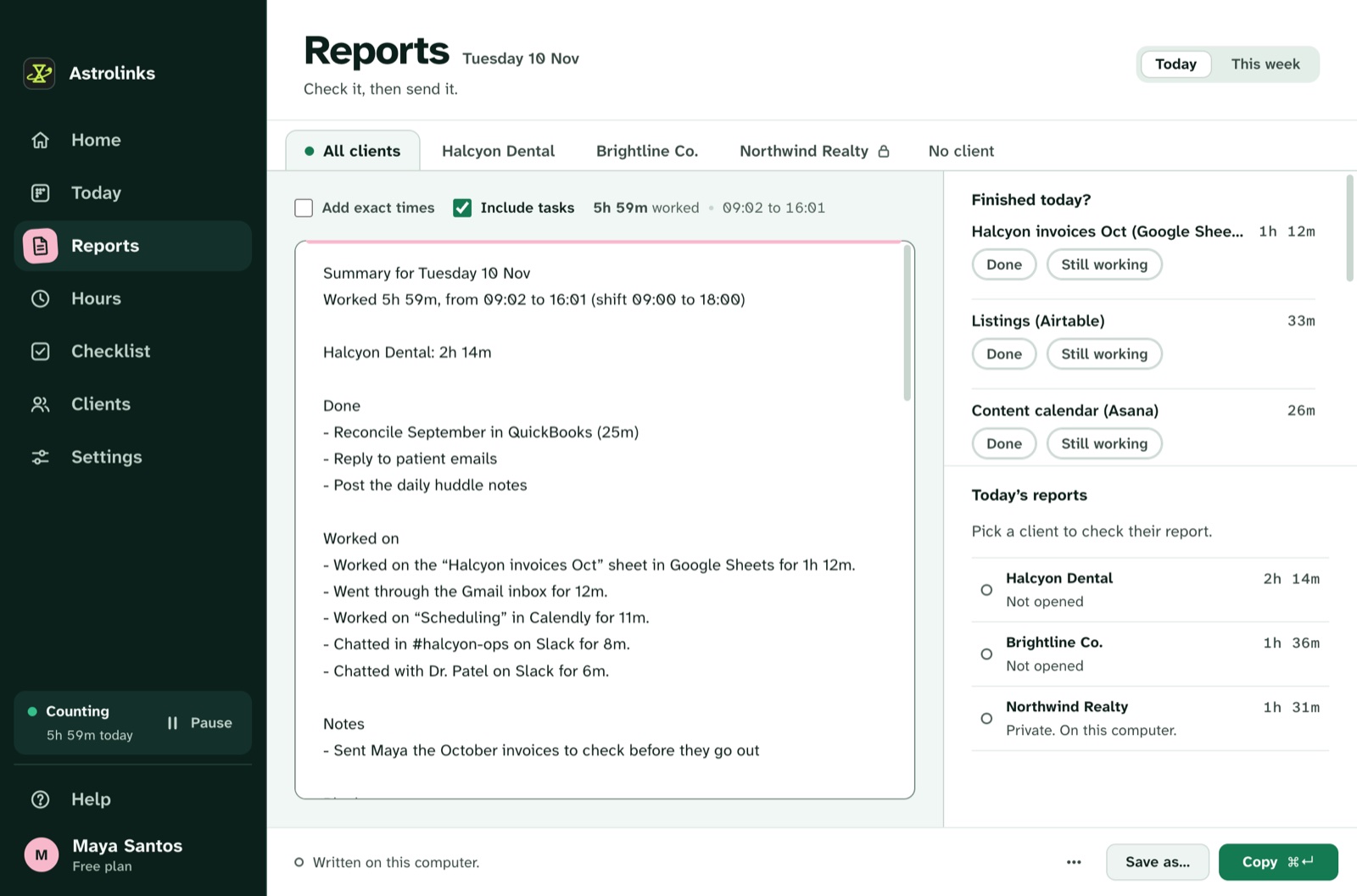
We make Astrolinks, a desktop app for Mac and Windows that covers steps 4 to 7 of this checklist. It keeps a private log of your workday on your own computer while you work, sorted by client, with no screenshots and no keystrokes. When you clock out, it writes each client's end-of-day report on your computer, with no AI needed.
Before you send, a "What happened with each?" step lets you mark items as Finished, Sent, Drafted, Replied or In progress, which is step 4 in a few taps. You can add a short note, and the report labels it as your own words. Your hours per client are already counted. The free plan counts up to 4 hours a workday for 2 clients, and every copy starts with a 7-day Pro trial with no card. See how end-of-day reports work, or Astrolinks for virtual assistants.
The short version
Close loops, record the day, set up tomorrow, switch off. Write where each task stands in a few plain words, log your hours, send one update per client or manager, and pick tomorrow's first task. Keep it under 15 minutes, do it in the same order every day, and make the end physical. The day ends when the checklist does.