 Astrolinks


Short answer
A virtual assistant contract should set out the services, rate and payment terms, working hours and time zone, how hours are tracked and reported, confidentiality and data handling, account access, who owns the work, holidays, and how either side can end the agreement. Copy the template below and have it checked where you live.
Astrolinks writes each client’s end-of-day update from your actual work, so 6 pm isn’t report time. Get it free →
Most virtual assistants start their first client on a message thread. "Can you start Monday? $8 an hour, 20 hours a week?" It works until it doesn't: the client adds a second business to your workload, pays three weeks late, or asks why you billed for a call they didn't remember. A short written contract settles all of that before it starts.
This page gives you a plain virtual assistant contract template with 12 clauses, explains what each one is for, and lists the clauses VAs most often forget. It is written for freelance VAs working as independent contractors. It is not legal advice; contract and tax rules differ between countries, so have a local lawyer review your version.
What should a virtual assistant contract include?
Twelve things cover nearly every VA arrangement:
- Who the parties are
- The services, and what's not included
- Rate and how it's calculated
- Payment terms, currency and fees
- Working hours and time zone
- How time is tracked and reported
- Confidentiality
- Data and account access
- Who owns the work
- Holidays and time off
- Ending the agreement
- Independent contractor status
The template below follows that order.
The virtual assistant contract template
Copy this into a document, fill every bracket, and delete what doesn't apply.
Virtual Assistant Services Agreement
This agreement is between [Client name and business] ("Client") and [Your full name or business name] ("VA"), starting [date].
1. Services. The VA will provide: [list, for example inbox management, calendar scheduling, customer support emails, social media scheduling]. Work outside this list needs written agreement first and may change the rate.
2. Rate. [Hourly: $[amount] per hour, billed in [15]-minute increments.] or [Retainer: $[amount] per month for up to [number] hours. Extra hours are billed at $[amount] per hour. Unused hours [do / do not] roll over.]
3. Payment. The VA invoices [weekly / every two weeks / monthly]. Payment is due within [7] days, in [currency], by [payment method]. Transfer fees are paid by [Client / VA / shared]. Late payments over [14] days pause work until paid.
4. Hours and availability. The VA works [number] hours per [week], usually between [times] in [time zone]. Messages sent outside these hours are answered the next working day unless marked urgent as agreed.
5. Time tracking and reports. The VA records hours using [method]. At the end of each working day the VA sends a short report of work done, work in progress and questions. Hours are listed on each invoice. [No screenshot or keystroke monitoring software will be installed on the VA's computer.] or [The Client may require [tool], which runs only during paid hours.]
6. Confidentiality. The VA keeps all non-public information about the Client's business, customers and finances confidential, during and after this agreement.
7. Data and accounts. The Client gives access through [password manager / delegated access]. The VA does not share credentials, keeps client data off personal accounts, and returns or deletes Client data within [7] days of the agreement ending.
8. Ownership. Work the VA creates for the Client belongs to the Client once paid for in full. The VA may [not] mention the Client as a reference [without permission].
9. Time off. The VA is not available on [list, for example national holidays in the VA's country]. Planned time off is notified [two weeks] ahead.
10. Ending the agreement. Either party may end this agreement with [14] days' written notice. Work done until the end date is paid. Either party may end it immediately for a serious breach.
11. Independent contractor. The VA is an independent contractor, not an employee, and is responsible for their own taxes and equipment.
12. Changes. Changes to this agreement must be in writing and agreed by both parties.
Signed: ______ (Client) Date: ______ Signed: ______ (VA) Date: ______
How should you fill in the key clauses?
Services and what's not included
Be specific. "Admin support" can mean anything. A list of five to eight services, plus the line about extra work needing agreement, is your protection against scope creep. If a client keeps adding work, this clause gives you a polite way to say "happy to, here's the new rate."
Rate and payment
Decide whether you're hourly or on a retainer. Hourly suits irregular work. A retainer suits steady work and gives you predictable income. Either way, name the currency and say who pays transfer fees. If you're in the Philippines invoicing US clients, fees on international transfers can take a real bite out of a small invoice, so settle it upfront. Our guide to invoicing international clients covers the options.
Hours, time zone and availability
Write the time zone next to every time. "9 to 5" means nothing when you're in Manila and your client is in Chicago. Say what happens to messages outside your hours, or you'll find yourself answering at 2 a.m.
Time tracking and reports
This clause prevents the most common VA dispute: "What did I pay for?" Say how hours are recorded and that a short report goes out at the end of each day. A daily report backed by your hours is usually stronger proof than any screenshot.
If a client requires monitoring software, put the name of the tool in the contract and agree when it runs. If you use your own computer for several clients, that matters a lot: screenshots can capture other clients' work. Our guide to time tracking without screenshots has ways to offer proof of work instead.
Hourly or retainer: which should you put in the contract?
| Hourly | Retainer | |
|---|---|---|
| Best for | Irregular or new work | Steady, recurring work |
| Your income | Varies month to month | Predictable |
| Client's cost | Varies with the work | Known in advance |
| What to define | Billing increment, minimum hours if any | Hours included, overage rate, rollover |
| Main risk | Disputes over time spent | Doing more than the retainer covers |
Many VAs start a new client hourly for the first month, then offer a retainer once both sides know how much work there really is. If you do that, say so in the contract: "After [date], we'll review and may move to a monthly retainer."
Which clauses do VAs forget most often?
| Clause | What goes wrong without it |
|---|---|
| Late payment | You keep working for weeks while invoices go unpaid |
| Transfer fees | A $400 invoice arrives as less, and nobody agreed who pays |
| Holidays in your country | The client expects you on a day you'd never planned to work |
| Data return or deletion | You still hold client data months after the work ends |
| Monitoring software | A tracker appears on your personal computer with no limits |
| Notice period | The client ends the work with no warning, mid-month |
Add these even if the client never asks. They protect both of you.
How do you send a contract without scaring off a client?
Most clients are relieved to get a contract. It shows you run a real business. A few tips:
- Send it with the proposal, not after the first week of work.
- Keep it short. Two pages is plenty for most VA work.
- Explain one benefit in your message: "This sets out hours, reports and payment so we're both clear from day one."
- Use a free e-signature tool or ask for a typed "I agree" reply by email if the client prefers.
- Keep a signed copy for each client, together with your invoices.
If a client refuses any written agreement, treat it as a warning sign. Our guide on how to get clients as a virtual assistant covers other red flags.

When should you update the contract?
Review it when:
- Your rate changes.
- The client adds a new type of work or a second business.
- Your hours change by more than a few a week.
- The client asks you to install a new tool on your computer.
- You've worked together for a year. A short review is a natural moment to discuss a rate increase.
Write changes down as an addendum both of you sign, rather than editing the original.
Where Astrolinks fits
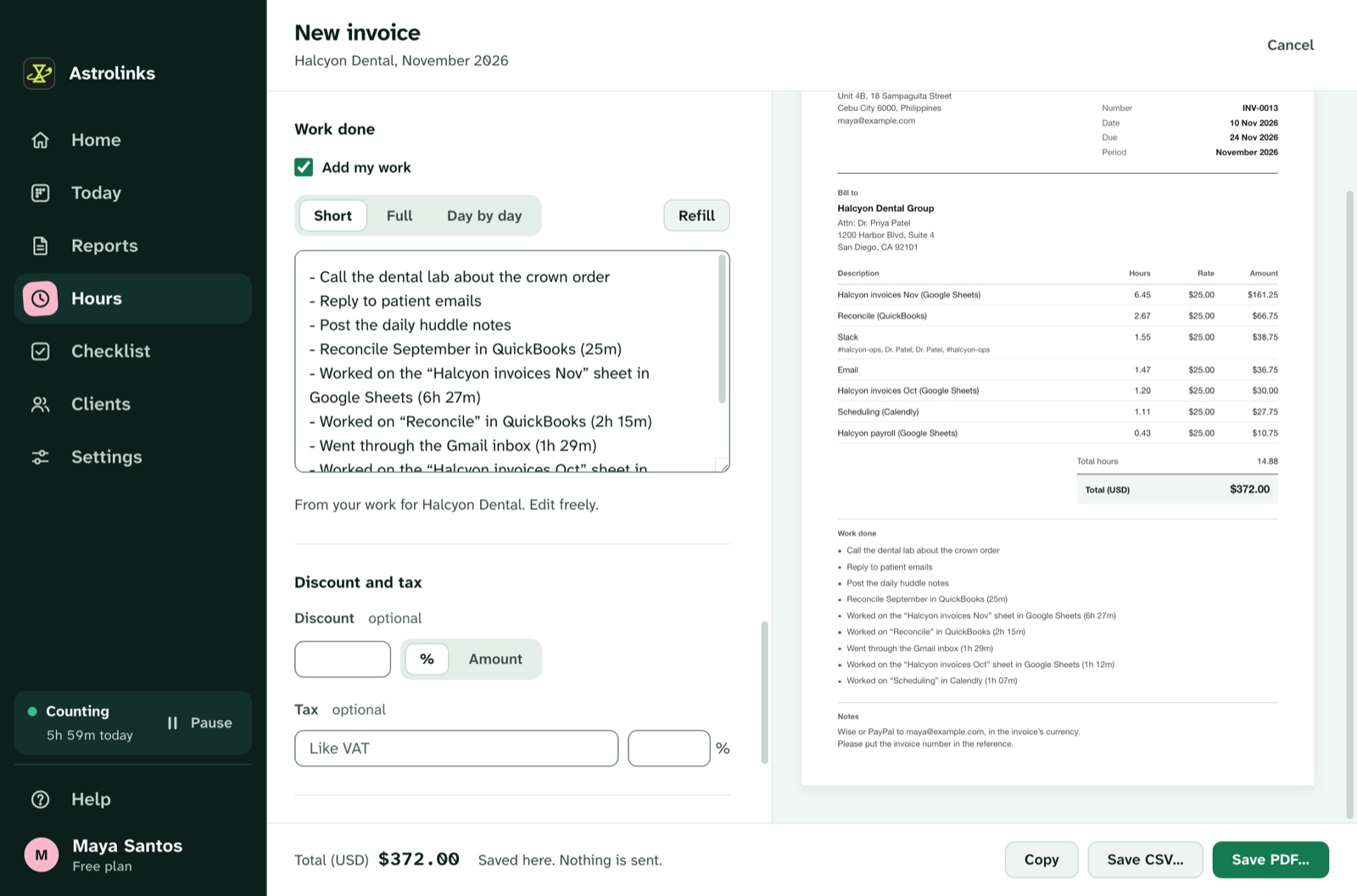
We make Astrolinks, a desktop app for Mac and Windows that covers clause 5 for you. It keeps a private log of your workday on your own computer, sorted by client, and writes each client's end-of-day report at clock-out, with no AI needed. You mark what happened with each item (Finished, Sent, Drafted, Replied or In progress), check it and send it. It takes no screenshots and no keystrokes, and skips private windows, so other clients' work stays private.
The same hours feed invoices with the work done listed under each line. The free plan counts up to 4 hours a workday for 2 clients, and every copy starts with a 7-day Pro trial with no card. See hours and invoices, or Astrolinks for VAs in the Philippines.
The short version
Put 12 things in writing: who, what, rate, payment, hours, tracking and reports, confidentiality, data, ownership, time off, ending, and contractor status. Name the currency, the time zone and who pays transfer fees. Agree any monitoring tool in writing. Send the contract with your proposal, keep it to two pages, and have a local lawyer check it once. It's the cheapest protection a VA business can have.