 Astrolinks

Short answer
A daily work report template is a fixed form for recording one person's workday for a supervisor or client: name and date, hours worked, each task with its result, issues and how they were handled, and the plan for tomorrow. Fill it in at the end of the day from your notes, in about five minutes.
Want your EOD report written for you? Astrolinks writes it from your actual workday when you clock out. Get it free →
A daily work report template is a fixed form for recording your workday: name and date, hours, each task with its result, any issues, and tomorrow's plan. Copy the template below, fill it in from your notes at the end of the day, and send or file it. It takes about five minutes once you have the habit.
A daily work report is a little different from the quick messages people send in chat. It's a record: something a supervisor can sign, an office can file, or a client can check against an invoice. This page gives you a copy-paste daily work report template, the standard daily work report format, three filled-in examples (office admin, field service and remote freelancer) and a five-minute method for writing one.
Daily work report template (copy and paste)
DAILY WORK REPORT

Name: [your name]
Role / team: [role, team or client]
Date: [day, date]
Hours: [start time] to [end time], [break length] break, [total] hours
Report to: [supervisor or client]

WORK COMPLETED
1. [Task]: [result, with a number where you can]
2. [Task]: [result]
3. [Task]: [result]

IN PROGRESS
- [Task]: [how far along, when it will be done]

ISSUES AND ACTIONS TAKEN
- [Problem]: [what you did about it, or who needs to act]

PLAN FOR TOMORROW
1. [Top priority]
2. [Second priority]

NOTES
[Anything else the reader should know: supplies used, visitors, calls, requests]

Submitted by: [name]          Reviewed by: [name, date]
Delete any section you don't need. The sign-off line matters only if someone formally reviews your reports.
Daily work report vs EOD report vs status report
People use these names loosely, so it helps to know which one you've actually been asked for:
| Report | Main question it answers | Typical reader | Format |
|---|---|---|---|
| Daily work report | What did this person do today, for how long, and with what result? | Supervisor, office, client | Set form with hours, tasks, issues, plan |
| EOD report | What's done, what's stuck and what's next? | Manager or client in chat | Four short sections in a message |
| Daily status report | Is the project on track? | Project stakeholders | Status color, milestones, risks |
| Work log | What happened, line by line? | Yourself | Running list or table through the day |
| Shift report | What does the next shift need to know? | Next person on duty | Handover of live issues |
If your client wants a quick four-part message, use our EOD report template. If they want to know whether a project is on track, see the daily status report template. If you hand over to another shift, the end of shift report template fits better. The daily work report is the one to use when someone wants a fuller record of your day.
Daily work report format, section by section
Header. Name, role, date and hours. Hours matter more here than in most updates, because a daily work report is often used to check time, attendance or billing. Write start, end and breaks, not just a total.
Work completed. One line per task, each with a result. "Processed 18 purchase orders" says more than "worked on purchase orders." Numbers help: items processed, calls made, sites visited, pages written.
In progress. Work you started but didn't finish, with how far along it is. This stops the reader assuming it's either done or forgotten.
Issues and actions taken. Anything that went wrong or slowed you down, and what you did about it. If someone else needs to act, name them.
Plan for tomorrow. Two or three priorities. This is where a supervisor can step in if your priorities don't match theirs.
Notes and sign-off. Supplies used, visitors, requests, safety notes, whatever your role needs. Add a reviewed-by line if your workplace files the reports.
Example 1: office and admin
DAILY WORK REPORT

Name: Dana Ruiz
Role: Office administrator, Accounts team
Date: Tuesday, November 17
Hours: 8:30 a.m. to 5:00 p.m., 30 min lunch, 8 hours
Report to: Priya Shah

WORK COMPLETED
1. Entered 42 supplier invoices into the accounting system
2. Matched 38 invoices to purchase orders; 4 sent back to buyers
3. Ordered printer toner and paper, delivery Thursday
4. Booked meeting room and lunch for Friday's client visit

IN PROGRESS
- Expense claims for October: 11 of 16 checked, done by noon tomorrow

ISSUES AND ACTIONS TAKEN
- 4 invoices have no purchase order. Emailed the buyers, copied you.
- Second-floor printer jammed twice. Logged a ticket with IT.

PLAN FOR TOMORROW
1. Finish October expense claims
2. Chase the 4 missing purchase orders
3. Prepare the weekly payment run list

Submitted by: Dana Ruiz
Example 2: field service or support
DAILY WORK REPORT

Name: Marcus Lee
Role: Field service technician, North region
Date: Wednesday, November 18
Hours: 7:00 a.m. to 4:30 p.m., 45 min break, 8.75 hours
Vehicle: Van 12, 96 miles

WORK COMPLETED
1. Site A, 8:00 a.m.: annual service on 2 rooftop units. Both passed.
2. Site B, 10:30 a.m.: replaced faulty thermostat. Customer signed off.
3. Site C, 1:15 p.m.: no heat call. Igniter replaced, system running.
4. Site D, 3:00 p.m.: inspection only. Quote needed for worn belt.

PARTS USED
- 1 thermostat, 1 igniter, 4 filters

ISSUES AND ACTIONS TAKEN
- Site D needs a replacement belt. Photos and part number sent to the office for a quote.
- Site B customer asked about a maintenance plan. Passed to sales.

PLAN FOR TOMORROW
1. Two scheduled services, South region
2. Return to Site D if the quote is approved

Submitted by: Marcus Lee          Reviewed by: __________
The same layout works for a support agent: swap site visits for ticket numbers and add counts of tickets closed, escalated and still open.
Example 3: remote freelancer
Daily work report: Brightside Studio
Thursday, November 19
Hours: 9:00 a.m. to 1:00 p.m. and 2:00 to 4:30 p.m. (6.5 hours billable)

WORK COMPLETED
1. Homepage copy: final draft delivered in the shared doc (1.5 h)
2. Three blog outlines approved by Jo; first one drafted (2.5 h)
3. Client call: agreed the December content calendar (0.5 h)
4. Updated product page descriptions, 12 of 12 done (2 h)

IN PROGRESS
- Blog post 1: draft done, edits tomorrow

ISSUES
- Still need the brand style guide to finish the About page. Can you send it, or point me to where it lives?

PLAN FOR TOMORROW
1. Edit and deliver blog post 1
2. About page, once the style guide arrives

Total this week so far: 24 hours of 30 budgeted.
For freelancers, the hours line does double duty: it's the record your client checks against the invoice at the end of the month.
How to write a daily work report in 5 minutes
The report is quick to write if you aren't trying to remember the whole day at 5 p.m.
- Keep notes as you go. A line in a daily work log every time you finish or switch tasks is enough. It takes seconds and saves the guessing later.
- Fill in the header first. Name, date and hours take thirty seconds and get you started.
- Copy your finished tasks into Work Completed and add a result to each one. Delete the trivial ones.
- Write the issues while you still remember them. Say what you did, not just what went wrong.
- Pick two or three priorities for tomorrow, then send or file it before you log off.
If you send reports to more than one client or supervisor, write one report each, with only their work in it.
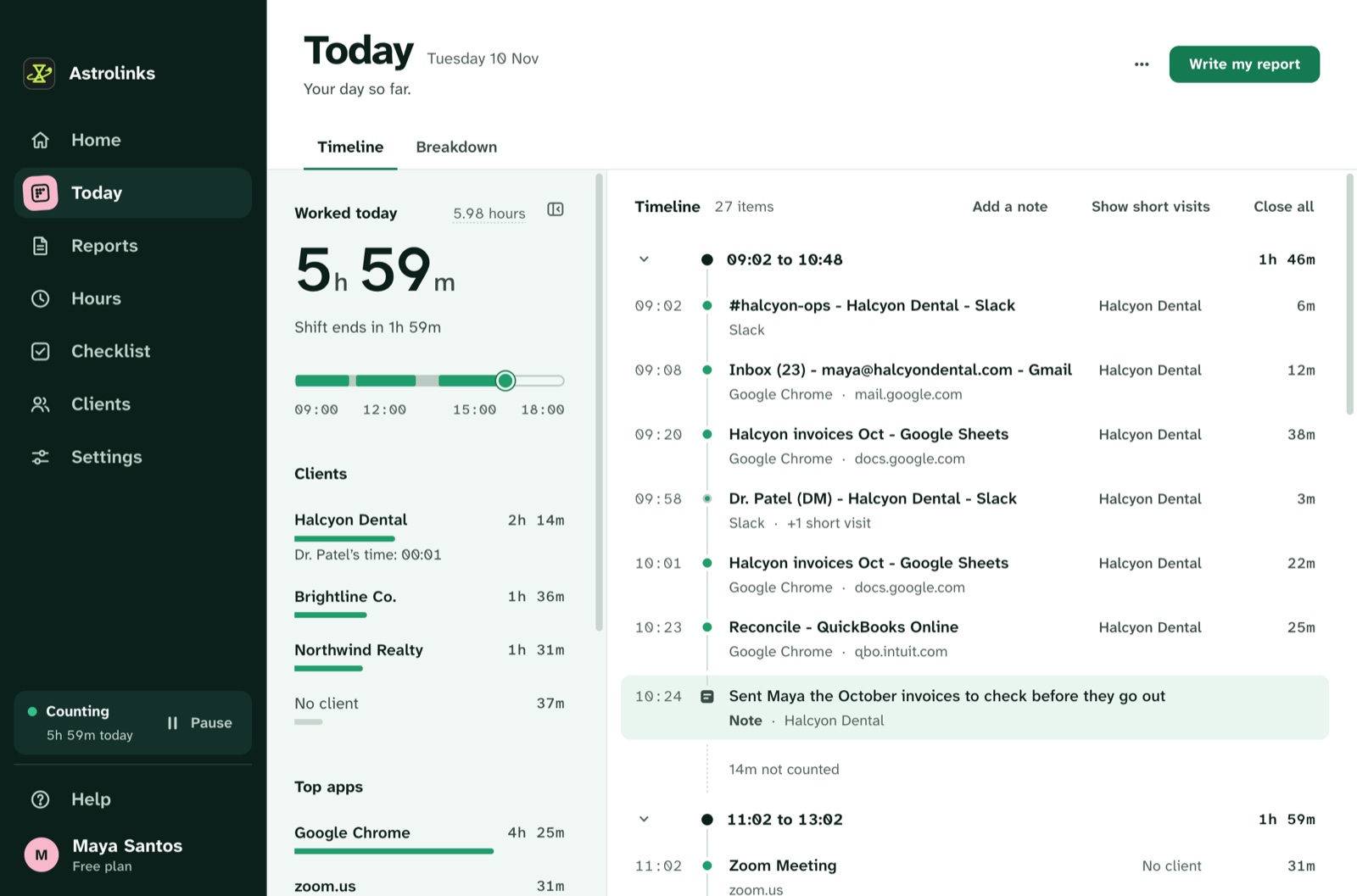
Astrolinks can take care of the first step. It keeps a private log of your workday on your own computer, with no screenshots and no keystroke logging, and at clock-out it writes each client's end-of-day report from that log, with hours per client. You read it, adjust it to your report format and send it. See how end-of-day reports work.